


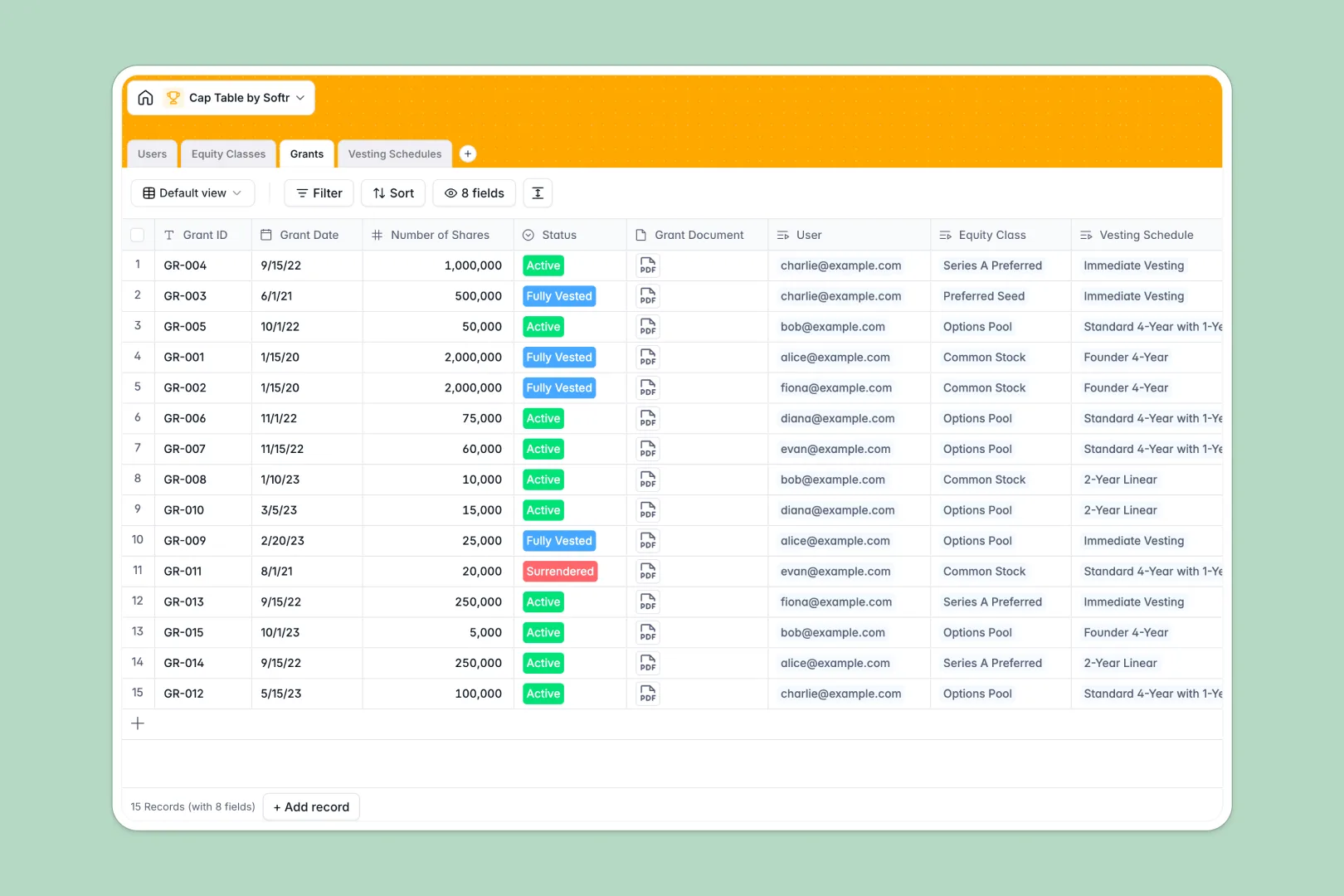
Your Cap Table Database at a glance
This template gives you a robust, instantly usable system to manage your company's equity accurately. It securely tracks every stakeholder, authorized share pool, and individual grant without relying on vulnerable spreadsheet formulas.
The database works by seamlessly linking your tables together. Whenever you log a new grant, it automatically links to the stakeholder's profile, connects to the correct equity class, and applies the right vesting schedule.
It also comes equipped with AI features that simplify equity management. The database automatically translates complex vesting schedules into plain English and generates standard legal descriptions for your equity pools.
Why company equity gets messy in Excel
Tracking a cap table in Excel starts out simple, but quickly becomes a massive headache. As you add new investors, employee options, and different vesting cliffs, you end up with a maze of hidden rows and broken VLOOKUPs.
What a structured database changes
Instead of copy-pasting values across different spreadsheet tabs, a structured database connects data natively. A grant record is permanently linked to an exact user and a specific equity pool, eliminating the risk of mismatched rows.
Because data types are strictly enforced, rollups can automatically calculate total issued shares and summarize remaining pools accurately. This is exactly what Softr Databases are designed for—keeping critical business data perfectly organized.
What you can do with this template
You can track authorized shares against issued grants in real time and attach legal grant documents directly to stakeholder profiles. Everything you need to maintain a compliant cap table is ready to use immediately.
You can also rely on Database AI agents to do the heavy lifting for communication. The database automatically turns raw vesting schedule parameters into easily readable text that you can share with employees.
-
Users
Manage stakeholders including employees and investors with roles and total shares
-
Equity Classes
Define stock pools with share prices and AI-generated legal financial definitions
-
Grants
Log specific equity issuances mapping stakeholders to shares and vesting terms
-
Vesting Schedules
Outline vesting rules and timelines with AI-generated plain English explanations
Who is this Cap Table Database for
This template is built for teams that need to issue shares and maintain perfect equity records without paying for expensive enterprise software.
- Founders: Track investor ownership and employee option pools clearly from day one.
- HR Leaders: Keep employee equity agreements, status tracking, and vesting timelines strictly organized.
- Operations Managers: Monitor your authorized share pools and automatically see exactly how many shares remain unissued.
- Finance Teams: Maintain a single source of truth for all equity classes, stock prices, and historical grants.
How to take it further
Customize the database
You can easily tweak the equity classes or adjust the dropdown statuses for active and surrendered grants. Because it's a native database, renaming fields or adding new columns takes seconds.
Import your existing data
If you are currently managing your cap table in a spreadsheet, simply export a CSV file and drop it into the database. You will immediately upgrade your tracking system without missing a beat.
Build a full app around it
When your team is ready, you can use the interface builder to turn this database into a secure employee or investor portal.
By leveraging native users and permissions, you can ensure employees only see their own grant documents, while administrators retain full access to the entire cap table.
-
1
-
2
-
3
-
4
Frequently asked questions
-
What is a cap table database?
-
Why use a no-code database to build an equity tool?
-
How can AI help managing data for equity tracking?
-
Can I build an app with this cap table database?
-
Is this Cap Table Database free?
-
Why is a database better than Excel for a cap table?
Start building today. It's free!
Build and launch your first app in under 30 minutes.