


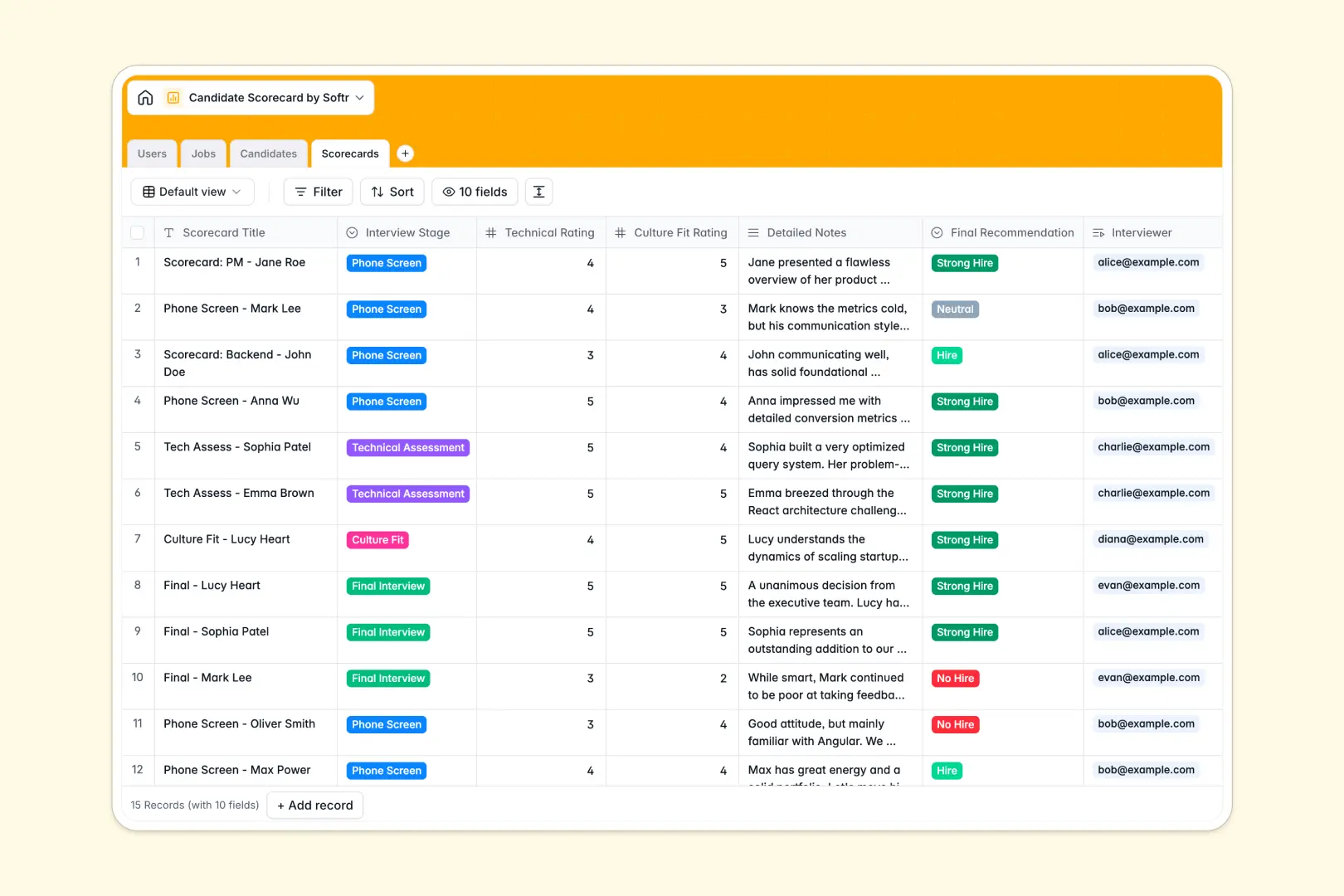
Your Candidate Scorecard Database at a glance
This template provides a clear, central hub to track open jobs, candidate pipelines, and interview evaluations. It keeps your hiring team aligned and prevents valuable feedback from getting lost in email threads or chat messages.
Inside, dedicated tables for Jobs, Candidates, and Scorecards automatically link together. When a recruiter looks up an applicant, they can instantly see every scorecard and rating submitted by the interview panel in one neat view.
It also works for you in the background. Built-in AI pulls candidate summaries directly from LinkedIn URLs and distills long interview notes into clear bullet points.
Why candidate scorecards get messy in Excel
Tracking hiring pipelines in spreadsheets quickly becomes chaotic when multiple interviewers need to submit feedback. Rows get accidentally deleted, columns fill up with long, messy notes, and connecting evaluations to the right job req usually requires fragile formulas that break easily.
What a structured database changes
Instead of dealing with endless horizontal scrolling, a database enforces clean structure. Dates stay dates, select fields enforce standard stages, and files like candidate resumes are attached directly to the record.
Because of its relational design, you can link multiple separate scorecards to a single candidate without heavy copy-pasting. This is exactly what Softr Databases are designed for.
What you can do with this template
You can standardize your hiring process by giving interviewers a reliable framework to score technical skills and culture fit. Everyone submits data in the exact same format, making it effortless to compare candidates side-by-side.
To save your hiring managers hours of reading, native Database AI agents automatically search the web to summarize candidate profiles. They also extract the top strengths and weaknesses from detailed interview notes in real time.
-
Users
Store recruiter information, HR roles and manage internal system access
-
Jobs
Organize open requisitions with department details and hiring status
-
Candidates
Track applicant pipelines and use AI to summarize professional profiles
-
Scorecards
Record interview evaluations using AI to extract key candidate feedback
Who is this Candidate Scorecard Database for
This template is a reliable foundation for growing companies looking to organize their hiring process.
- Recruiters: Track applicant pipeline stages clearly and consolidate all panel notes into one unified view.
- Hiring Managers: Review technical and culture fit ratings instantly to make faster, objective hiring decisions.
- Interviewers: Submit structured feedback easily without dealing with confusing, broken spreadsheets.
- HR Departments: Maintain an organized, centralized directory of all open jobs and historical applicant data.
How to take it further
It is incredibly easy to customize the database to match how your specific HR team works. You can instantly modify the interview stage dropdowns or add new number fields to score specific technical assessments.
When you are ready to move away from messy spreadsheets, you can import your existing candidate pool by simply uploading a CSV file.
If you want to protect sensitive salary or feedback data, you can build an app on top of this database.
By leveraging granular users and permissions, you can build a secure portal where interviewers only see scorecards assigned to them, while HR directors view the entire pipeline.
-
1
-
2
-
3
-
4
Frequently asked questions
-
What is a candidate scorecard database?
-
Why use a no-code database to build a hiring system?
-
How can AI help managing data for candidate scorecards?
-
Can I build an app with this candidate scorecard database?
-
Is this Candidate Scorecard database free?
-
How is a candidate scorecard database different from Excel?
Start building today. It's free!
Build and launch your first app in under 30 minutes.