


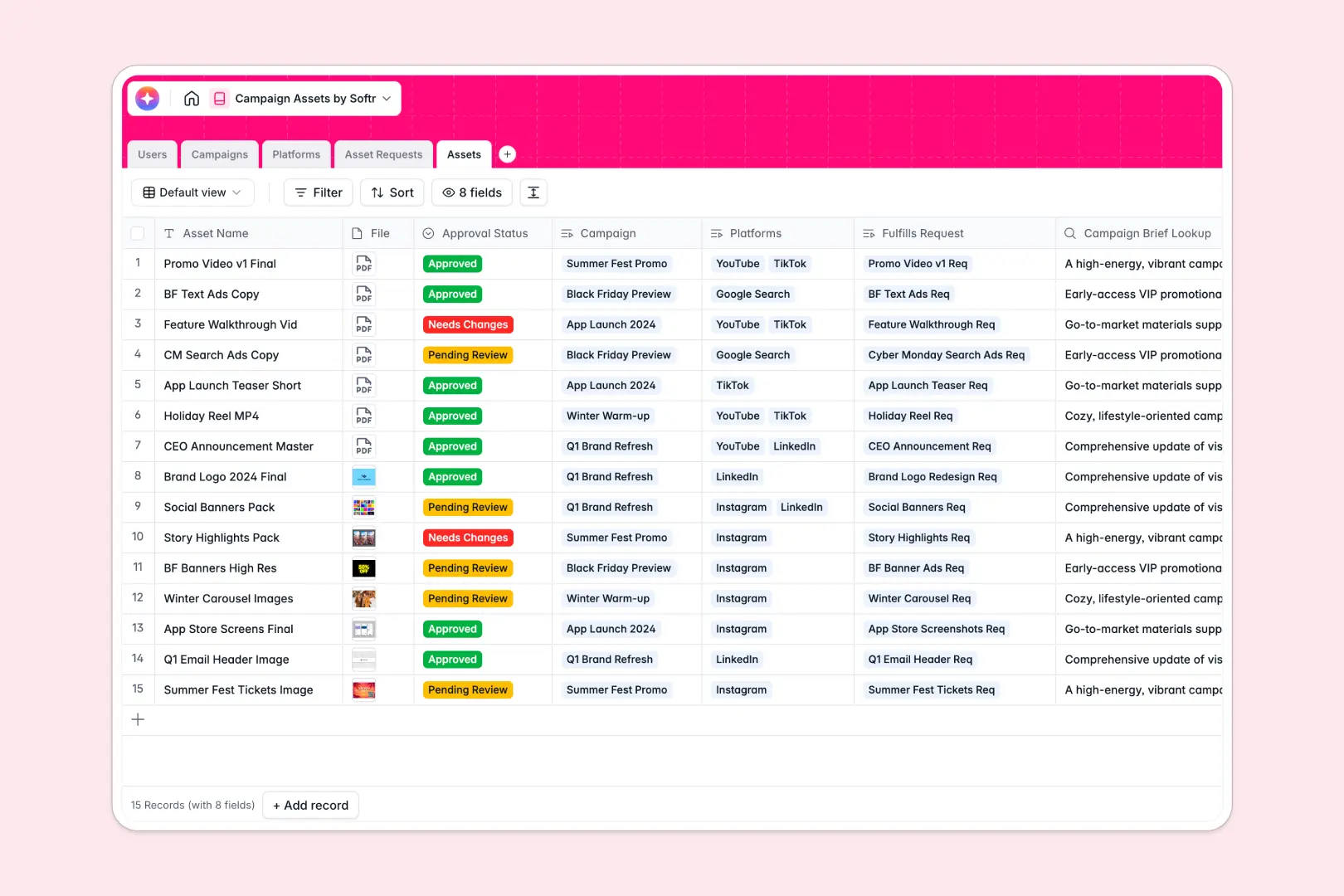
Your Campaign Assets Database at a glance
This template centralizes your entire creative production workflow. It helps marketing teams track everything from the initial design request to the final deliverable so nothing gets lost in the feedback loop.
It connects five ready-to-use tables, including Campaigns, Asset Requests, and final Assets. When someone submits a request for a new banner, it automatically links to the related overarching campaign and the final design file once approved.
Built-in AI automatically drafts social media copy for your final assets and instantly categorizes new design requests by priority to keep your team moving fast.
Why campaign assets get messy in Excel
Tracking evolving design files, version histories, and detailed creative briefs in static spreadsheets quickly becomes a nightmare. Feedback gets buried in scattered rows, and the data quickly becomes unmanageable for large teams.
What a structured database changes
A structured system keeps files, task statuses, and text completely specialized and organized. You can attach heavy image files directly to a record and link an asset request directly to the right campaign without relying on fragile formulas.
This is exactly what Softr Databases are designed for. As your marketing team scales, every approval status stays up-to-date and every channel format holds its own rigid structure.
What you can do with this template
You can easily map out your entire production pipeline instantly. Connect your designers and marketing managers in one straightforward tracking system where everyone knows exactly what needs to be published.
You can also leverage Database AI agents to handle essential manual tasks automatically. The template can search the live web to pull in platform-specific ad specs or instantly write an executive summary for a lengthy campaign brief.
-
Users
Manage team roles and access levels for marketing campaign operations
-
Campaigns
Organize marketing strategy with AI-generated high-level executive summaries
-
Platforms
Map distribution channels using AI to research and summarize capabilities
-
Asset Requests
Streamline design tickets using AI to automatically categorize task urgency
-
Assets
Store creative deliverables with AI-powered social media copy generation
Who is this Campaign Assets Database for
This system is specifically built for marketing and creative teams who need a clean, structured way to process design work.
- Marketing Managers: Track the real-time approval status of every asset tied to your upcoming campaigns.
- Design Teams: Organize incoming requests in a central queue so you always know what to work on next.
- Content Creators: Store final, approved files alongside your AI-generated platform copy for immediate posting.
- Department Heads: Get a high-level view of an entire campaign's progress from strategy to delivery.
How to take it further
You can easily tailor this database to match your specific daily workflows. Add new dropdown options for specific ad formats or modify the review stages to fit your brand's unique approval process.
Bringing your current operations over is simple. Just export your existing tracking sheets as a CSV file and upload them to instantly populate these pre-built tables.
Once your creative pipeline is beautifully structured, you might want to build an app on top of this foundation. You could seamlessly create a custom portal where external freelancers can upload finished graphics for internal review.
Because your operations are running natively, you can easily control users and permissions. This ensures that contractors or partner agencies only see the specific campaign briefs and assets they are actively assigned to.
-
1
-
2
-
3
-
4
Frequently asked questions
-
What is a campaign asset database?
-
Why use a no-code database to build a campaign asset tool?
-
How can AI help managing data for campaign assets?
-
Can I build an app with this campaign assets database?
-
Is this Campaign Assets Database free?
-
Why do campaign files and requests get messy in Excel?
Start building today. It's free!
Build and launch your first app in under 30 minutes.