


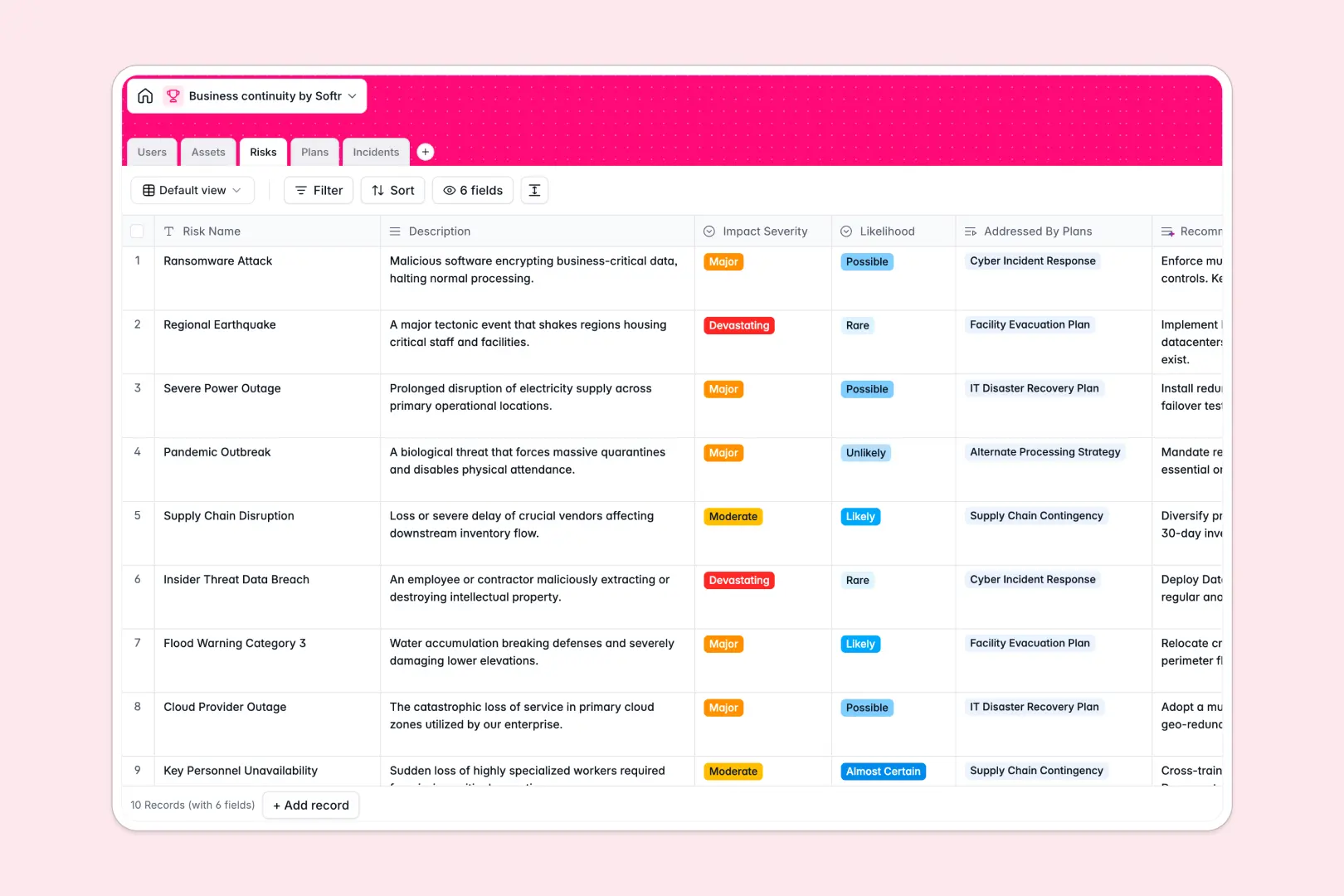
Your Business Continuity database at a glance
The Business Continuity template replaces scattered spreadsheets with a centralized system for tracking risks, assets, and active incidents. It gives your team a single source of truth to prepare for and respond to critical disruptions without digging through old files.
This database connects everything natively so your data actually makes sense. You can link identified risks directly to mitigation plans, and tie critical IT facilities to specific incident reports without manual data entry.
Built-in AI automatically generates strategic mitigation ideas for new risks and writes executive summaries for your continuity plans. It can also instantly evaluate incoming incident text to categorize reports by threat type, speeding up your response time.
Why business continuity management gets messy in Excel
Tracking company-wide risks, recovery plans, and live incidents in a spreadsheet quickly becomes a massive liability. Critical data gets buried in endless rows, and team members can easily overwrite crucial recovery steps during an emergency.
What a structured database changes
In a relational system, your data stays structured and secure as your operations scale. Dropdowns stay consistent, dates format correctly, and critical files can be securely attached directly to incident records without breaking page layouts.
Instead of relying on fragile VLOOKUPs, you seamlessly link your users to the plans they own and the specific IT assets those plans protect. This is exactly what Softr Databases are designed for.
What you can do with this template
Ditch static tracking by instantly viewing how many active incidents affect a specific mission-critical asset using automated rollups. You can also assign precise ownership to every continuity plan so everyone knows their exact role during a crisis.
Thanks to Database AI agents, this system works for you by automatically labeling new disruptions as cyber attacks, hardware failures, or natural disasters. Just launch the template and start adding your critical infrastructure today.
-
Users
Manage personnel profiles, system access roles and plan ownership
-
Assets
Track critical infrastructure and resources vital to business operations
-
Risks
Map threats with AI-powered mitigation ideas to reduce impact Likelihood
-
Plans
Organize recovery strategies with AI-generated summaries and owner tasks
-
Incidents
Log disruptions using AI to auto-classify categories for faster resolution
Who is this Business Continuity database for
This system is built for operations teams and managers who need reliable disaster recovery planning without the spreadsheet friction.
- Continuity Managers: Track recovery plans and ensure all identified risks have assigned strategic mitigations.
- IT Directors: Monitor hardware failures, log cyber attacks, and map how systems connect to broader recovery objectives.
- Operations Leads: Keep a high-level view of facility statuses and active incidents affecting daily business.
- Risk & Compliance Officers: Maintain auditable records of last review dates and precise incident resolution notes.
How to take it further
You can easily tailor this system to your exact organizational structure in minutes. Add custom asset types, adjust the incident severity levels, or rename the risk likelihood dropdowns to match your internal terminology.
Don't start from scratch if you already have plans documented elsewhere. Bulk upload your existing asset registries or user directories via CSV files to instantly populate your new tables and get to work.
When your team is ready to scale, you can transform this database into a secure internal application using the interface builder. This lets employees report incidents through a clean, simple form without ever accessing the underlying database.
With native users and permissions, you can ensure that regular employees only see public recovery plans while admins retain full editing rights over continuity strategies. A well-structured database makes building these custom portals incredibly smooth.
-
1
-
2
-
3
-
4
Frequently asked questions
-
What is a business continuity database?
-
Why use a no-code database to build a business continuity tool?
-
How can AI help managing data for business continuity?
-
Can I build an app with this business continuity database?
-
Is this Business Continuity template free?
-
Why is a business continuity database better than Excel?
Start building today. It's free!
Build and launch your first app in under 30 minutes.