


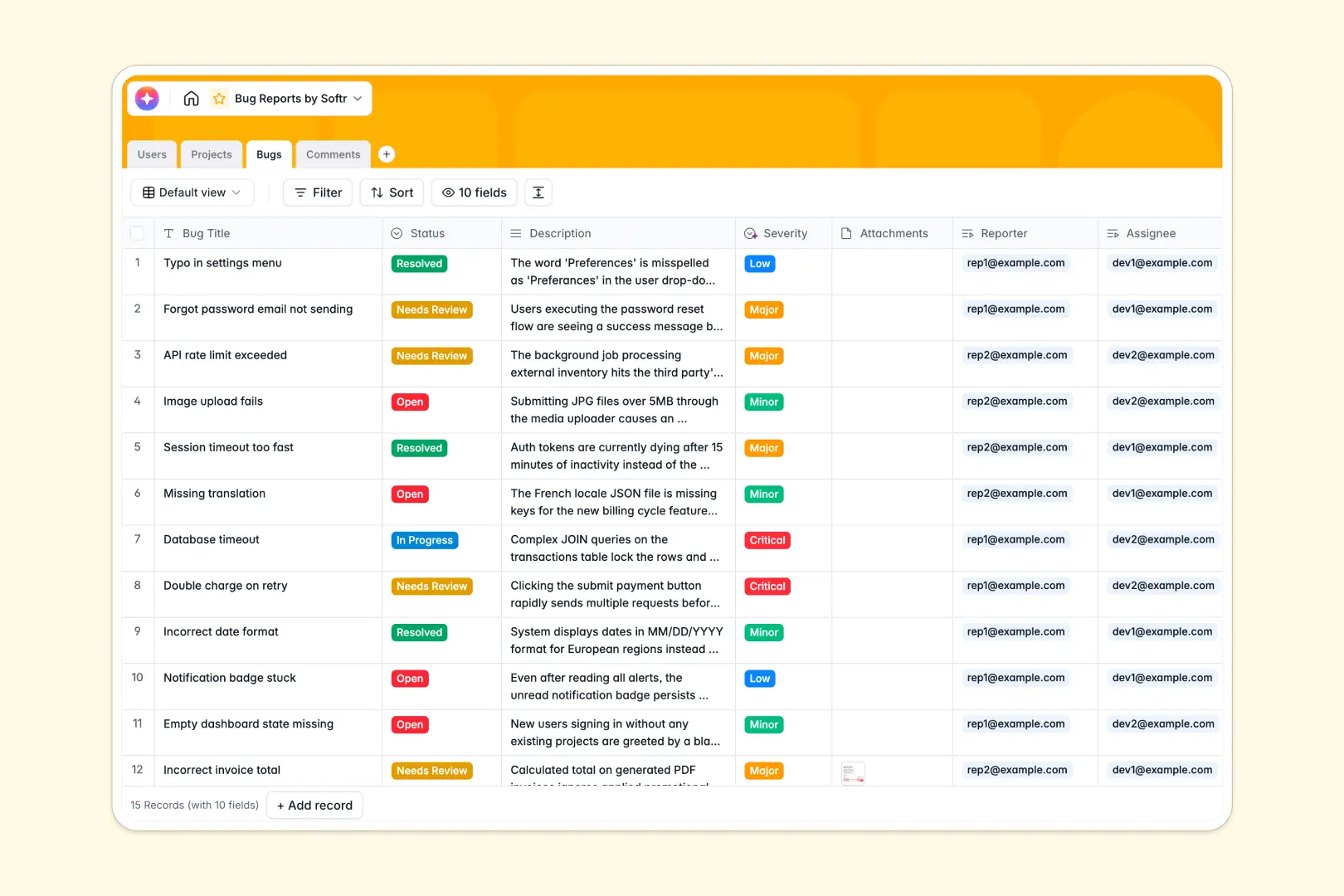
Your Bug Reports Database at a glance
This Bug Reports Database replaces messy spreadsheets with a structured, automated tracking system. Teams can easily log errors, link them to specific projects, and track resolution status in real time.
It connects four simple tables—Users, Projects, Bugs, and Comments—so everything stays in sync. When a new bug is reported, it is immediately linked to the right project module, assigned to a developer, and tracked with a complete comment history.
To speed up triage, built-in AI automatically reads the bug description to assign the correct severity level and generates a concise bulleted summary of the core defect.
Why tracking bug reports in Excel breaks down
Managing software bugs in Excel quickly becomes a nightmare of lost attachments, broken formulas, and outdated statuses. Teams waste hours digging through rows just to figure out who is answering a critical issue.
What a structured database changes
A structured database solves this by enforcing clean data types and native relationships. Attachments stay directly on the bug ticket, and comments are linked natively with auto-created timestamps.
Instead of copy-pasting user details or module names into a messy sheet, tables connect cleanly. This is exactly what Softr Databases are designed for—keeping systems scalable and accurate as product complexity grows.
What you can do with this template
You can instantly filter all open bugs by project, auto-calculate total open issues per module, and ensure all developer communications exist on the exact ticket.
With Database AI agents, your bug tracker even runs on autopilot. Simply log the issue details, and the AI categorizes the severity from Low to Critical instantly while pulling out the key summary.
-
Users
Manage system roles and contact profiles for reporters and developers
-
Projects
Organize software modules and high-level projects with dedicated leads
-
Bugs
Manage issue tickets using AI to summarize reports and classify severity
-
Comments
Centralize communication logs and discussion threads for specific bug updates
Who is this Bug Reports database for
This template works perfectly for software teams wanting a fast, scalable issue tracker out of the box.
- Product Managers: Gain instant visibility into project health and open bugs via automatic rollups.
- Dev Teams: Track assigned issues, view clear AI summaries, and keep communication organized.
- QA Testers: Quickly upload screenshots and log issues without writing long severity reports.
How to take it further
You can customize this database instantly to fit your exact workflow. Add new statuses to the dropdown, tweak the AI categorization prompts, or add a target release date column quickly.
Transitioning away from a messy tracker is effortless. You can import your current open bugs and user directories via CSV or API to get the team aligned immediately.
When your operations scale, you can build an app directly on top of this structure. Turn this database into an external client portal for bug submissions, or an internal dashboard for your engineering team.
Because Softr combines your tables, interface, and proper users and permissions, you can ensure external reporters only see their own tickets while developers view everything.
-
1
-
2
-
3
-
4
Frequently asked questions
-
What is a bug reports database?
-
Why use a no-code database to build a bug tracker?
-
How can AI help managing data for bug reports?
-
Can I build an app with this bug reports database?
-
Is this Bug Reports Database free?
-
Why do bug tracking spreadsheets break down in Excel?
Start building today. It's free!
Build and launch your first app in under 30 minutes.