


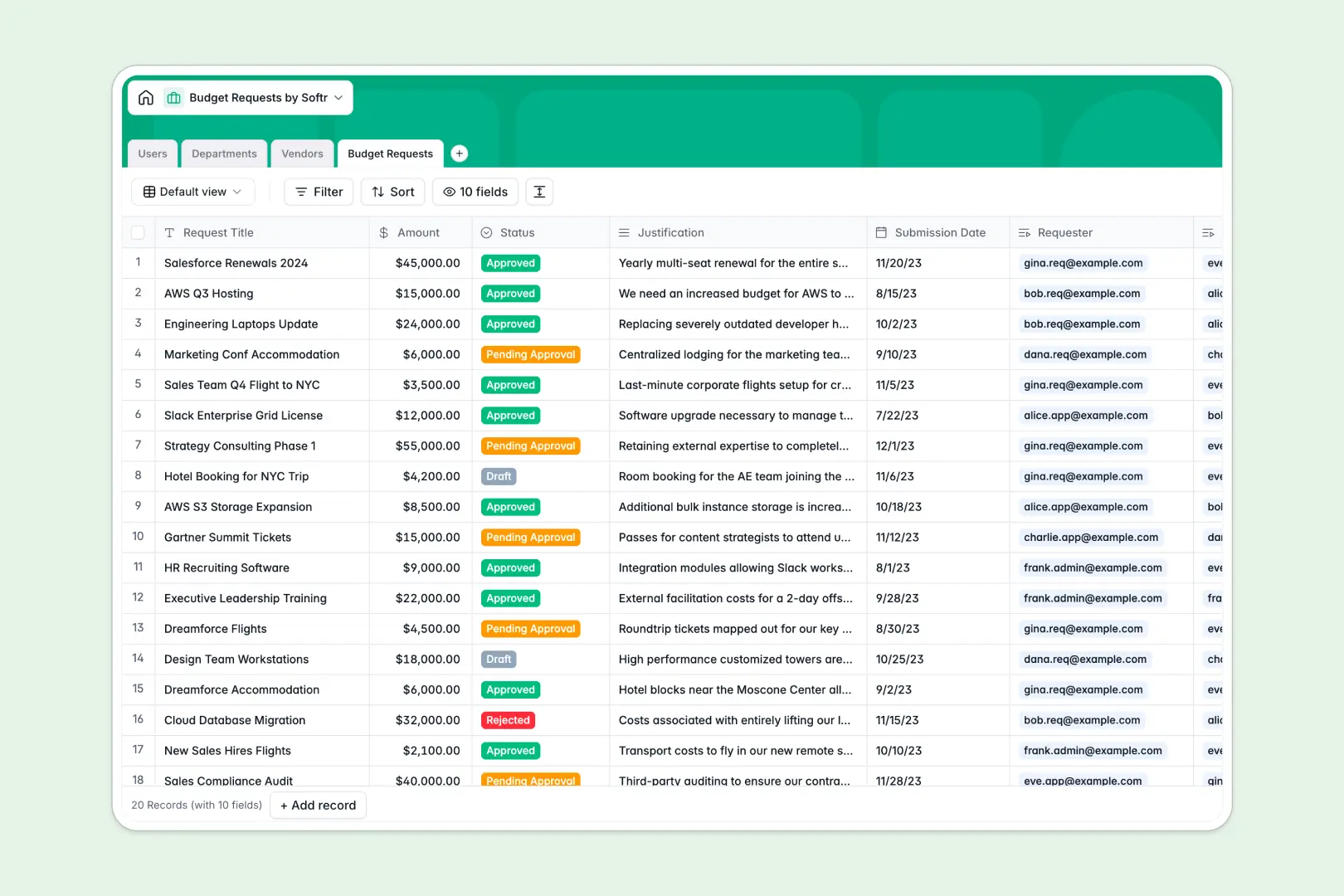
Your Budget Requests database at a glance
This template lets teams submit, review, and approve financial requests in one centralized hub. It speeds up the approval process and eliminates messy email threads entirely.
Manage everything across linked tables for Users, Departments, Vendors, and Budget Requests. When a team member submits a request, it routes to the right approver and links directly to the selected vendor.
Built-in AI fields help you move faster by instantly summarizing long justifications into quick bullet points. Another AI agent automatically browses the web to pull fresh descriptions for new vendors as they are added.
Why budget requests get messy in Excel
Managing budgets in Excel quickly turns chaotic as teams scale. Rows get accidentally deleted, email approvals don't sync with the sheet, and tracking spend per department requires fragile formulas.
What a structured database changes
A structured database enforces strict rules for your financial data. Currency fields stay as formatted numbers, statuses are locked to dropdowns, and every request is securely linked to its department.
You don't have to worry about broken VLOOKUPs when someone adds a new row or alters a column. This is exactly what Softr Databases are designed for—keeping critical business data clean and natively connected.
What you can do with this template
You can automatically calculate total requested budgets per department using built-in rollup fields. It allows you to track approvals securely without giving everyone edit access to the master ledger.
You also benefit from automated research and data cleanup. The built-in AI tools speed up decision-making by creating instant request summaries and extracting vendor data for you automatically.
-
Users
Manage requesters and admins with specific roles and department links
-
Departments
Organize organizational units to aggregate budget totals and members
-
Vendors
Verify external suppliers with AI-powered website and service summaries
-
Budget Requests
Track spending requests using AI to summarize justifications for approval
Who is this Budget Requests database for
This template helps operations and finance teams keep company spend under strict control.
- Finance Managers: Track overall spend across all departments without hunting down spreadsheets.
- Department Heads: Review pending requests from team members and quickly approve or reject them.
- Operations Teams: Organize vendor information and track software or equipment subscriptions easily.
How to take it further
You can customize this database in seconds to fit your specific workflow. Add new expense categories to the Vendors table or adjust the approval statuses to match your internal policy.
Import your historical spreadsheet data immediately with a quick CSV upload. You can also connect via API to sync vendors automatically from your existing financial tools.
When you're ready, turn this central data into a secure internal application. By utilizing an interface builder, you can create custom request dashboards for your entire team.
You can set up strict users and permissions so requesters only see their own submissions, while department heads see everything for their unit. A well-structured database makes building this safe, custom app effortless.
-
1
-
2
-
3
-
4
Frequently asked questions
-
What is a budget requests database?
-
Why use a no-code database to build a budget approval tool?
-
How can AI help managing data for budget requests?
-
Can I build an app with this budget requests database?
-
Is this Budget Requests template free?
-
How is a budget requests database different from Excel?
Start building today. It's free!
Build and launch your first app in under 30 minutes.