


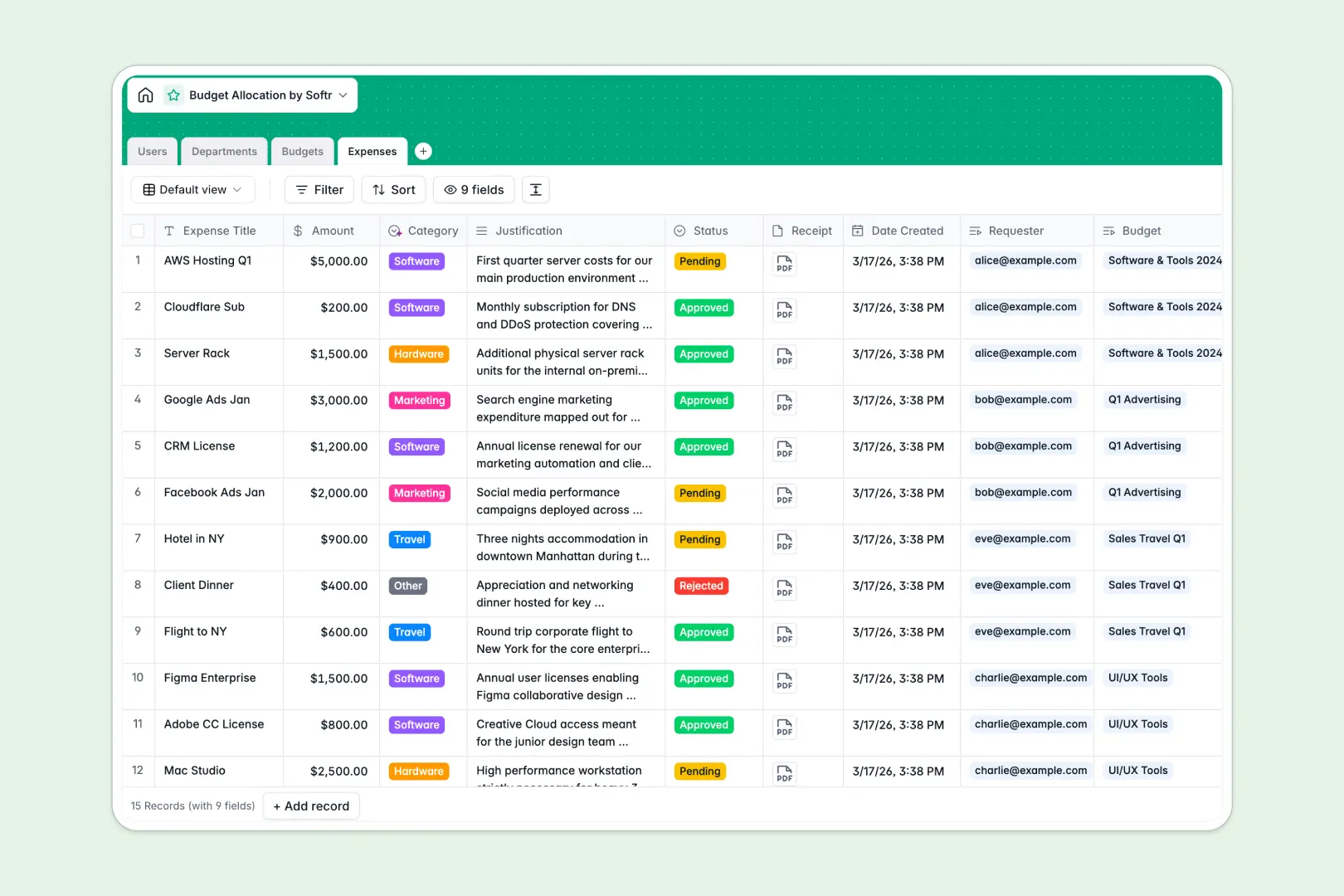
Your Budget Allocation Database at a glance
This template gives you a clear, centralized system to track departmental budgets, manage expenses, and monitor overall financial health. It prevents overspending by keeping managers and requesters fully aligned on what funds are actually available.
The system natively connects Users, Departments, Budgets, and Expenses. When an expense is added, it automatically rolls up to the specific budget container, updating the remaining balance instantly without fragile formulas.
Built-in AI automatically classifies expenses into categories like software or travel based on the request justification, and instantly generates health status summaries for every budget.
Why budget allocation gets messy in Excel
Managing company funds in spreadsheets quickly leads to broken formulas, hidden overspending, and endless copy-pasting to reconcile receipts with master sheets.
What a structured database changes
In a proper database, every dollar is tied to a specific department and requester mathematically. Instead of manually updating VLOOKUPs when a new expense is approved, the data flows automatically between beautifully connected tables.
You don't have to worry about someone accidentally deleting a crucial remaining balance formula. This is exactly what Softr Databases are designed for—keeping financial records secure, perfectly typed, and easy to navigate as your company scales.
What you can do with this template
Instantly track exactly how much budget a department has left simply by logging expenses. The rollup fields calculate total spend and remaining funds automatically in real time.
You can let Database AI agents do the heavy lifting by automatically categorizing new expense entries based on text justification. They will even automatically research and write strategic department objectives, completely removing manual data entry.
-
Users
Manage budget managers and requesters with roles and contact profiles
-
Departments
Organize departments using AI to generate strategic mission statements
-
Budgets
Track allocations and use AI to summarize financial health and risks
-
Expenses
Process purchase requests with AI-powered category classification
Who is this Budget Allocation database for
This ready-to-use template is designed for teams that need to transparently manage funds and track spending requests efficiently.
- Finance Leaders: Gain real-time visibility into department budgets, pending expenses, and overall burn rates.
- Department Heads: Track exactly how much allocated budget remains without waiting for delayed end-of-month reports.
- Team Managers: Review and approve team member expense requests against their dedicated project funds easily.
How to take it further
You can easily tweak this database to fit your exact financial processes. Change the expense categories, add new currency types, or modify the approval statuses in just a few clicks.
If you already have budgets tracked elsewhere, quickly upload your existing records via CSV. Your historical expenses will instantly populate and mathematically link to the correct departments.
When you are ready to stop sharing raw data tables, you can build an app directly on top of this structure. Wrap your financial data in a clean portal where employees log requests and managers approve them with confidence.
By configuring users and permissions, you ensure perfect access control. Requesters will only see their own expenses, while finance admins can securely view the entire company ledger.
-
1
-
2
-
3
-
4
Frequently asked questions
-
What is a budget allocation database?
-
Why use a no-code database to build a budget tracker?
-
How can AI help managing data for budget allocation?
-
Can I build an app with this budget allocation database?
-
Is this Budget Allocation template free?
-
How is a budget database different from Excel?
Start building today. It's free!
Build and launch your first app in under 30 minutes.