


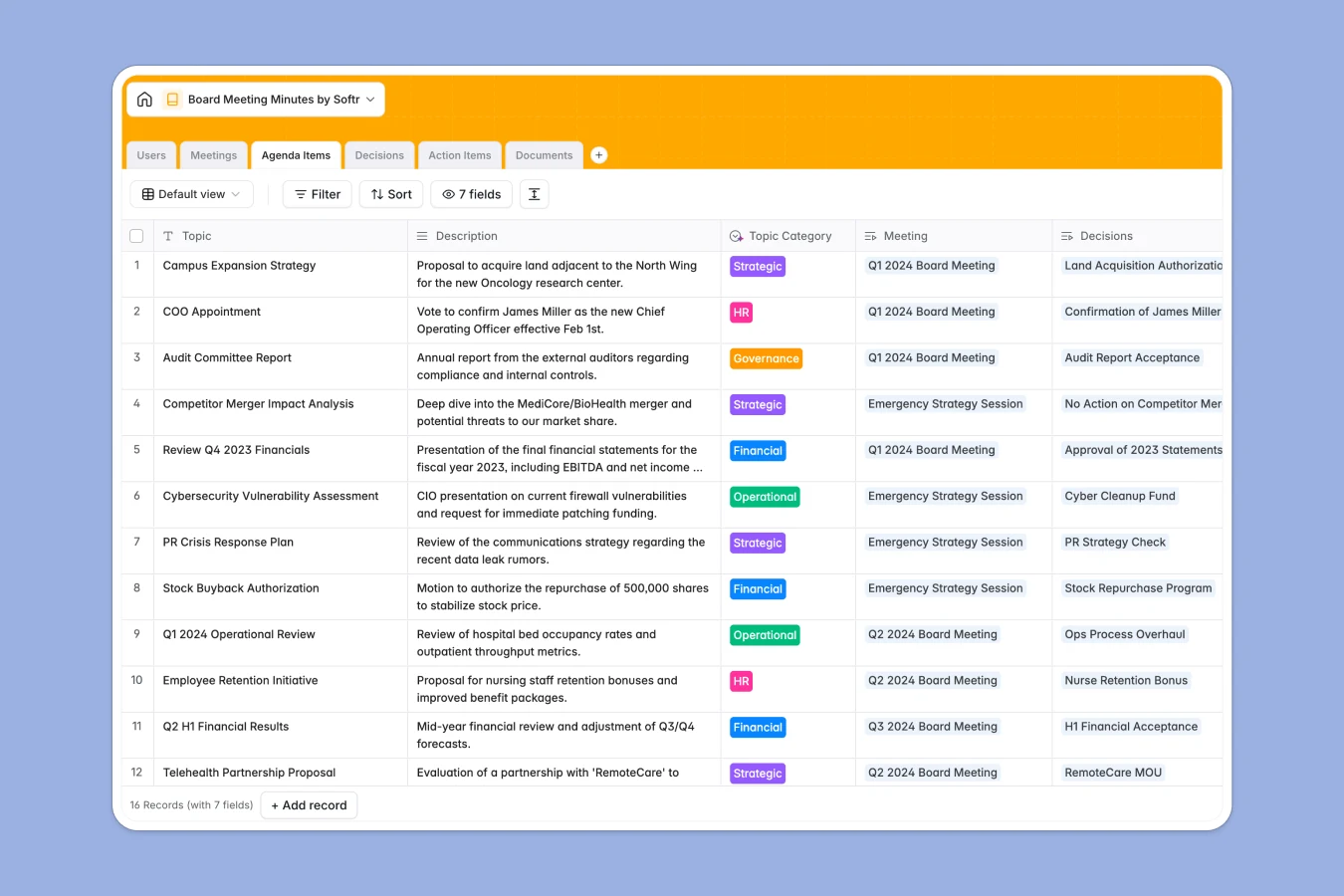
Your Board Meeting Minutes database at a glance
This template provides a secure, structured way to document corporate governance. It moves you away from scattered files by linking meetings, agenda items, decisions, and documents in a single source of truth.
Meetings serve as the central hub, connecting detailed agenda topics to the specific resolutions passed and action items generated. You can easily track who attended, what was decided, and which documents belong to which board pack without manual cross-referencing.
Built-in AI features help streamline administrative work automatically. The system can draft executive summaries from raw notes and generate formal legal wording for resolutions based on the vote outcome.
Why managing board minutes in Excel breaks down
Spreadsheets are excellent for calculations but terrible for governance. In Excel, a "decision" is just text in a cell, unconnected to the agenda item that prompted it or the document that supported it. As your history grows, finding past resolutions becomes a manual search through endless rows and tabs.
A structured database enforces integrity that spreadsheets simply cannot. Resolutions are linked records, not just text, ensuring you always know exactly when a motion was passed and who voted. Attachments stay directly connected to the meeting record, keeping your board pack organized. This is exactly what Softr Databases are designed for.
What you can do with this template
Securely record votes and decisions with clear audit trails. You can link every resolution to its specific agenda item and immediately see the outcome without guessing.
Automate the drafting of official records using Database AI agents. The template can automatically convert raw notes into formal resolution phrasing, ensuring your minute book is always professional and up to date.
-
Users
Manage board members and staff with contact info and AI-sourced bio data
-
Meetings
Schedule board sessions and generate AI-powered professional minute summaries
-
Agenda Items
Organize discussion topics using AI to automatically classify meeting categories
-
Decisions
Record official resolutions with AI-generated formal legal phrasing for records
-
Action Items
Track meeting tasks with assignees and AI-generated concise titles for clarity
-
Documents
Centralize board packs, financial reports, and legal files for quick reference
Who is this Board Meeting Minutes database for
This template is designed for organizations that need strict governance and clear records.
- Corporate Secretaries: maintain a compliant minute book and easily assemble board packs.
- Non-Profit Boards: track voting history and ensure donor funds are governed transparently.
- Startups: document key strategic decisions and resolutions for future due diligence.
- Executive Assistants: schedule meetings and track follow-up action items efficiently.
How to take it further
Customize the database
Adapt the database to your specific bylaws. You can easily add new choices to the "Outcome" field or create categories for different committee meetings.
Import your existing data
Don't lose your history. You can start by importing a CSV of your past resolutions and board members to create a complete historical archive immediately.
Build a full app around it
Turn this database into a secure Board Portal. Use the interface builder to create a private login area where board members can view upcoming agendas and access documents without emailing sensitive files. Control exactly who sees what using users and permissions to ensure guests only access relevant items.
-
1
-
2
-
3
-
4
Frequently asked questions
-
What is a Board Meeting Minutes database?
-
Why use a no-code database to build a board portal?
-
How can AI help managing data for board minutes?
-
Can I build an app with this board meeting database?
-
Is this Board Meeting Minutes template free?
-
How is this better than using Excel for minutes?
Start building today. It's free!
Build and launch your first app in under 30 minutes.