


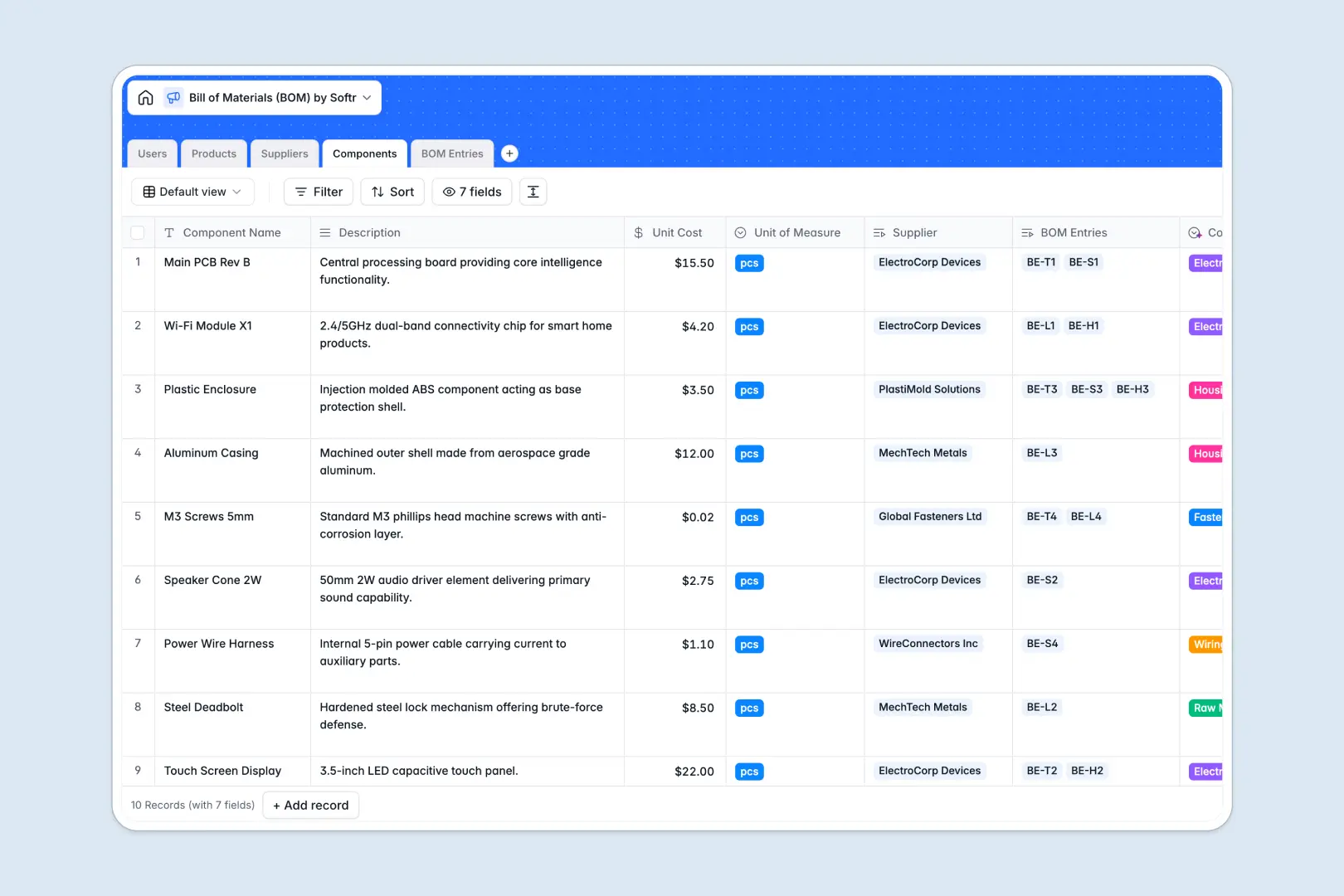
Your Bill of Materials (BOM) database at a glance
This template replaces disconnected spreadsheets with a unified system to track products, raw materials, and suppliers in real time. It ensures you always know exactly what goes into your products and how much they cost to build.
The database uses connected tables to map the relationship between Finished Products, raw Components, and your Suppliers. A dedicated BOM Entries table links everything together, pulling exact unit costs and multiplying them by required quantities.
Built-in AI automatically categorizes new components based on their descriptions and drafts marketing copy for finished products. It even browses the web to pull background information on new suppliers automatically.
Why managing bills of materials gets messy in Excel
Tracking complex assemblies in spreadsheets usually means copying and pasting the same component data across multiple tabs. When a single raw material price changes, you have to track down every product that uses it manually.
What a structured database changes
Instead of fragile VLOOKUPs, a database uses native relationships to connect data. If you update a component's unit cost once, that change instantly reflects across every product assembly that uses it.
This structure prevents costly errors by keeping all data centralized, which is exactly what Softr Databases are designed for. You never have to worry about broken formulas or mixed data types again.
What you can do with this template
You can track exact component quantities required for a specific product and automatically calculate total assembly costs using connected formulas. It gives product managers and supply chain teams a single reliable source of truth.
The template also uses built-in AI agents to eliminate manual data entry. For example, AI can search a vendor's website to generate a supplier profile, or automatically classify messy component lists into specific hardware categories like Fasteners or Electronics.
-
Users
Manage system users, roles, and assignments across products and suppliers
-
Products
Track finished goods including AI-generated marketing copy and BOM costs
-
Suppliers
Manage vendors with AI-powered background overviews and quality ratings
-
Components
Store raw materials using AI for automated categorization and cost tracking
-
BOM Entries
Connect products to components with AI-summarized material requirements
Who is this Bill of Materials (BOM) database for
This complete system is built for manufacturing, hardware, and product teams who need tight control over their supply chain.
- Product Managers: Calculate total product costs instantly and track product launches without juggling disparate files.
- Supply Chain Managers: Monitor vendor ratings and component categories across all active product lines effortlessly.
- Engineers: Document exact component quantities required for new assemblies with clear reference notes.
- Hardware Startups: Scale from prototype to production with a solid data foundation rather than fragile sheets.
How to take it further
Once you copy the template, you can easily customize the structure to match your exact operations. Modify the component categories, adjust vendor rating scales, or add a new table for quality control checks.
If you already have a massive parts list, you can seamlessly import everything via CSV. This instantly maps your existing raw materials and suppliers into the correct columns so you can start working immediately.
When your team is ready, you can transform this data into a fully-functional internal portal using Softr's interface builder. This enables different teams to securely interact with the database without touching your raw tables.
A well-structured tracking database acts as the perfect foundation for app development. You can easily build workflows on top to connect your components to external purchasing or project management tools.
-
1
-
2
-
3
-
4
Frequently asked questions
-
What is a Bill of Materials (BOM) database?
-
Why use a no-code database to build a BOM tracking system?
-
How can AI help managing data for bills of materials?
-
Can I build an app with this Bill of Materials database?
-
Is this Bill of Materials database template free?
-
How is a BOM database better than Excel or Google Sheets?
Start building today. It's free!
Build and launch your first app in under 30 minutes.