


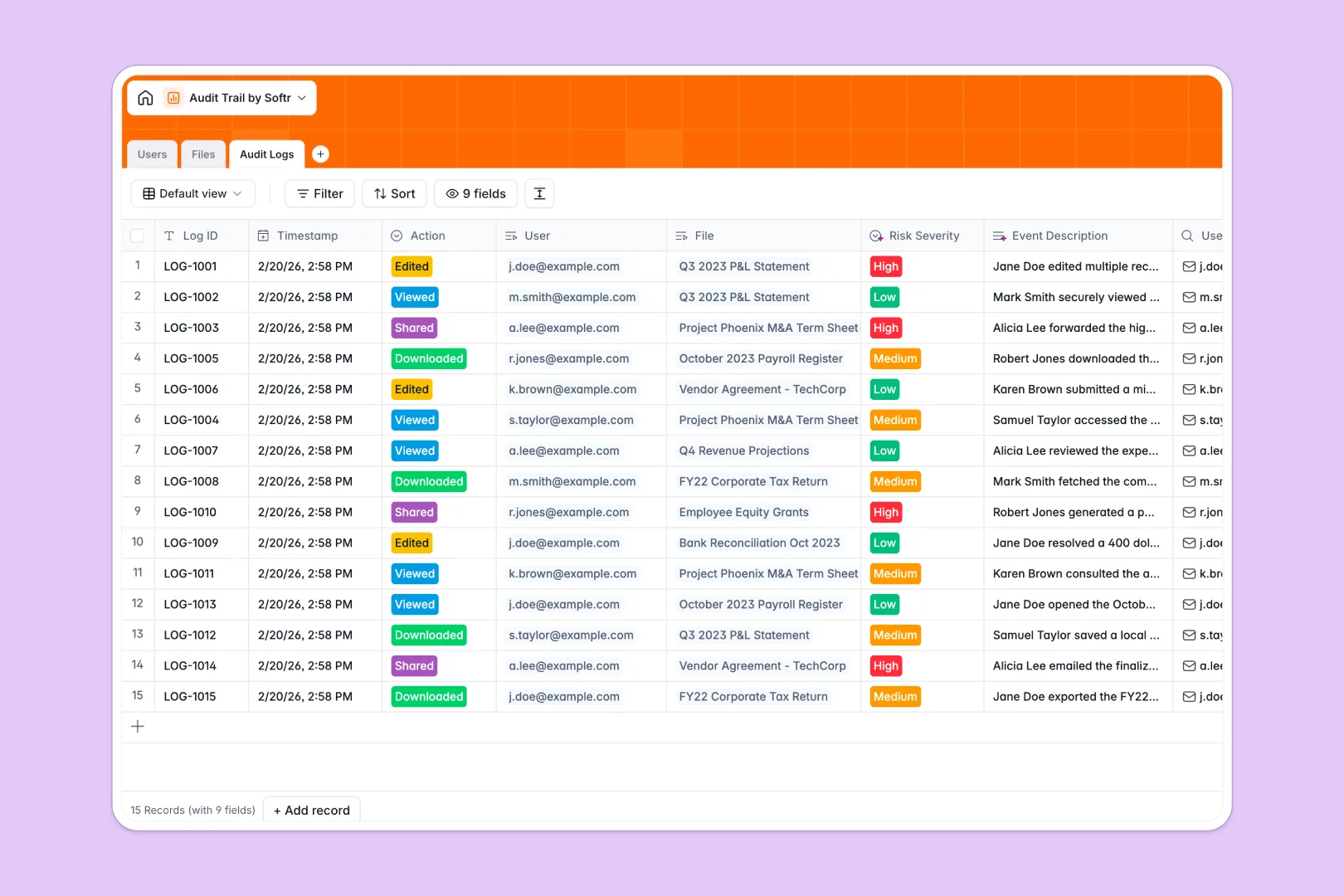
Your Audit Trail Database at a glance
This template securely tracks exactly who accessed or altered sensitive corporate files and when. It provides your team with an undeniable history of actions, eliminating compliance risks and ensuring complete accountability.
The system natively connects your personnel directory to specific financial statements and contracts. Every time a file is viewed or downloaded, an immutable audit log is generated automatically, linking the user directly to the document.
Built-in AI immediately analyzes these interactions as they happen. It seamlessly writes a clear narrative of the event and classifies the risk severity from low to high so you never miss a critical threat.
Why keeping audit logs in Excel breaks down
Managing sensitive access logs in spreadsheets quickly becomes a compliance nightmare. When rows can be accidentally deleted and timestamps manually edited, the entire ledger loses its reliability.
What a structured ledger changes
Spreadsheets lack the immutability required to pass strict compliance audits. A structured system enforces strict column types and locks in timestamps natively, ensuring historical logs remain intact forever.
You can automatically link a user's action to a highly confidential document in one click, entirely avoiding fragile VLOOKUPs that break as your company scales.
This is exactly what Softr Databases are designed for. By treating your logs as actual relational data rather than empty cells, everything stays rigidly organized and perfectly auditable.
What you can do with this template
Instantly centralize your IT or finance department's personnel repository and govern exactly who owns which sensitive files.
Use built-in AI functionality to monitor compliance continuously without manual review. Every action generates an instant risk assessment, turning a static list of files into a proactive defense system.
-
Users
Manage personnel directory with access roles and department assignments
-
Files
Store corporate documents with AI-generated descriptions for better context
-
Audit Logs
Track system events using AI to generate narratives and assess risk severity
Who is this Audit Trail database for
This template is designed for teams that handle sensitive corporate data and need rigid accountability.
- Compliance Officers: Maintain an immutable history of document access to prepare for internal or external audits effortlessly.
- IT Administrators: Track user file interactions and spot high-risk behavior before it leads to a costly security breach.
- Finance Teams: Protect tax records and financial statements by closely monitoring exactly who viewed or downloaded them.
- HR Departments: Ensure internal employee records are only accessed by approved managers, maintaining strict confidentiality.
How to take it further
Customize your ledger
You can easily configure this framework to match your internal policies. Adjust the risk severity thresholds or add new document classifications directly to the database in seconds.
Import historical records
Upload your existing user lists or past access logs instantly via CSV. This immediately populates the system with your historical data, bridging the gap between old practices and your new setup.
Build a secure portal
When your organization requires broader visibility, securely expose these logs by using a custom interface builder.
Combine this setup with granular users and permissions to ensure employees only see the files they interact with, while compliance leaders see the full risk dashboard. Starting with a properly structured ledger makes building this custom internal app completely effortless.
-
1
-
2
-
3
-
4
Frequently asked questions
-
What is an audit trail database?
-
Why use a no-code database to build an audit trail system?
-
How can AI help managing data for audit trails?
-
Can I build an app with an audit trail database?
-
Is this Audit Trail Database free?
-
Why do audit logs get messy in Excel?
Start building today. It's free!
Build and launch your first app in under 30 minutes.