


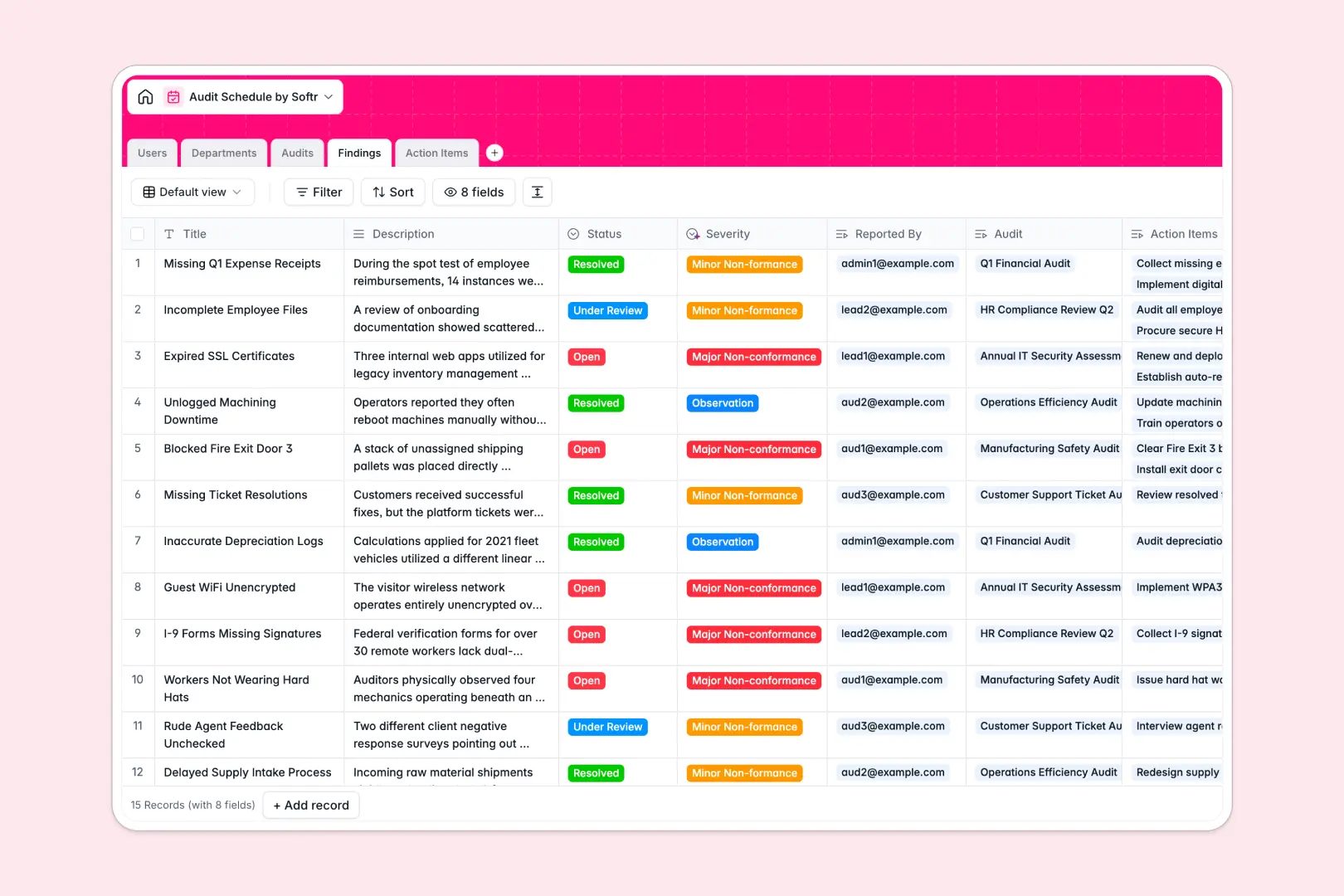
Your Audit Schedule database at a glance
This template gives compliance and QA teams a structured way to plan audits, log non-conformances, and track remediation tasks. It replaces fragmented excel files with a reliable system where nothing falls through the cracks.
Information flows logically across connected tables, from scheduled audits to specific findings and their resulting team tasks. You can quickly see who is leading an audit, what department is under review, and which action items are actively pending.
Built-in AI fields instantly categorize finding severities, draft audit summaries, and pull department overviews automatically. This keeps your compliance records properly formatted and up to date without tedious manual data entry.
Why audit planning gets messy in Excel
Running a dense audit schedule in spreadsheets quickly turns into a logistical nightmare. When you juggle multiple tabs for events, findings, and resolutions, tracking the true status of an upcoming audit becomes incredibly difficult.
What a structured database changes
A proper system gives your data strict rules and structure so dates stay as dates and status fields remain perfectly consistent. Instead of relying on fragile VLOOKUPs, your audits natively link directly to specific departments, lead auditors, and logged findings.
This structure ensures you can assign an action item to a user and link it right to the original observation without manually copy-pasting across rows. This is exactly what Softr Databases are specifically designed for, keeping your information pristine as your operations scale.
What you can do with this template
You can instantly map out your compliance calendar, assign auditors, and monitor the entire lifecycle from planning all the way to closure. It provides immediate, clear visibility into open non-conformances and pending corrective actions.
With native Database AI agents, this system actively works alongside you to maintain records. AI automatically categorizes finding severities—like "Major Non-conformance"—based on the auditor's notes and writes comprehensive audit summaries once a review wraps up.
-
Users
Manage auditor profiles and staff access levels for system coordination
-
Departments
Organize business units with AI-generated summaries of their functions
-
Audits
Schedule events and utilize AI to summarize execution and finding details
-
Findings
Log audit observations using AI to automatically categorize risk severity
-
Action Items
Track remediation tasks with assignees and timelines to resolve findings
Who is this Audit Schedule database for
This structured template helps organizations maintain clear oversight of their internal and external audits.
- Compliance Managers: Maintain a centralized master schedule and monitor resolution tracking across all organizational departments.
- Lead Auditors: Log findings clearly, categorize compliance risks natively, and delegate action items effortlessly during site visits.
- Department Heads: See exactly what recorded findings impact their division and ensure teams completely resolve tasks on time.
How to take it further
You can easily modify the database to fit your specific compliance standards by renaming fields or adjusting status tags. Change the default severity levels or add custom columns to track unique regional compliance codes.
Bring your historical audit history directly into the system by seamlessly uploading CSV files. You can quickly map your existing spreadsheet tracker into these new tables to easily keep a complete continuous audit trail.
When your tracking needs organically grow, you can securely give team members access by building layered internal portals. Using the interface builder, you can quickly turn this database into a robust app with dashboards and personalized views.
By carefully configuring users and permissions, department heads will only see findings assigned specifically to their division. Starting directly with a structured database makes building these secure applications simple and scalable.
-
1
-
2
-
3
-
4
Frequently asked questions
-
What is an audit schedule database?
-
Why use a no-code database to build an audit tracking system?
-
How can AI help managing data for audits?
-
Can I build an app with an audit schedule database?
-
Is this Audit Schedule free?
-
How is an audit schedule database different from Excel?
Start building today. It's free!
Build and launch your first app in under 30 minutes.