


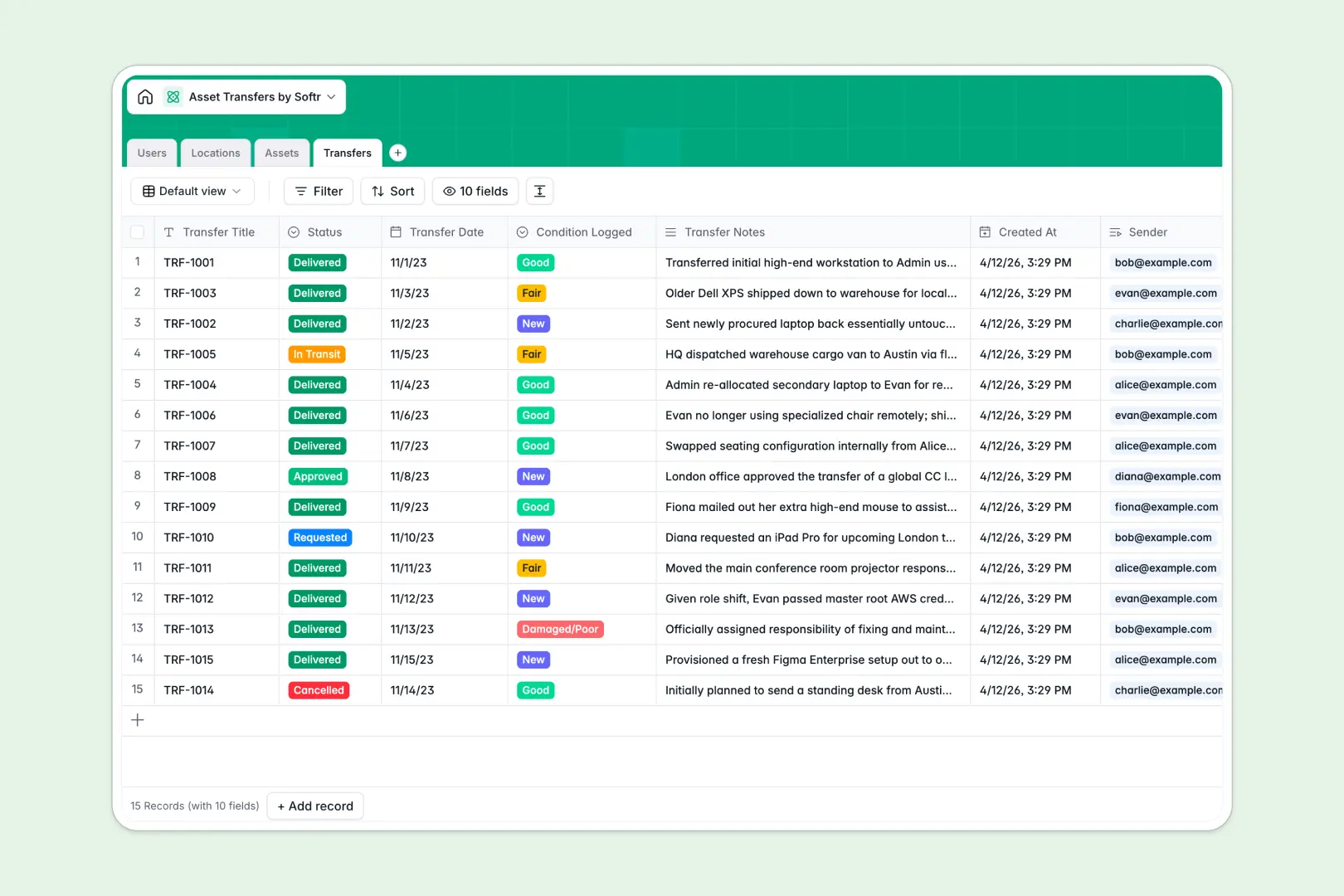
Your Asset Transfers database at a glance
This pre-built template gives you a complete, fully connected system to manage company equipment and track exactly who holds what. It replaces scattered files with a reliable source of truth for all your physical and digital assets.
You can log every User, define company Locations, detail the Assets themselves, and keep a dedicated ledger of all Transfers. Because these tables relate directly to one another, you can instantly see a laptop's entire transfer history or view all items currently assigned to a specific employee without running complex formulas.
This template also features built-in AI to handle manual work for you. It automatically researches specifications for new tech assets and neatly summarizes transfer logs so you grasp handoff contexts at a glance.
Why asset transfers get messy in Excel
Using spreadsheets to track equipment might work for the first ten laptops, but it quickly breaks down as your company scales.
What a structured database changes
In Excel, moving an asset often means overwriting the previous owner's name, which destroys your audit trail. If you try to keep a history log using VLOOKUPs across multiple tabs, the file becomes sluggish and fragile.
A relational structure fixes this by automatically linking unchangeable records. When someone receives an item, you simply log a new transfer connected to both the user and the asset. This is exactly what Softr Databases are designed for—giving you scalable, error-free tracking.
What you can do with this template
You can immediately start tracking requests, approvals, and deliveries from a single internal view. Every change in asset condition or location is securely logged and easy to reference whenever an audit is required.
Thanks to built-in Database AI agents, you also save hours of data entry. The system can independently browse the web to fetch technical profiles for new electronics or software, maintaining a detailed inventory with zero manual typing.
-
Users
Manage organization members with roles, contact details and location ties
-
Locations
Organize physical offices and warehouses where company assets are stored
-
Assets
Directly track company items using AI to generate spec profiles and logs
-
Transfers
Log asset movements between users with AI-powered event context summaries
Who is this Asset Transfers database for
This template is built for operations teams that need strict control over equipment without the headache of broken spreadsheets.
- IT Managers: Track software licenses and laptops while keeping a perfect history of condition changes.
- Office Administrators: Manage furniture and facility assets across multiple physical locations effortlessly.
- Fleet Operators: Monitor vehicle assignments by logging exact transfer dates between different employees.
How to take it further
You can easily customize this database to fit your exact operational workflow. Edit the category fields, add new condition types, or include warranty expiration dates with just a few clicks.
If you already have a sprawling Excel sheet of company equipment, you can import it instantly via CSV. This lets you transition from a static file to a dynamic, connected system in minutes.
When your team is ready, you can transform this database into a secure internal portal using Softr's interface builder. By setting up strict users and permissions, you can allow employees to log in, view only their assigned assets, and request new equipment directly through a custom front-end app. A well-structured database makes building this kind of internal tool incredibly fast.
-
1
-
2
-
3
-
4
Frequently asked questions
-
What is an asset transfers database?
-
Why use a no-code database to build an asset transfer system?
-
How can AI help managing data for asset transfers?
-
Can I build an app with an asset transfers database?
-
Is this Asset Transfers Database free?
-
How is an asset transfers database different from Excel?
Start building today. It's free!
Build and launch your first app in under 30 minutes.