


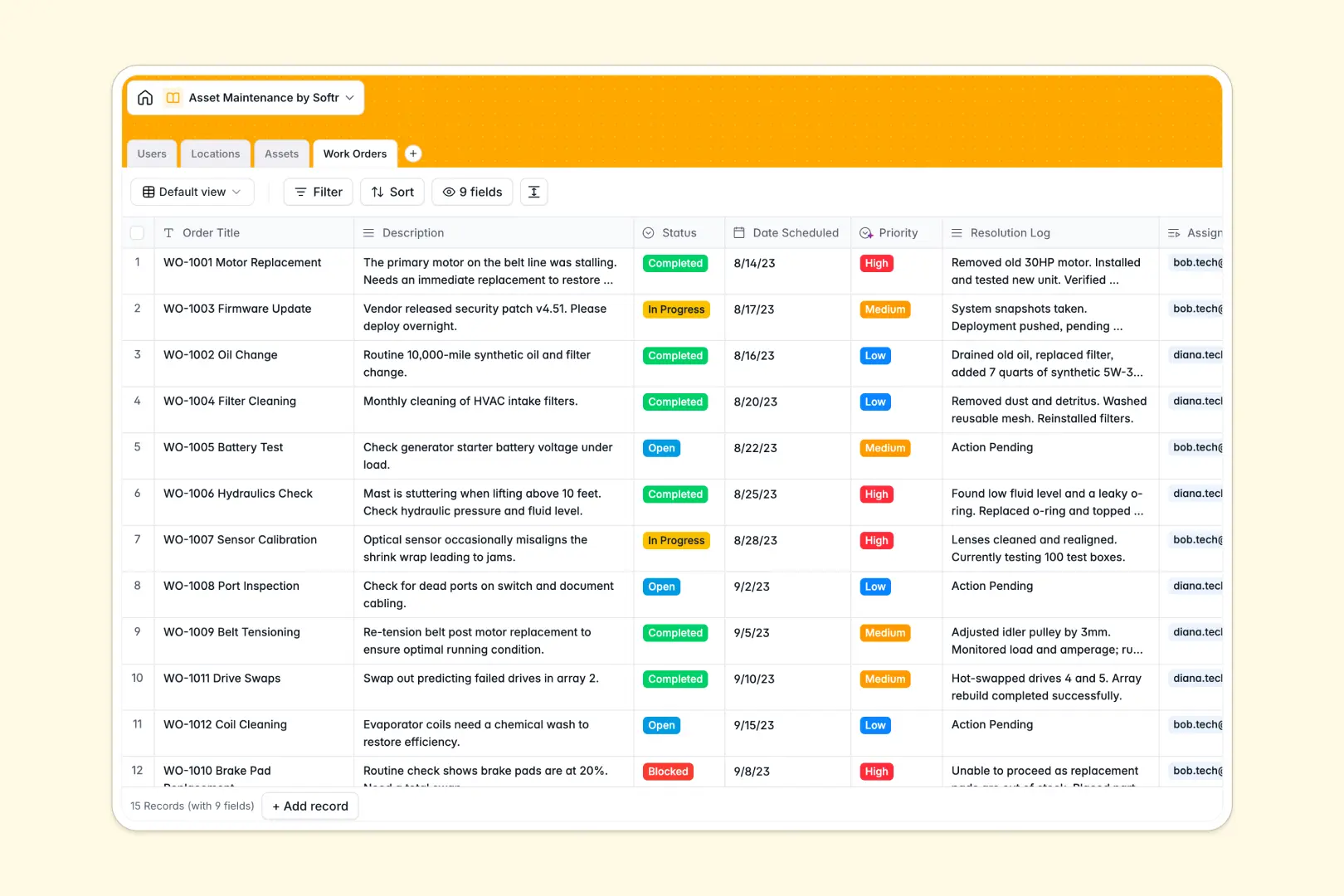
Your Asset Maintenance database at a glance
Track equipment status, schedule repairs, and monitor facility locations in one place without losing data. This ready-to-use template helps you keep machinery active and teams aligned.
The structure is simple: link specific Assets tightly to Locations, and assign Work Orders directly to your Users. No messy VLOOKUPs—just a clean system where you instantly see which technician is handling an HVAC repair.
It also comes with built-in AI to summarize resolution logs, classify repair priorities automatically, and instantly gather site details for any new facility address.
Why asset maintenance gets messy in Excel
Trying to track machinery status, maintenance timelines, and technician assignments in Excel quickly becomes chaotic. Rows get accidentally deleted, and you end up typing the same details in multiple places.
What a structured database changes
In a real database, every column enforces a clear data type like dates, status dropdowns, or linked records. You can link a broken vehicle directly to an open work order without copying and pasting across tabs.
This means your data stays clean and reliable, no matter how many assets you add. This is exactly what Softr Databases are designed to provide.
What you can do with this template
Instantly see exactly which technician is handling a priority machinery repair or check the status of all assets at a specific branch. Everything is seamlessly connected natively.
Thanks to Database AI agents, you can even auto-summarize a work order's long resolution log into crisp bullet points the moment a job is completed. Just copy the template and start organizing your facilities immediately.
-
Users
Manage staff members with roles, contact details, and assigned work orders
-
Locations
Track facilities with AI-powered insights into property and vicinity details
-
Assets
Monitor equipment health and status with AI-generated profiles for each unit
-
Work Orders
Manage tasks using AI for priority classification and completion summaries
Who is this Asset Maintenance database for
Bring clarity to your equipment tracking and repair scheduling.
- Facility Managers: Monitor overall asset health and quickly deploy technicians to the right physical locations.
- Maintenance Technicians: See exactly which work orders are assigned to you with clear priority levels and asset details.
- Operations Leads: Track equipment lifecycle events and reduce unplanned downtime across all branches.
How to take it further
Start by customizing the database to fit your exact operational needs. Add new asset categories like "Heavy Machinery" or tweak the work order status dropdowns to match your specific workflow.
Next, easily run a CSV import to bring over your existing equipment lists and maintenance logs from spreadsheets. Your data will intuitively map to the right tables and start connecting together.
When you are ready, you can use the interface builder to create a custom portal for your field team. Technicians can log in on their phones to update repair statuses without ever seeing the database backend.
Getting users and permissions right is incredibly simple with this structured foundation. It ensures admins see the full picture while technicians only access their assigned work orders.
-
1
-
2
-
3
-
4
Frequently asked questions
-
What is an asset maintenance database?
-
Why use a no-code database over Excel for maintenance tracking?
-
How can AI help managing data for asset maintenance?
-
Can I build an app with this asset maintenance database?
-
Is this Asset Maintenance template free?
-
How do I migrate my existing equipment lists from Excel?
Start building today. It's free!
Build and launch your first app in under 30 minutes.