


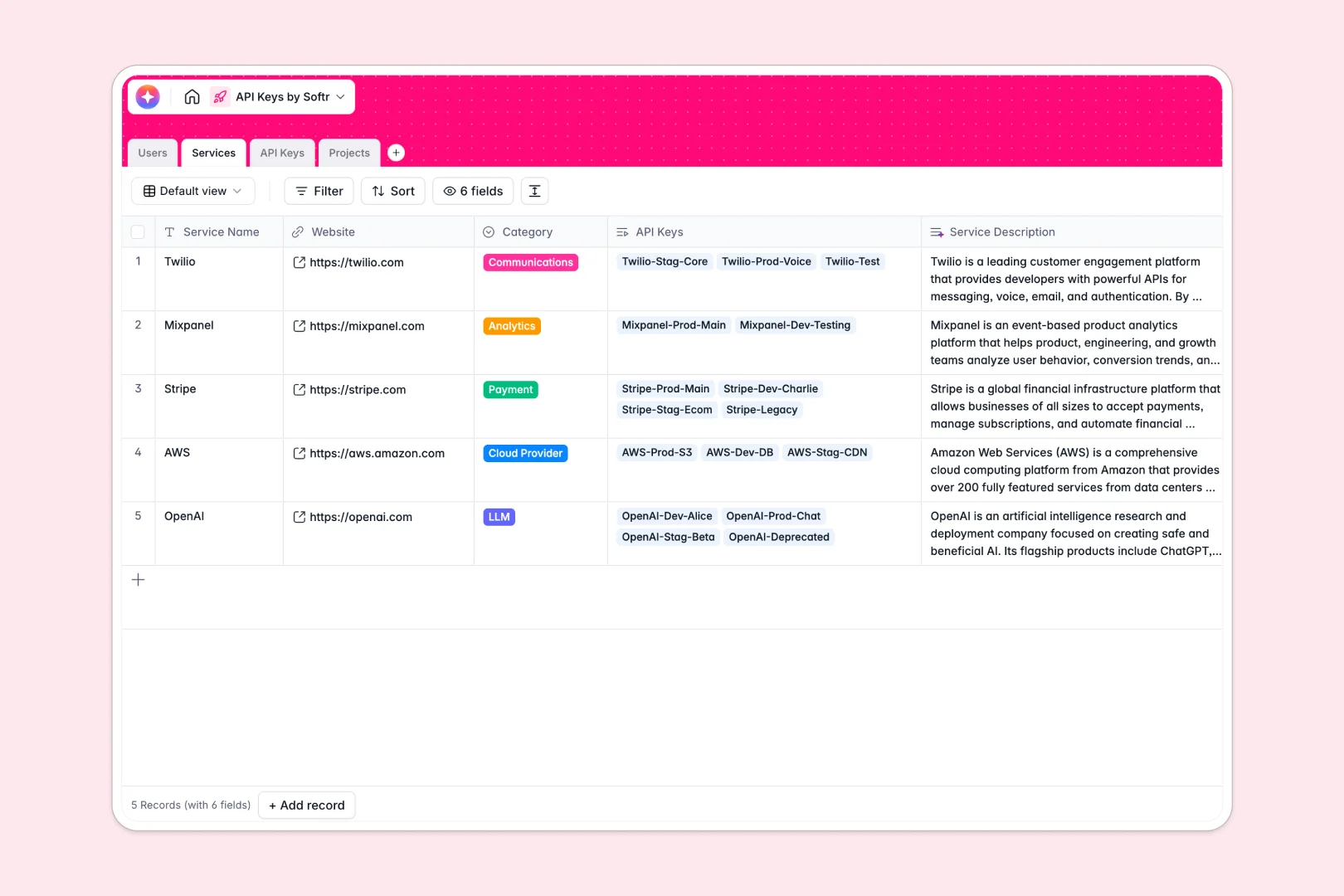
Your API Keys Database at a glance
This template provides a secure, structured repository to track all your API keys across multiple environments and projects. It gives your engineering and operations teams a single source of truth to monitor active statuses, expiration dates, and security risks.
Built as a relational system, it natively links individual keys back to the specific third-party Services (like Cloud Providers or LLMs) and the internal Projects they power. This means you always know who holds the key and where it is being used, without searching through tabs.
Instead of manually researching providers or assessing vulnerabilities, built-in AI handles the heavy lifting. The database instantly categorizes risk levels based on production status and pulls real-time service descriptions straight from the web.
Why managing API keys in Excel breaks down
Managing active API keys across multiple environments in an Excel file quickly turns into a security and organizational nightmare.
What a structured database changes
In an unstructured spreadsheet, a revoked staging key looks exactly like an active production key. Data gets mixed up, rows get accidentally deleted, and tracking expiration dates often relies on manual coloring or fragmented notes.
A structured system enforces rules: environments stay constrained to strict drop-downs, and expiration dates trigger actual timelines. Keys link directly to Projects and Users accurately without relying on fragile VLOOKUPs that break when you add a new row.
This is exactly what Softr Databases are designed for. You get a production-ready system where data stays clean, connected, and securely structured as your stack grows.
What you can do with this template
You can centralize active, revoked, and expired credentials perfectly mapped to the responsible developers or admins. Every key automatically shows its associated risk level, ensuring production keys stay monitored.
Leveraging Database AI agents, this template automatically calculates security risks and browses the web to summarize external third-party services. You get a self-maintaining inventory that immediately highlights vulnerabilities.
-
Users
Maintain internal team profiles, roles, and their assigned API keys
-
Services
Catalog API providers with web-searched AI summaries of their platforms
-
API Keys
Store sensitive credentials with AI-driven security risk classification
-
Projects
Manage internal apps using AI to generate structural project blueprints
Who is this API Keys database for
This template is built for technical teams and operators who need strict control over their service credentials.
- Engineering Leads: Track exactly which developer holds which production key across all active applications.
- Security Teams: Monitor environment risks, track expiration dates, and identify deprecated active keys instantly.
- IT Operations: Manage vendor relationships and auto-summarize cloud provider accounts in one continuous workflow.
How to take it further
Start by customizing the database structure to mirror your exact tech stack. You can easily add new fields for specific cloud environments or modify the environment drop-downs to match your internal naming conventions.
Import your existing credential lists securely via CSV to establish an immediate baseline. From there, you can connect the database API to sync with external developer tools for fast updates.
When you are ready to scale access, you can use the interface builder to turn this database into an internal developer portal. This gives your team a clean frontend to request and access keys without exposing the underlying database.
By setting up proper users and permissions, you can ensure junior developers only see staging credentials while admins maintain full visibility. Because your data is perfectly structured from day one, building secure apps on top takes minutes.
-
1
-
2
-
3
-
4
Frequently asked questions
-
What is an API keys database?
-
Why use a no-code database to build an API keys tracker?
-
How can AI help managing data for API keys?
-
Can I build an app with this API keys database?
-
Is this API Keys database template free?
-
How does managing API keys in Excel put companies at risk?
Start building today. It's free!
Build and launch your first app in under 30 minutes.