


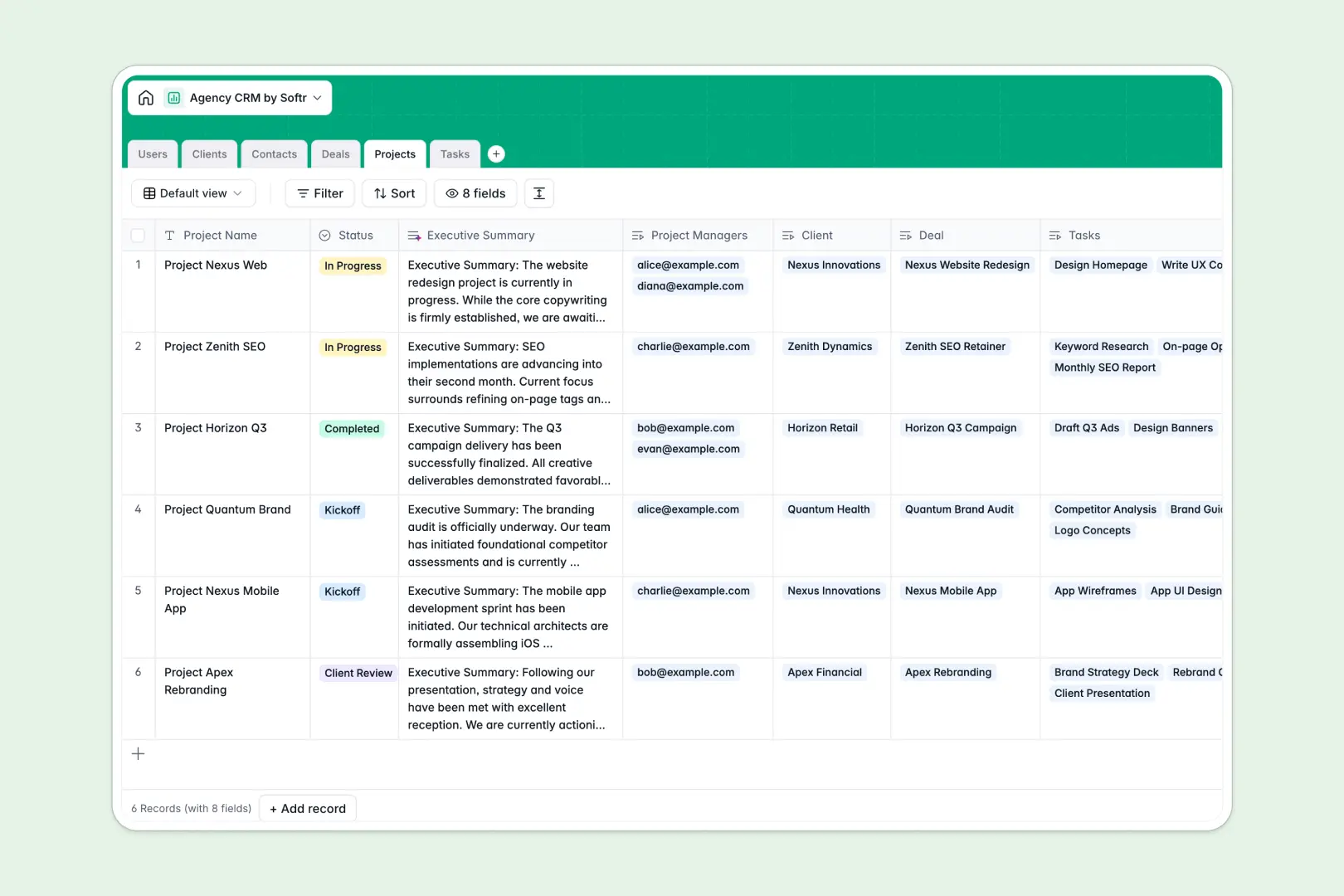
Your Agency CRM database at a glance
Manage your entire agency pipeline from initial prospect to delivered project in one centralized view. It brings clarity to your operations instantly.
The database connects six dedicated tables—Users, Clients, Contacts, Deals, Projects, and Tasks. This native structure means you can link team members securely to accounts without duplicating data.
Built-in AI automatically researches company websites to write descriptions and summarizes project notes for client updates. It also categorizes new tasks instantly based on their description.
Why agency CRM gets messy in Excel
Tracking agency contacts, deals, and projects in a spreadsheet quickly turns into chaos as your pipeline grows.
What a structured database changes
A database enforces clear data types, so dates stay formatted correctly and client logos attach directly to records. Instead of relying on fragile VLOOKUPs, tasks and clients connect natively using Softr Databases.
When your team updates a status or assigns a deal, rows never get accidentally deleted or mixed up.
What you can do with this template
Monitor your sales pipeline and active deliverables simultaneously without constantly switching tabs. Built-in AI automatically researches prospect websites and summarizes project notes into client-ready updates.
Simply copy this ready-to-use foundation and start organizing your agency's workload immediately.
-
Users
Manage internal staff roles, contact details and assignment history
-
Clients
Track client brands with AI-powered web research for company profiles
-
Contacts
Centralize lead and client stakeholder details for communication
-
Deals
Track sales opportunities and predicted revenue within the pipeline
-
Projects
Oversee agency deliverables with AI-generated formal executive summaries
-
Tasks
Manage daily action items using AI to auto-classify task categories
Who is this Agency CRM database for
This system is built for growing service businesses that need clear oversight of their pipeline and deliverables.
- Agency Owners: Get a high-level view of revenue in the pipeline and active client engagements.
- Account Managers: Track specific stakeholders, communication history, and active deals per client securely.
- Project Managers: Monitor assigned tasks, identify bottlenecks, and keep deliverables on schedule.
- Creative Teams: See exactly what design, copywriting, or development tasks need to be tackled next.
How to take it further
It is incredibly simple to customize the database to match your exact agency processes. You can instantly modify the select field values for deal stages or add new project statuses.
Bring your existing client list in immediately with a quick CSV import. You can also connect via API to sync data directly from your lead generation tools.
When your team is ready, you can transform this data into a complete client portal or internal app. A well-structured backend makes building these tools incredibly fast.
With flexible users and permissions, you can ensure clients only see their own deliverables. This keeps your data secure while giving everyone the access they need.
-
1
-
2
-
3
-
4
Frequently asked questions
-
What is an agency CRM database?
-
Why use a no-code database to build an agency CRM?
-
How can AI help managing data for an agency CRM?
-
Can I build an app with an agency CRM database?
-
Is this Agency CRM free?
-
How is an agency CRM database different from Excel?
Start building today. It's free!
Build and launch your first app in under 30 minutes.