


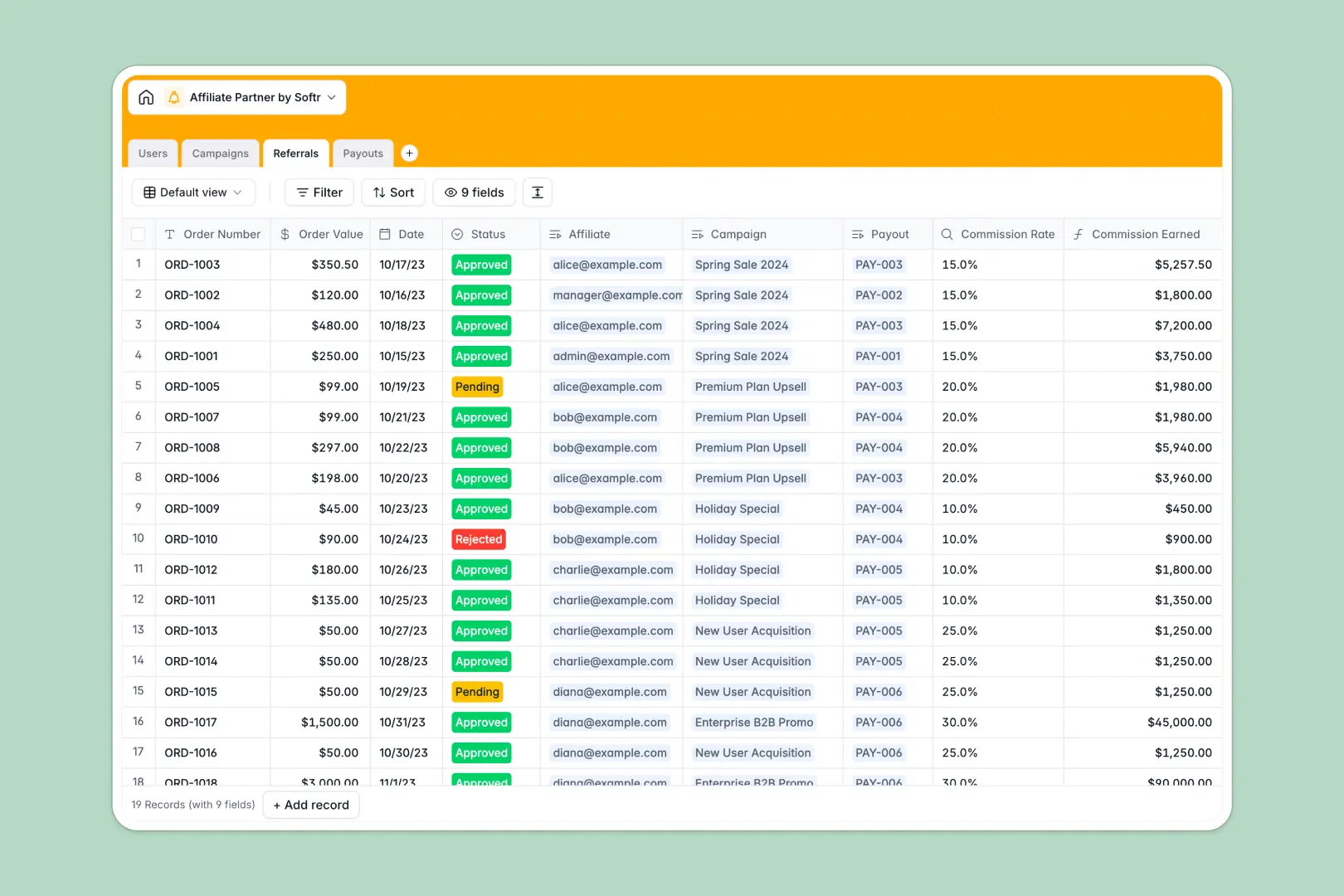
Your Affiliate Partner database at a glance
This template gives you an end-to-end framework to manage your entire affiliate program. It is designed to track everything from the promotional campaigns you're running down to the individual referrals and the payouts they generate, ensuring you never miss a payment and your partners always get paid on time.
The database uses four connected tables: Users (where you manage both internal team members and your external partners), Campaigns, Referrals, and Payouts. Because these are natively linked, you can easily tie a specific referral right back to the partner who made it and the campaign that drove it.
An AI-powered co-pilot is built into the Campaigns table to generate fresh promotional copy ideas based on your campaign parameters, and another AI field draft congratulatory emails straight within your Payouts view.
Why affiliate tracking gets messy in Excel
Managing an affiliate program usually involves juggling partner contacts, conversion data, campaign details, and payment histories. In spreadsheets, this quickly becomes a disjointed mess. You end up copying and pasting affiliate names into order rows or wrestling with VLOOKUPs that break the moment a campaign gets renamed.
What a structured database changes
Unlike traditional spreadsheets, structured databases let you connect information reliably without fragile formulas. Every contact, campaign, and order becomes a single, clean record. When a new referral comes in, you simply link it to the affiliate who drove it.
Because every column has a strict type—currencies stay currencies, statuses use fixed dropdowns—your data remains clean as you scale. This is exactly what Softr Databases are designed for.
What you can do with this template
You can keep track of all partner referrals securely, moving statuses from pending to approved while automatically calculating commission earned. You can also batch approved referrals into dedicated payout records so you always know exactly who is owed what and tracking when it was processed.
Through native Database AI agents, this template will even draft email content for you, suggesting promotional ideas for affiliates and writing payout notifications based on real data in the table. You can get started tracking your affiliate program right away.
-
Users
Manage internal staff and affiliate partner profiles with roles and payments
-
Campaigns
Organize promotional offers and use AI to generate marketing copy ideas
-
Referrals
Track sales conversions and calculate commissions linked to specific campaigns
-
Payouts
Process commission batches and use AI to draft personalized congratulation emails
Who is this Affiliate Partner database for
This database template is built for teams operating or growing an affiliate network.
- Marketing Teams: Track the performance of specific product campaigns and individual partner contributions.
- Affiliate Managers: Manage partner contacts, review referrals, and process periodic payouts smoothly.
- Operations Leads: Ensure correct commission rates are applied and keep a clean history of every payout and included referral.
How to take it further
1. Customize your program details
Modify the template to match how you do business. Add custom status dropdowns, adjust standard commission rates, or add new columns to track the specific promotional channels your partners are using.
2. Import your existing data
If you are currently tracking your partners in Excel or another tool, you can easily import that data via a CSV upload. You can also connect your external storefront via API so new referrals flow in automatically.
3. Build a full app around it
When you are ready, you can use the interface builder to create a fully functional partner portal. By mapping this database to a front-end portal, affiliates can log in themselves to see their own status and payouts.
With robust users and permissions, you ensure partners only ever see the referrals linked to their account, while your internal marketing team has full administrative views. Setting up your data cleanly here is the first step to building a powerful, self-serve client portal.
-
1
-
2
-
3
-
4
Frequently asked questions
-
What is an affiliate partner database?
-
Why use a no-code database to build an affiliate tracking system?
-
How can AI help managing data for affiliate programs?
-
Can I build an app with this affiliate partner database?
-
Is this affiliate partner template free?
-
How is this database different from tracking affiliates in Excel?
Start building today. It's free!
Build and launch your first app in under 30 minutes.