


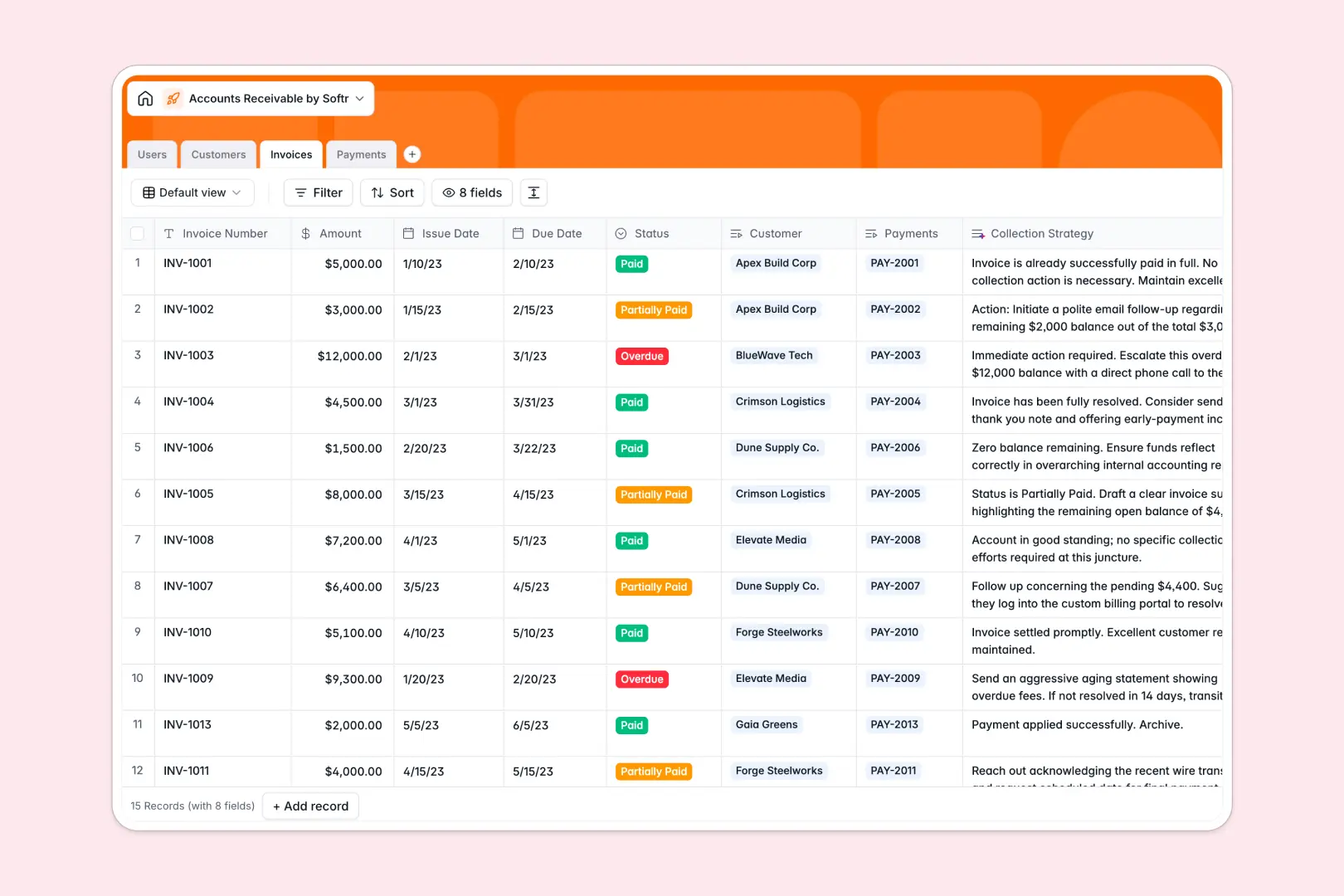
Your Accounts Receivable Database at a glance
Track uncollected funds actively with a single source of truth for your finance team. This template eliminates payment delays by bringing your entire accounts receivable process into one organized view.
Customers link directly to their specific invoices, while logged payments automatically connect to both. This relational structure ensures you always know exactly who owes what and which invoices remain unpaid.
Built-in AI summarizes company profiles straight from their web domains and auto-generates specific collection strategies for overdue invoices based on the outstanding amount.
Why tracking accounts receivable gets messy in Excel
Managing outstanding payments in spreadsheets quickly turns into chaos when rows get accidentally deleted or statuses are forgotten. Manual updates and isolated sheets simply cannot keep up with a high volume of transactions.
What a structured database changes
A database replaces fragile VLOOKUP formulas with solid relational links. Instead of copying and pasting invoice numbers across tabs, you can directly connect one customer to their dozens of invoices without errors.
This is exactly what Softr Databases are designed for. Every column type is strict, meaning payment dates stay correctly formatted and invoice amounts remain completely accurate as your company scales.
What you can do with this template
Bring all your outstanding invoices, payment histories, and customer directories into a single, reliable system. You can easily highlight overdue payments or review total invoiced amounts by account manager.
Using AI, this system actively works for you by auto-drafting logical follow-up plans based on the size of the debt. It automatically keeps your finance team prepared so they know exactly how to collect securely.
-
Users
Manage internal finance staff with roles and linked payment records
-
Customers
Track client billing with AI-generated company profile summaries
-
Invoices
Monitor bills with AI-recommended strategies to improve collections
-
Payments
Log revenue transactions using reference numbers and payment methods
Who is this Accounts Receivable Database for
This template is perfect for anyone responsible for maintaining cash flow and tracking unpaid invoices.
- Finance Teams: Manage outstanding invoices and identify payment bottlenecks centrally.
- AR Managers: Track collection strategies and monitor team performance effortlessly.
- Account Executives: View which assigned customers are behind on payments before renewing contracts.
How to take it further
Start by customizing the field types to match your exact collection process. You can easily add new payment method options or modify the invoice status tags to reflect your specific cash flow stages.
Next, import your historical payment data to start seeing value immediately. You can upload existing trackers via CSV or use an API to sync directly with your current accounting tools.
When your team is ready, transform this exact database into a fully custom portal. By using an interface builder, creating a tailored administrative tool on top of structured data is incredibly straightforward.
Setting up proper users and permissions ensures sales reps only see their own clients' unpaid invoices, while finance admins have complete control over all collection workflows.
-
1
-
2
-
3
-
4
Frequently asked questions
-
What is an accounts receivable database?
-
Why use a no-code database to build an accounts receivable system?
-
How can AI help managing data for accounts receivable?
-
Can I build an app with an accounts receivable database?
-
Is this Accounts Receivable Database template free?
-
How is an accounts receivable database different from Excel?
Start building today. It's free!
Build and launch your first app in under 30 minutes.