


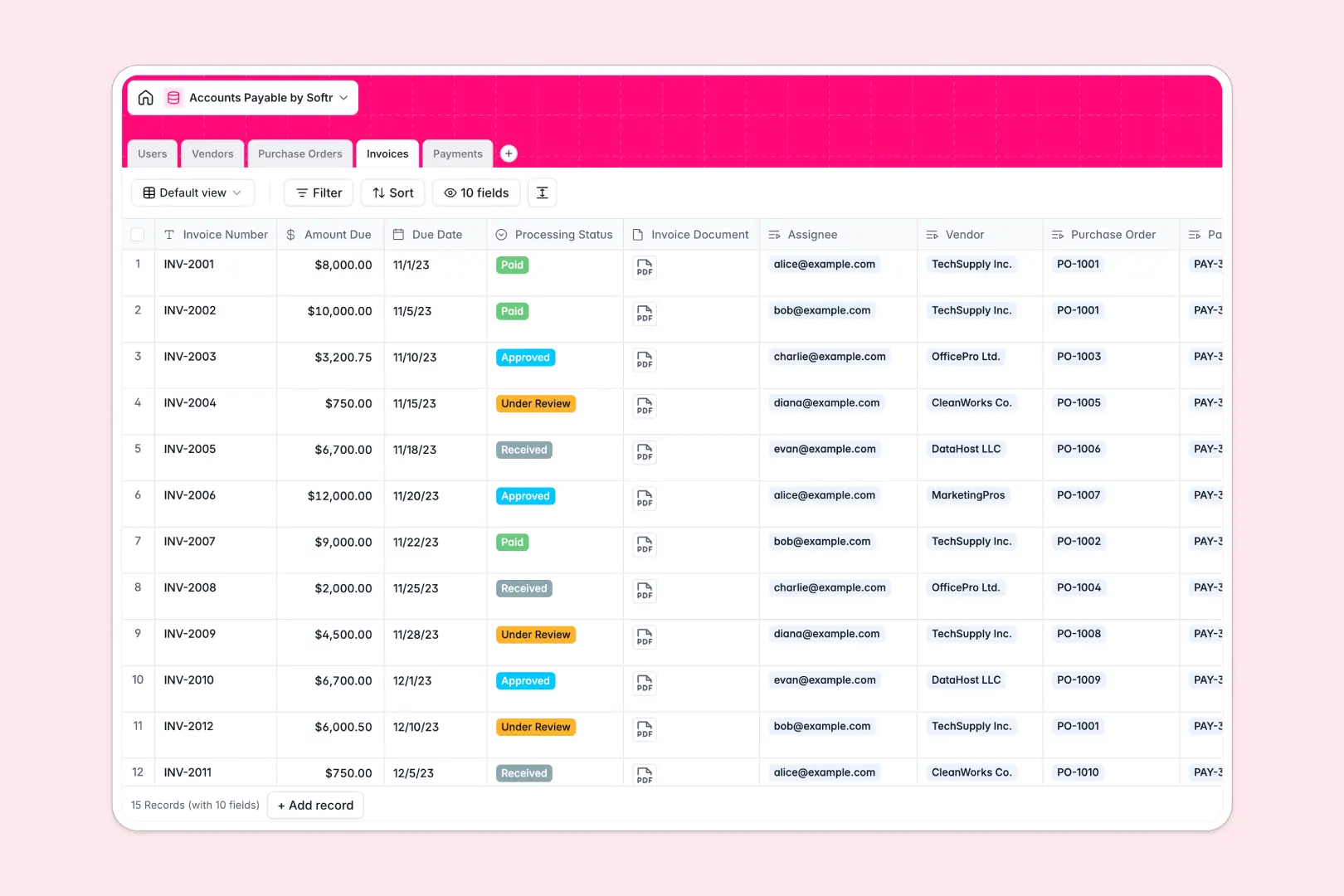
Your Accounts Payable database at a glance
This template centralizes your entire accounts payable process so you can track outstanding invoices and vendor payments without losing context. It replaces disconnected spreadsheets with a unified system where every bill, purchase order, and payment is clearly linked.
Everything is organized into dedicated tables for Vendors, Purchase Orders, Invoices, and Payments that cleanly connect to one another. When an invoice comes in, you can instantly see the related purchase order and track its real-time processing status.
Built-in AI fields do the heavy lifting by automatically writing vendor descriptions from their websites and summarizing invoice statuses. This means your team spends less time on manual data entry and more time ensuring on-time payments.
Why accounts payable gets messy in Excel
Tracking bills across multiple spreadsheets usually leads to missed due dates, duplicate payments, and broken formula links. When you rely on Excel to manage a growing list of vendors and invoices, maintaining accurate financial records becomes a daily struggle.
What a structured database changes
In a relational system, your data stays perfectly organized because one table equals one object. You can connect a specific invoice to a vendor and a purchase order without relying on fragile VLOOKUPs that break when you add new rows.
This setup ensures that dates stay dates, currency stays currency, and documents are securely attached to the right records. This is exactly what Softr Databases are designed for—giving your financial data the reliable structure it needs to scale.
What you can do with this template
You can immediately start logging vendors, issuing purchase orders, and tracking invoice approvals in a clean, visual format. Everything is pre-configured to handle standard payment workflows natively out of the box.
With native Database AI agents, the system can even search the live web to enrich vendor profiles or auto-generate payment receipt notes. It turns a static list of bills into a self-maintaining financial tracker.
-
Users
Manage system accounts, staff roles, and invoice processing assignments
-
Vendors
Store supplier profiles with AI-generated descriptions and payment terms
-
Purchase Orders
Track internal purchase approvals linked to specific vendors and costs
-
Invoices
Process incoming bills with AI-powered status summaries and review flows
-
Payments
Record transaction details with AI-generated notes for receipt tracking
Who is this Accounts Payable database for
This complete tracker is built for finance teams and operators who need clarity over business spending.
- Finance Managers: Track outstanding balances and ensure every vendor gets paid accurately on time.
- AP Clerks: Process incoming bills and attach invoice documents to correct purchase orders instantly.
- Department Heads: Monitor the approval status of their team's specific purchase requests.
- Business Owners: Maintain a clean, audit-ready overview of cash leaving the business.
How to take it further
Customizing this database is incredibly simple since it works perfectly right out of the box. You can quickly rename status fields, adjust the payment terms dropdown, or add new columns to track specific department budgets.
When you are ready, you can seamlessly import your existing vendor lists and old invoices via a quick CSV upload. You can also connect securely to external APIs to automatically sync new bills from your accounting software directly into the tracker.
As your team grows, you can easily build a powerful internal app on top of this data using Softr's interface builder. This allows you to create a dedicated finance portal where managers can log in and approve purchase orders without seeing sensitive banking details.
By leveraging powerful users and permissions, you can confidently share exact datasets with the right team members. This ultimately turns a simple tracker into a secure, fully functional automated financial tool.
-
1
-
2
-
3
-
4
Frequently asked questions
-
What is an accounts payable database?
-
Why use a no-code database to build an accounts payable system?
-
How can AI help managing data for accounts payable?
-
Can I build an app with this accounts payable database?
-
Is this Accounts Payable template free?
-
How is an Accounts Payable database different from Excel?
Start building today. It's free!
Build and launch your first app in under 30 minutes.