


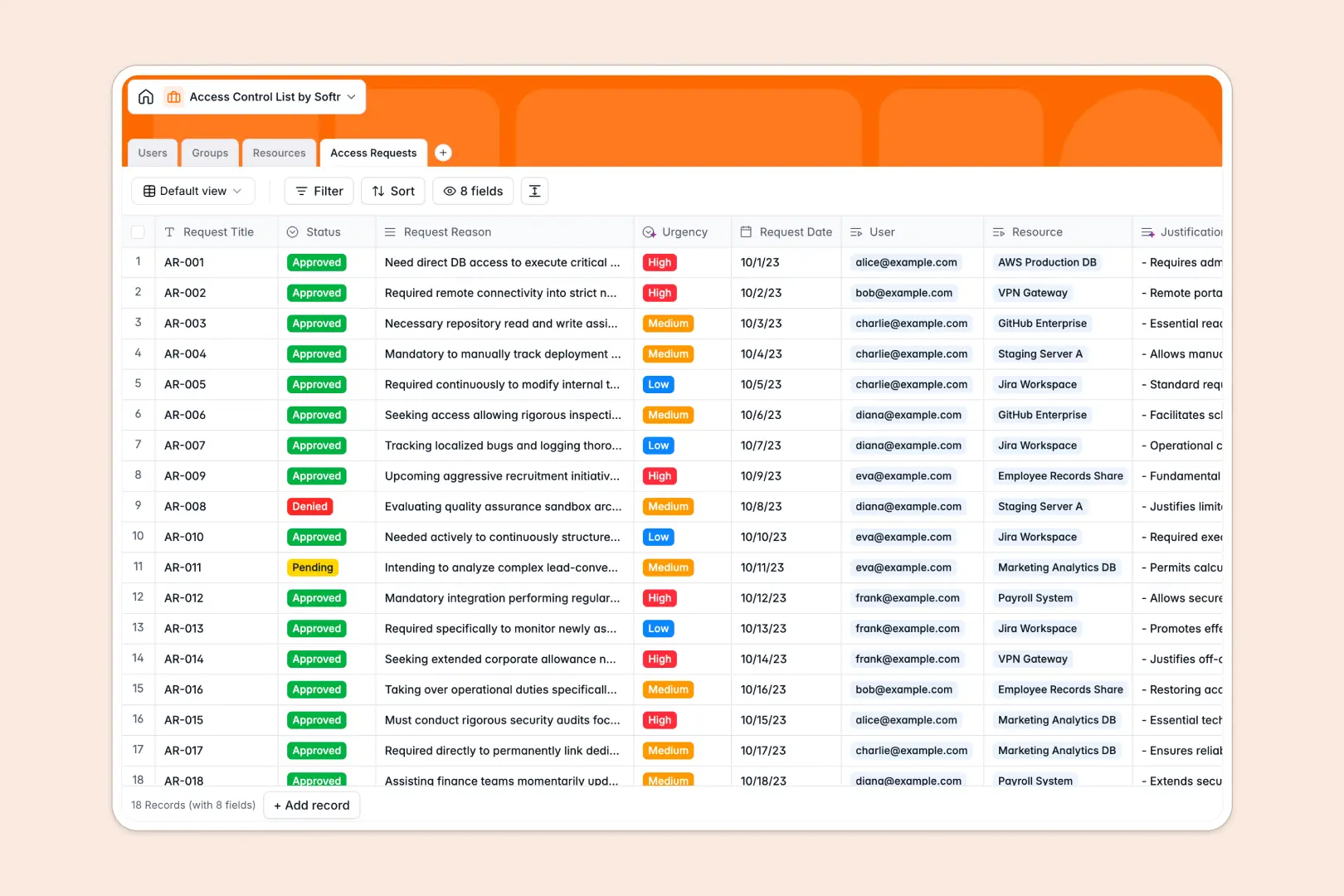
Your Access Control List database at a glance
Track system access rights, user roles, and security requests securely in one place.
This template connects four distinct tables, automatically linking your identities and organizational groups directly to protected assets and access logs.
Built-in AI automatically drafts technical descriptions for your resources and instantly classifies the urgency of user requests based on their reasoning.
Why access control gets messy in Excel
Spreadsheets aren't built to handle relational security data safely across changing organizations. Trying to manage permissions this way leads to messy logs, broken formulas, and outdated records that pose a serious security risk.
What a structured database changes
In a structured system, columns enforce strict data types like user roles, security tiers, and approval statuses. You can link a user to multiple resources without relying on fragile VLOOKUPs that break as your team scales.
This is exactly what Softr Databases are designed for. When an access request is approved, the user's connection to the resource updates seamlessly and remains perfectly clean.
What you can do with this template
Log formal access requests, approve them in real time, and automatically maintain a clear audit trail of who can access what.
Using Database AI agents, the template automatically researches technical vendor summaries for your resources and condenses lengthy justifications into simple bullet points.
It is ready to use immediately, giving you a secure and scalable foundation for your IT operations.
-
Users
Manage user identities, hierarchical roles, and personal profile security assets
-
Groups
Organize user clusters with AI-generated purpose summaries for easier bulk access
-
Resources
Secure critical assets and systems using AI to fetch technical documentation
-
Access Requests
Process permission requests using AI to summarize justifications and assess urgency
Who is this Access Control List database for
This template provides a reliable access management foundation for growing teams.
- IT Administrators: Track user roles, group memberships, and system access rights securely in one place.
- Security Teams: Maintain an accurate audit log of all pending, approved, and revoked access requests.
- Department Managers: Bundle teams into groups to easily manage bulk resource access as people onboard.
How to take it further
Customize the exact security fields to match your company's internal operational policies. You can easily modify the resource types or add new access tracking statuses since this is a highly adaptable native structure.
Upload your current user directories and server lists quickly via CSV import. Your team can connect to this immediate value and transition away from fragmented spreadsheets instantly.
When your organization is ready, you can transform this database into a fully functional internal portal. Employees can log in directly to submit their access requests via a secure front-end interface.
By configuring users and permissions, you guarantee that standard workers only view systems they are allowed to request, while administrators retain full control over approvals.
-
1
-
2
-
3
-
4
Frequently asked questions
-
What is an access control list database?
-
Why use a no-code database to build an access management system?
-
How can AI help managing data for access controls?
-
Can I build an app with this access control list database?
-
Is this Access Control List template free?
-
How is an access control list database different from Excel?
Start building today. It's free!
Build and launch your first app in under 30 minutes.