


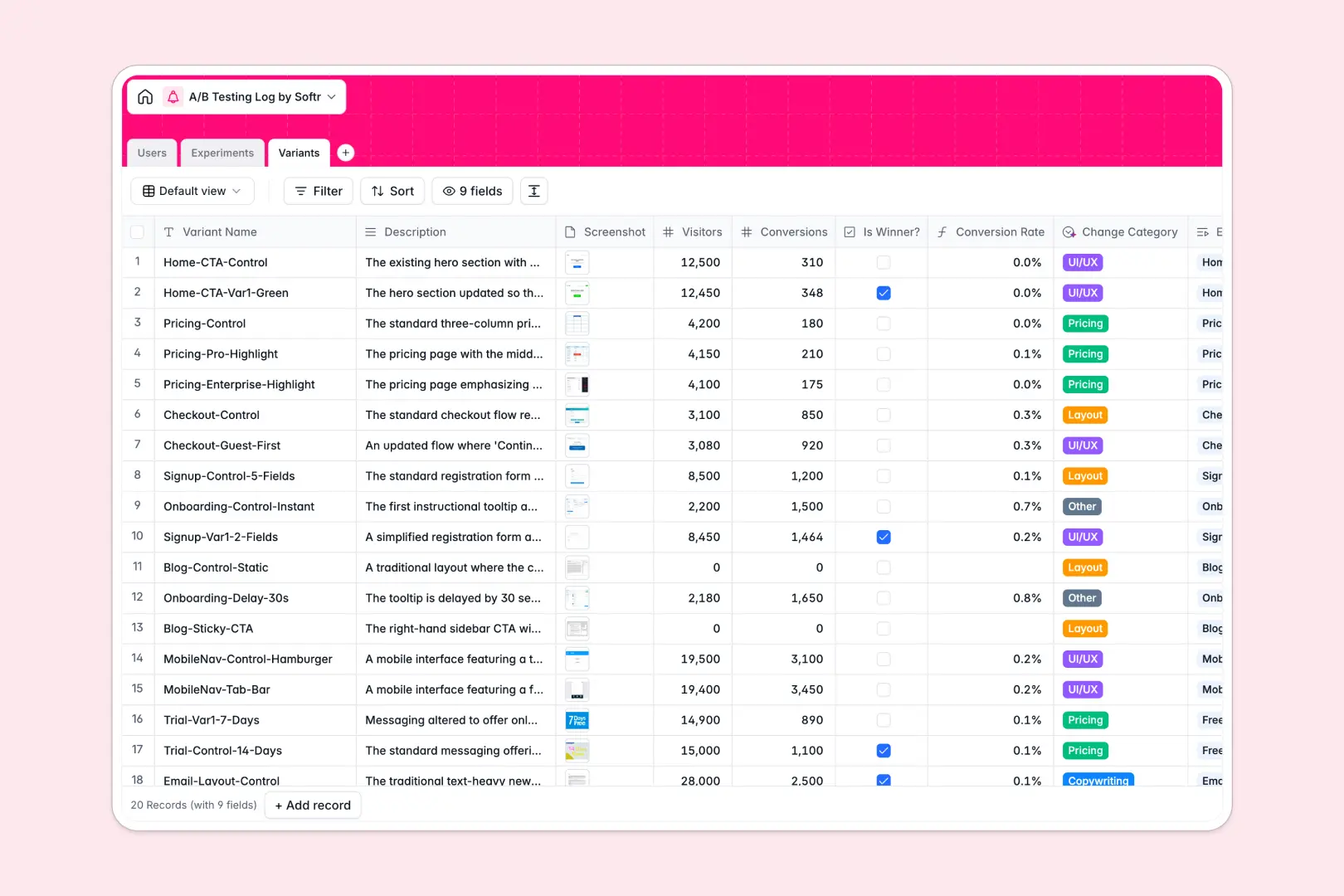
Your A/B Testing Log database at a glance
This A/B testing log centralizes every experiment, hypothesis, and conversion metric in one place. It keeps your growth team aligned on what's working without digging through scattered files.
The template links your running Experiments directly to their specific Variants and the Users managing them. Rollups and formulas automatically calculate total visitors and conversion rates across the board.
Built-in AI fields instantly generate executive summaries of your concluded tests and auto-categorize variant changes like UI/UX or Copywriting.
Why an A/B testing log gets messy in Excel
Tracking ongoing experiments and multiple variants in spreadsheets usually leads to endless rows, mixed metrics, and broken VLOOKUPs.
What a structured database changes
In a database, your data has strict rules so dates stay as dates and numbers don't break your formulas. You can link multiple variants to a single experiment without copying and pasting the same hypothesis across fifty repetitive rows.
Everything stays clean, scalable, and impossible to accidentally delete. This is exactly what Softr Databases are designed for.
What you can do with this template
Instantly group all experiment variations, screenshots, and conversion metrics under their parent hypothesis.
You can leverage Database AI agents to automatically summarize test conclusions and categorize variant types the second a record is updated.
Start making data-driven decisions immediately with a reliable, ready-to-use foundation.
-
Users
Manage team members responsible for designing and analyzing A/B tests
-
Experiments
Track test pipelines with AI-powered summaries of hypotheses and results
-
Variants
Compare test variations using AI to categorize changes and track metrics
Who is this A/B Testing Log database for
This template is built for teams that rely on structured experimentation to drive growth without getting slowed down by messy data.
- Growth Marketers: Track campaign variations side-by-side and easily spot which copy or layout drives the highest conversion rate.
- Product Managers: Document feature rollouts, log hypotheses, and capture conclusive data to inform your product roadmap.
- Data Analysts: Maintain a clean log of historical test results without worrying about unstandardized spreadsheet formatting.
How to take it further
1. Customize the database
You can easily tweak this template to fit your exact testing framework. Rename fields, add new select options to the Change Category, or adjust the AI prompt to summarize results differently.
2. Import your existing data
Bring your historical experiments out of your messy spreadsheets instantly. Upload your existing test logs via CSV bulk import or connect your tracking stack automatically via API.
3. Build a full app around it
When your team grows, you don't have to stay confined to the backend. You can use an interface builder on top of this data to create a dedicated testing portal for the whole company.
By setting up users and permissions, you ensure stakeholders only see high-level executive summaries while analysts have full edit access to raw variant data. A properly connected database makes this progression effortless.
-
1
-
2
-
3
-
4
Frequently asked questions
-
What is an A/B testing log database?
-
Why use a no-code database to build an A/B testing log?
-
How can AI help managing data for an A/B testing log?
-
Can I build an app with an A/B testing log database?
-
Is this A/B Testing Log free?
-
How is an A/B testing log database different from Excel?
Start building today. It's free!
Build and launch your first app in under 30 minutes.