


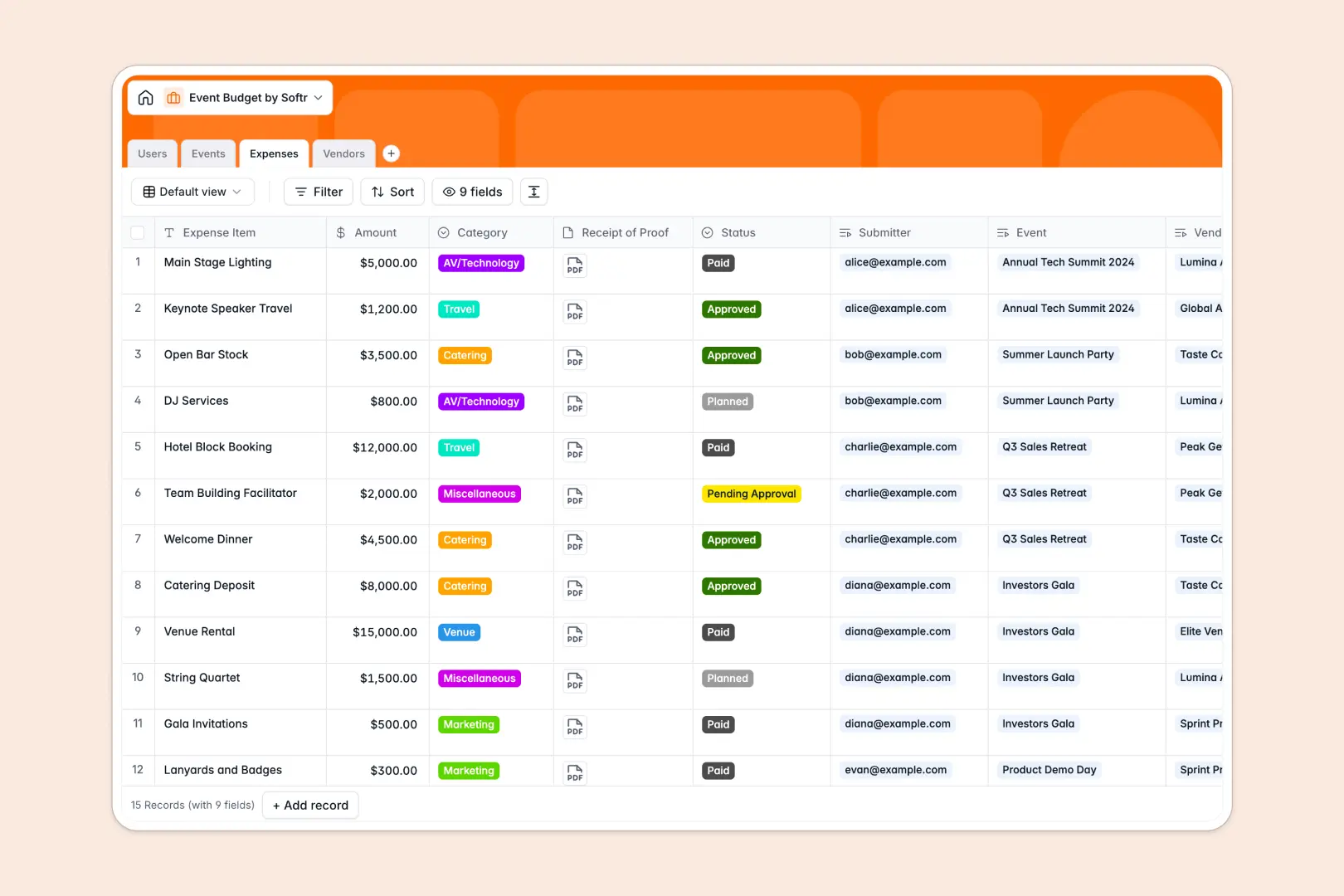
Your Event Budget Database at a glance
This template tracks every dollar allocated, spent, and pending across your campaigns to ensure your events stay profitable.
It works by seamlessly connecting individual expenses directly to specific events and vendors. As new costs get logged, your total used budget rolls up automatically, giving you an instant picture of your remaining funds.
Built-in AI makes it even smarter by automatically drafting project briefs, writing professional expense justifications, and securely searching the web to build vendor profiles from their websites.
Why managing event budgets in spreadsheets breaks down
Tracking hundreds of line-item expenses across multiple vendors quickly turns standard spreadsheets into a mess of broken formulas and missing receipts.
What a structured database changes
A structured approach links everything perfectly without complicated workarounds. When you log a new catering expense, it automatically deducts from your main event budget without any manual math.
You never have to copy-paste vendor details or recalculate totals across different sheets again. This is exactly what Softr Databases are designed for.
What you can do with this template
Instantly see total allocated, used, and remaining funds for every event in real time. You can tie PDF receipts directly to expenses and update approval statuses so nothing gets lost.
You can also let Database AI agents do the heavy lifting. They will automatically research vendor websites to populate service profiles or auto-generate professional justifications for every pending expense.
-
Users
Manage internal team profiles with roles, avatars and linked event responsibilities
-
Events
Track event budgets and automate project briefs using web-aware AI generation
-
Expenses
Log purchase details and use AI to generate professional budget justifications
-
Vendors
Store supplier details and use AI to research and profile service offerings
Who is this Event Budget Database for
This template provides instant clarity for any team managing complex event finances.
- Event Managers: Monitor remaining budgets in real time and manage all vendor relationships in one fluid view.
- Finance Teams: Track expense statuses from pending to paid with invoice receipts securely attached to the data.
- Marketing Directors: Oversee multiple event campaigns simultaneously while keeping an accurate eye on total spend.
How to take it further
It is incredibly easy to adapt this structure to your specific needs. Simply add new expense categories, change field names, or update user roles without touching a single line of code.
Bring your current records to life immediately. Upload a CSV of your existing vendors or active event budgets, and your database is ready to use in seconds.
When your team wants a cleaner way to interact with this data, you can build a custom internal portal around it. You can build a streamlined app where event managers only see their assigned budgets and submitting expenses happens via a simple form. With secure permissions, you firmly control who has the authority to approve expenses versus who can only submit them. Your clean database acts as the perfect foundation.
-
1
-
2
-
3
-
4
Frequently asked questions
-
What is an event budget database?
-
Why use a no-code database to build an event budget tool?
-
How can AI help managing data for event budgets?
-
Can I build an app with an event budget database?
-
Is this Event Budget Database template free?
-
How is an event budget database different from Excel or Google Sheets?
Start building today. It's free!
Build and launch your first app in under 30 minutes.