


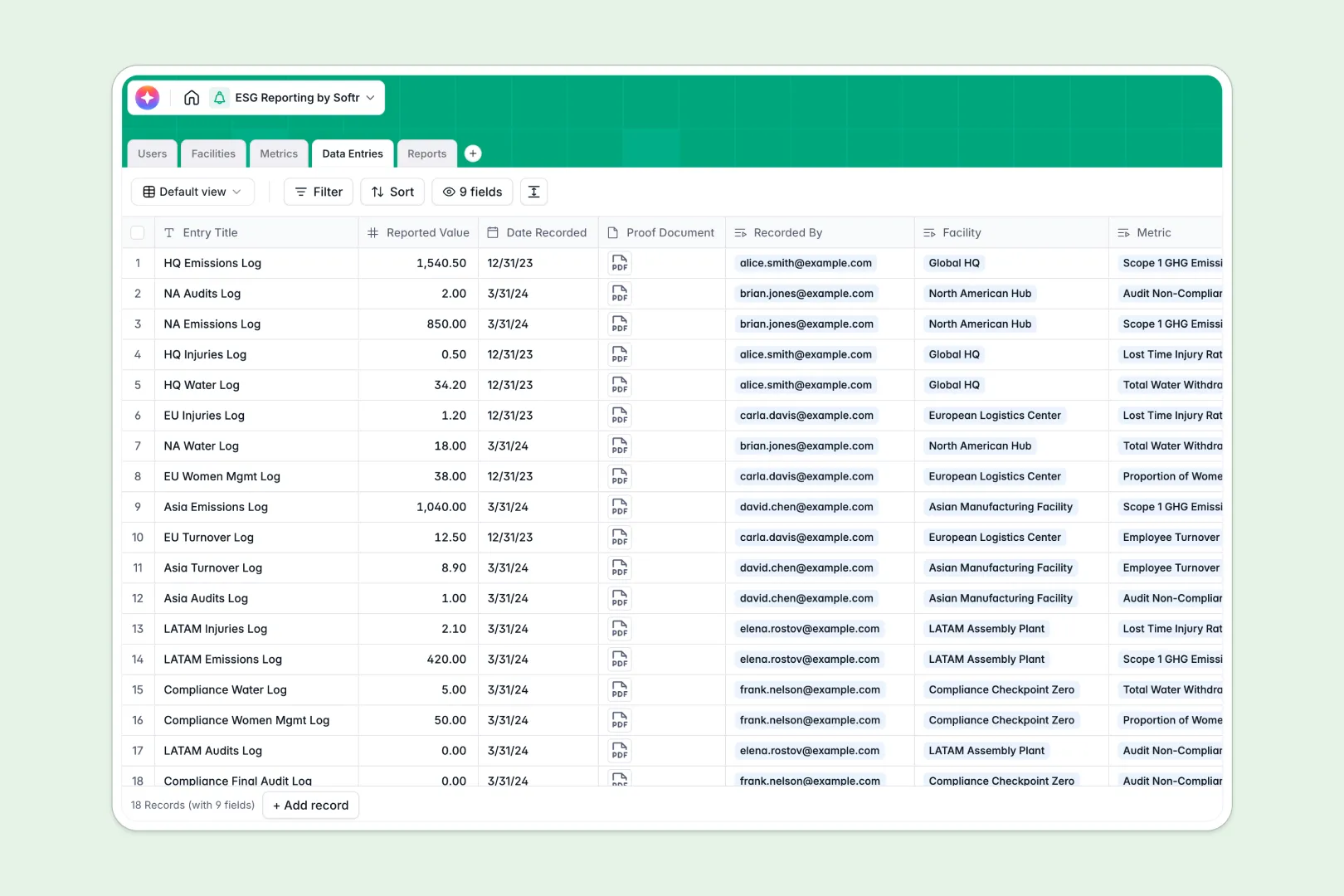
Your ESG Reporting database at a glance
This template centralizes sustainability tracking across all your business units, replacing scattered workbooks with audit-ready reporting. Keep emission logs, social initiatives, and governance records organized in one dependable hub.
Key tables link your Facilities, Metrics, and Data Entries directly to compliance Reports. Facility managers log measurements with supporting proof documents, while admins instantly aggregate data by location, category, or reporting year.
Native AI fields automatically classify sustainability indicators, generate metric definitions, and draft executive summaries for annual filings without extra work.
The stale workbook problem in corporate sustainability reporting
Collecting carbon logs and utility bills via emailed workbooks always creates version chaos. When multiple facility managers edit local files, numbers drift, attachment links break, and someone must spend weeks re-consolidating conflicting rows.
Sending full workbooks also risks exposing confidential governance records or unverified internal metrics to the wrong readers.
What a structured database changes
A structured system keeps data types rigid so dates stay valid, proof files stay attached to their exact rows, and reported values cannot accidentally be overwritten with text.
Facilities link directly to their managers and entry logs, letting you roll up numbers automatically without fragile lookups. This is exactly what Softr Databases are designed for.
If your team currently stores historical logs in an online Excel file, Softr can connect to it directly as an external data source while you transition.
What you can do with this template
Log emissions and water usage by facility with verified source documents directly attached to every single entry.
Let Database AI agents research definitions for new regulatory standards and synthesize complex facility entries into ready-to-review executive summaries.
Bundle approved entries into final compliance reports for auditors with full confidence in your data trail.
-
Users
Manage ESG administrators, facility managers, auditors, and access roles
-
Facilities
Track corporate sites, physical locations, assigned managers, and logs
-
Metrics
Standardize ESG indicators with AI categorization and automated definitions
-
Data Entries
Record periodic metric measurements with proof documents and facility links
-
Reports
Generate compliance reports with AI executive summaries and audit status
Who is this ESG Reporting database for
This template helps organizations standardize sustainability accounting across multiple sites and teams.
- Sustainability Officers: Centralize Scope 1, 2, and 3 logs into audit-proof annual reports.
- Facility Managers: Submit monthly resource usage and attach utility proof documents easily.
- Compliance & Legal Leads: Verify corporate governance metrics and prepare official disclosures.
- External ESG Auditors: Review verified logs and inspect linked proof files in one place.
How to take it further
1. Customize the database
Tailor your schema by adding specific emissions factors, custom disclosure frameworks, or new facility attributes. You can adjust metric categories or add custom validation rules in seconds without touching complex formulas.
2. Import your existing data
Bring in past reporting years instantly using bulk CSV import. You can also connect your external metering tools via API to log energy readings automatically as they occur.
3. Build a full app around it
Turn this backend into a collaborative portal for your enterprise. You can generate an app with AI by describing the workflow you want, creating an interface where facility heads submit numbers and auditors review filings.
Granular users and permissions ensure contributors only edit their assigned facilities while executives access consolidated dashboards. Your database, interface, and automated review workflows stay unified in one system.
-
1
-
2
-
3
-
4
Frequently asked questions
-
What is an ESG reporting database?
-
Why use a no-code database to build an ESG reporting tool?
-
How can AI help managing data for ESG reporting?
-
Can I build an app with this ESG reporting database?
-
Is this ESG Reporting database free?
-
How is an ESG database different from an ESG reporting Excel sheet?
Start building today. It's free!
Build and launch your first app in under 30 minutes.