


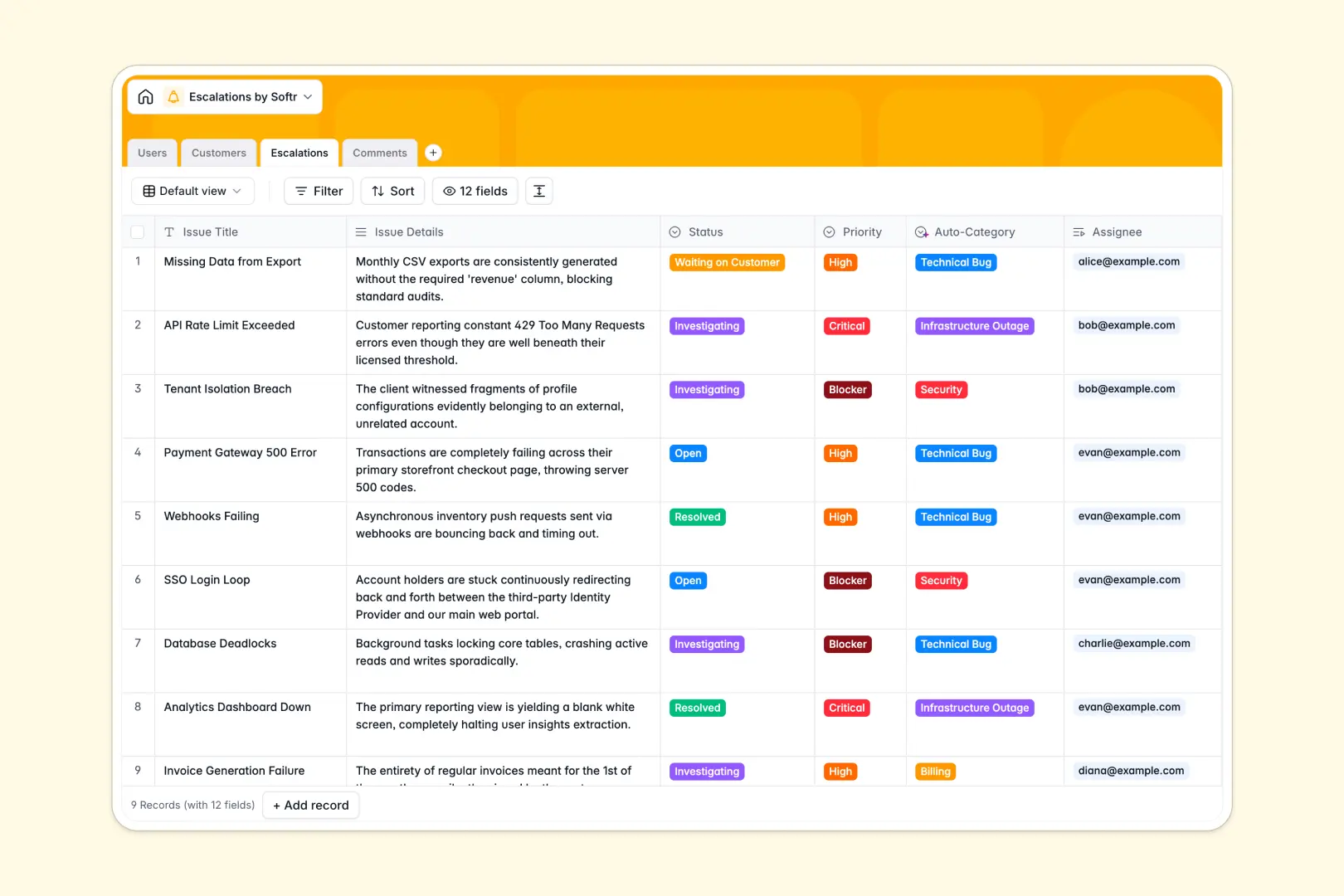
Your Escalations database at a glance
This template gives your team a central command center to manage, triage, and resolve high-priority incident escalations. It keeps engineering, support agents, and leadership aligned on critical blockers without lost context.
Every escalation links directly to an affected customer, assigned internal users, and a chronological log of investigative updates. This structure ensures everyone sees the exact account tier, issue priority, and resolution timeline in one reliable view.
Built-in AI fields automatically classify incoming incident categories, research client websites to assess business impact, and generate executive summaries from ongoing comment threads.
When a critical blocker gets lost across disconnected sheets
Managing critical tickets in static files quickly leads to missed SLAs, unassigned blockers, and duplicated investigative work.
What a structured database changes
In a structured setup, every data point retains its integrity: timestamps stay exact, customer tiers remain standardized, and update logs connect natively to parent incidents. You never have to worry about broken cell formulas or misplaced row notes.
Linking escalations directly to the Users and Customers tables lets you monitor active workload per engineer and account risk simultaneously. This is exactly what Softr Databases are designed for.
What you can do with this template
Assign priority levels like High, Critical, or Blocker, and track progress from open investigation to verified resolution. Team members can post structured updates to the Comments table so context stays preserved.
With native Database AI agents, the template auto-generates 3-bullet resolution summaries and researches company context from client websites as soon as issues are logged.
-
Users
Manage internal agents, engineers, and support managers with roles
-
Customers
Track client companies using AI-generated overviews and impact context
-
Escalations
Handle critical issues with AI auto-categorization and summary reports
-
Comments
Log investigative updates, internal notes, and timeline communication
Who is this Escalations database for
This template helps cross-functional teams streamline incident response and keep stakeholders updated.
- Technical Support Leads: Triage high-severity tickets and route urgent customer blockers to the right tier.
- Engineering Managers: Monitor engineering workload, assign urgent fixes, and review concise incident summaries.
- Customer Success Managers: Track active account issues, protect enterprise relationships, and stay informed on fixes.
- Incident Response Teams: Maintain an immutable record of investigation notes and resolution timelines.
How to take it further
Customize the database to match your exact support tiers and organizational hierarchy. You can rename priority levels, add custom status options, or adjust the AI prompts to tailor automated incident summaries.
Import your existing data in seconds using CSV upload for historical incident records or sync directly via API. This lets you preserve past troubleshooting context while upgrading to an organized schema.
Build a full app around it whenever you are ready. Use an AI app generator to turn this database into an internal incident tracker or customer-facing status portal in a single prompt. Then, configure users and permissions so support agents log issues, engineers update tickets, and managers view executive rollups securely.
-
1
-
2
-
3
-
4
Frequently asked questions
-
What is an escalations database?
-
Why use a no-code database to build an escalation tracking system?
-
How can AI help managing data for escalations?
-
Can I build an app with an escalations database?
-
Is this Escalations database free?
Start building today. It's free!
Build and launch your first app in under 30 minutes.