


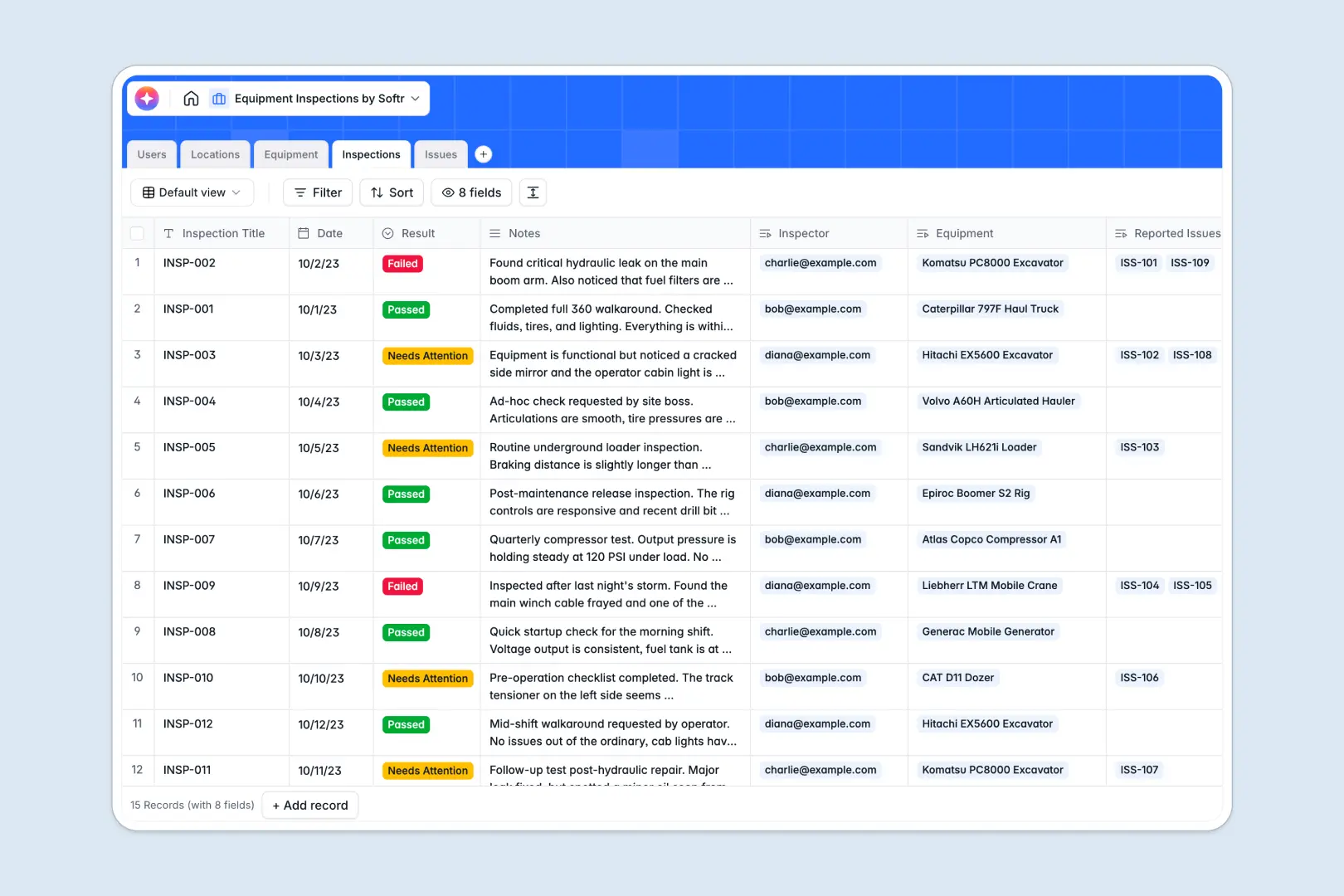
Your Equipment Inspections database at a glance
This template centralizes your asset tracking, keeping safety checks, maintenance logs, and defective issues neatly organized. It eliminates scattered notes by connecting everything your team needs to ensure physical machinery remains operational and compliant.
The database links Equipment directly to their specialized Locations and designated Users. When staff create new Inspections, any flagged Issues are automatically tied back to specific assets so nothing slips through the cracks.
It also features powerful Database AI agents working natively inside your fields. The system automatically searches the web to populate asset specifications, summarizes inspection notes, and categorizes issue severity from your descriptions.
Why tracking equipment inspections in spreadsheets breaks down
Managing ongoing asset checks in a spreadsheet quickly leads to chaos. Columns get cluttered with mixed notes, photo proof breaks formatting, and tracking historical safety logs across different tabs becomes impossible.
What a structured database changes
A properly structured database enforces clear formatting for critical maintenance data. Serial numbers stay as text, inspection dates remain actual dates, and photo proofs of damage attach cleanly without breaking rows.
Instead of relying on fragile VLOOKUPs, tables connect cleanly to associate one piece of equipment with years of inspection histories. This is exactly what Softr Databases are designed for as your operations scale.
What you can do with this template
You can instantly view all deployed machinery, check their real-time operational status, and see when an asset was last inspected. Field operators can attach photo proof of defects and track resolution progress smoothly from Open to Resolved.
Your AI agents step in to take over the heavy lifting by grading issue severity—Low, Medium, or High—the moment a defect is reported. This gives maintenance teams immediate visibility on what needs urgent attention first.
-
Users
Manage inspectors and maintenance staff with roles and contact details
-
Locations
Track physical sites and facilities where equipment assets are stored
-
Equipment
Manage assets and use AI to research technical specs and machinery details
-
Inspections
Log safety checks and use AI to generate concise summaries of findings
-
Issues
Track defects and use AI to automatically classify severity and risk levels
Who is this Equipment Inspections database for
This system is built for operations teams who need zero friction in their compliance and maintenance routines.
- Maintenance Managers: Track asset health, prioritize urgent repairs, and route tasks to the right technicians.
- Safety Compliance Officers: Maintain accurate historical audit logs to ensure regulatory requirements are consistently met.
- Field Inspectors: Quickly record inspection results, upload damage proof, and log actionable issues easily.
- Operations Directors: Monitor total equipment counts across facilities and verify site readiness instantly.
How to take it further
You can fully customize the database fields to fit your specific operational vocabulary. Easily tweak the equipment status tags, add custom check-box fields for safety criteria, or adjust user roles.
Bring this system to life immediately by importing your existing machinery lists via CSV. Connecting your legacy data takes just minutes, giving you an instantly usable asset directory.
When your team is ready, you can build a full internal app straight from this data. By adding an intuitive interface, technicians can submit logs securely from mobile devices while out in the field.
You can leverage robust users and permissions to control access smoothly across the portal. Because you started with a well-structured database, building and scaling this secure app becomes completely effortless.
-
1
-
2
-
3
-
4
Frequently asked questions
-
What is an equipment inspections database?
-
Why use a no-code database to build an equipment management system?
-
How can AI help managing data for equipment inspections?
-
Can I build an app with this equipment inspections database?
-
Is this equipment inspections database free?
-
How does this template handle asset locations?
Start building today. It's free!
Build and launch your first app in under 30 minutes.