Equipment Assignment Database Template

Track every asset centrally, monitor checkouts, and prevent equipment loss.

Categories

Database
Asset Management
Inventory Management
Internal tool
IT/ Admin/ Security
Resource Management

Summarize with AI

Your Equipment Assignment Database at a glance

This equipment assignment database tracks exactly who has what asset and when it is due back. It provides a complete, real-time overview of your inventory to prevent loss and streamline checkouts.

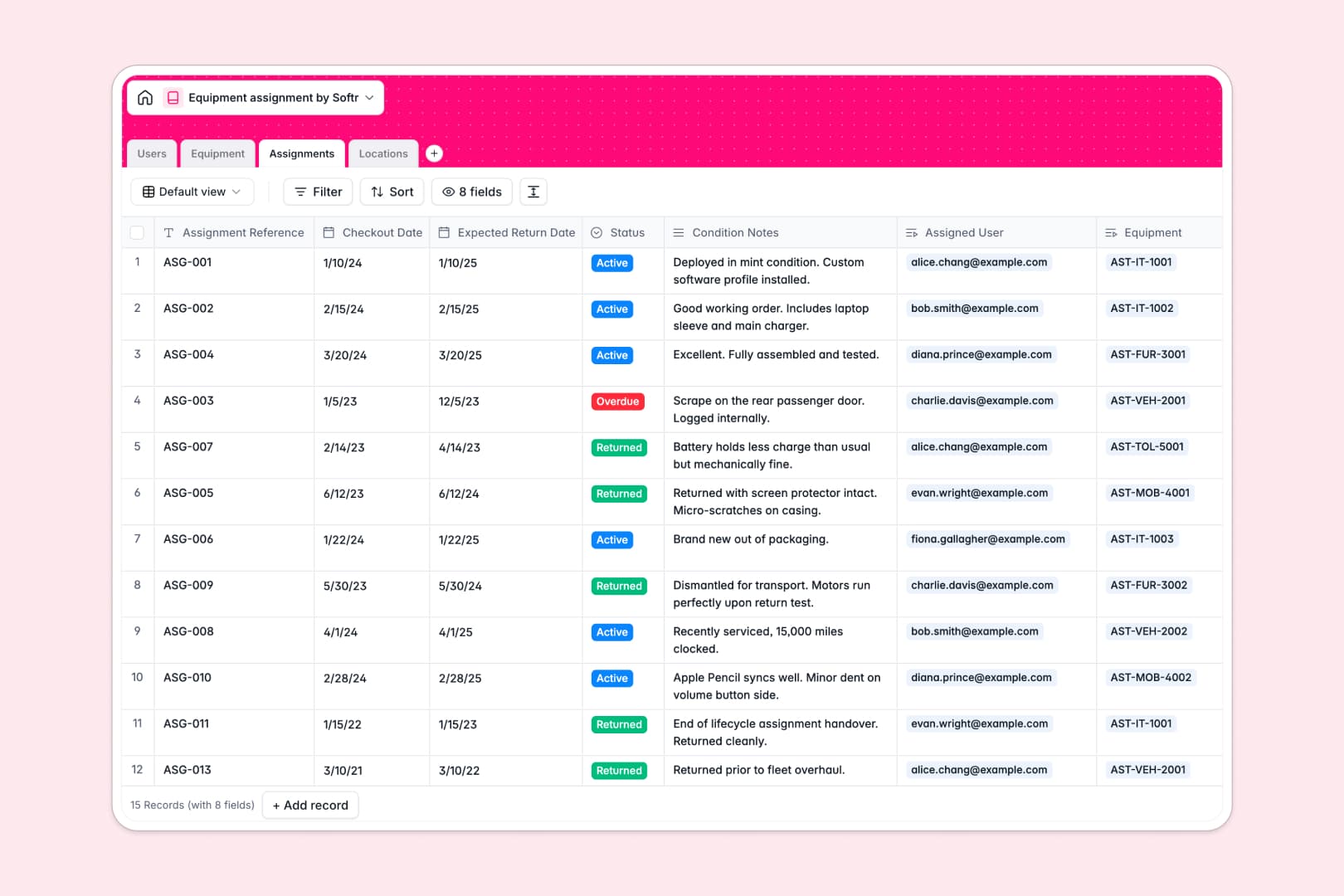
The template connects four key tables: Users, Equipment, Assignments, and Locations. When an item is signed out, the database automatically links the specific asset to the staff member and logs the return date.

Using native AI fields, the database automatically researches technical specs for new equipment and writes rapid summaries of asset conditions based on user notes.

Why managing equipment assignments in spreadsheets breaks down

Using spreadsheets to track hardware, tools, or vehicles quickly becomes disorganized without strict structure. Rows get accidentally overwritten, status updates fall behind, and knowing exactly who has what requires manually cross-referencing tabs.

What a structured database changes

A structured system enforces proper data types so checkout dates stay as dates and statuses are restricted to defined options like "Active" or "Overdue." You can link an asset directly to a user without copying and pasting their email across rows.

This is exactly what Softr Databases are designed for. By connecting tables natively, your data stays perfectly clean and reliable as your team and inventory scale.

What you can do with this template

You can instantly see the physical location and active checkout status of every asset in your company.

It automatically calculates active assignment counts per user and inventory totals per location. The template comes fully ready to track checkouts, map categories, and monitor purchase values out of the box.

Tables for Equipment Assignment Database

  • Users

    Manage staff profiles, departmental roles, and active equipment borrowing stats

  • Equipment

    Track inventory with AI-generated technical specs and current availability status

  • Assignments

    Log asset handovers using AI to summarize handback conditions and status updates

  • Locations

    Organize physical storage sites and track total inventory volume per facility

Who is this Equipment Assignment Database for

This template is built for any team that needs to issue trackable assets quickly and reliably.

  • IT Managers: Track laptops, mobile devices, and monitors distributed to remote or in-office staff.
  • Operations Leads: Monitor physical tools, furniture, or company vehicles across multiple locations.
  • HR Teams: Manage equipment provisioning during new employee onboarding and asset collection upon exit.
  • Office Managers: Oversee the availability and maintenance status of shared office hardware.

How to take it further

First, customize the database to match your specific asset categories and workflow. You can easily adjust the equipment select fields to include custom categories like specialized machinery or add new columns for serial numbers.

Second, import your existing inventory records directly into the template. Use a quick CSV upload to bring in past assignments and current stock without manual entry.

When you are ready, you can transform this database into a secure company portal. By deciding to build an app natively on top of this structure, you can allow staff to request equipment or report damage themselves. A well-structured database makes taking this step seamless, directly connecting your tables into a custom frontend.

How to use the Equipment Assignment Database template

  • 1
    Click Use template: Sign up or log in to your Softr account (it’s free, no credit card required!)
  • 2
    Fine-tune the database: Adjust fields, options, and , settings so the database matches your specific needs. You can rename fields, change select options, or modify default values.
  • 3
    Add your data: Replace the mock content with your own and information. You can add data manually or import it quickly o cr via CSV.
  • 4
    Build an app on top of your database: Create a Softr app on top of this database to have a custom interface where users can log in, view data, and collaborate.

Frequently asked questions

  • What is an equipment assignment database?
  • Why use a no-code database to build an equipment assignment tool?
  • How can AI help managing data for equipment assignments?
  • Can I build an app with this equipment assignment database?
  • Is this equipment assignment database free?

Build your custom Equipment Assignment Database today.

Build and launch your first app in under 30 minutes.