


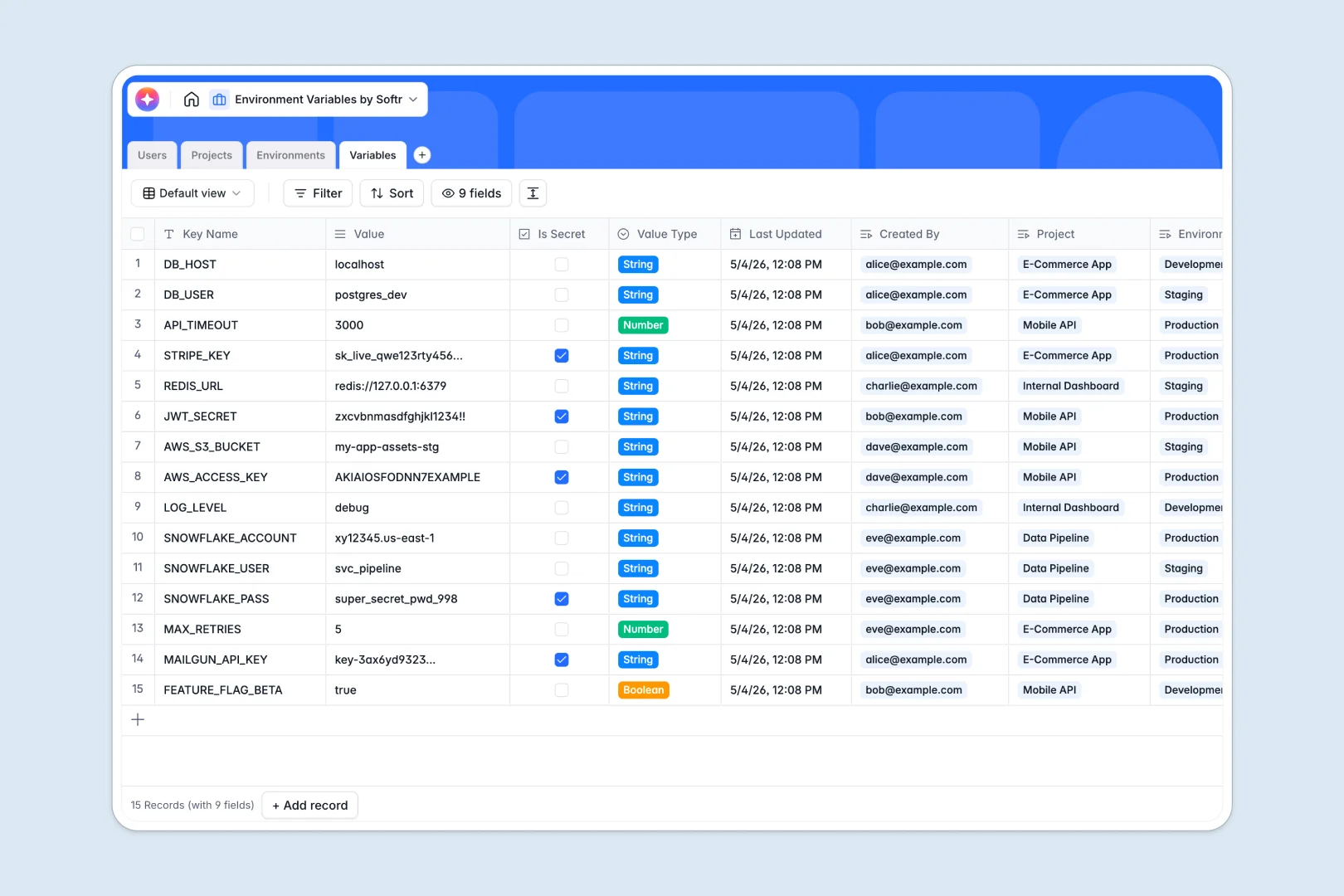
Your Environment Variables database at a glance
This template gives you a secure, structured system to track every configuration key and secret across your organization. It ensures your teams always know which variables belong to which deployment phase.
The database connects isolated records into one clear picture without complex setup. Your Projects automatically link to specific Environments (like Staging or Production) and individual Variables, showing you exactly where each key lives.
Built-in AI features take the grunt work out of technical documentation. They automatically summarize project scopes and instantly write documentation for every variable based on its key name and data type.
Why managing environment variables in spreadsheets breaks down
Tracking application secrets and configuration data in spreadsheets quickly becomes a security and operational nightmare. Missing context, mixed data types, and broken cell references lead to delayed deployments and costly errors.
What a structured database changes
A relational structure enforces strict rules so your configuration data stays perfectly clean. Booleans stay booleans, JSON objects stay formatted, and sensitive keys can be flagged accurately without manually color-coding rows.
Instead of messy VLOOKUPs, you simply link a variable directly to its environment and project. This mapping is exactly what Softr Databases are built for, keeping your engineering context perfectly organized as you scale.
What you can do with this template
You can immediately log, categorize, and document every config variable across all your repositories. The native structure automatically counts how many variables belong to each project to help you monitor application complexity.
Plus, Database AI agents automatically generate clear documentation for every variable you add in real time. This eliminates configuration guesswork and helps get new developers onboarded faster.
-
Users
Manage system users with access roles and project permissions for configuration access
-
Projects
Organize applications and services using AI to generate concise project summaries
-
Environments
Define deployment contexts like production or staging with specific security levels
-
Variables
Store configuration keys with AI-powered documentation based on name and value type
Who is this Environment Variables database for
This system is designed for engineering leaders and DevOps teams who need total visibility into application configurations.
- DevOps Engineers: Maintain a single source of truth for deployment secrets across staging and production environments.
- Engineering Managers: Audit which team members created specific variables and effortlessly monitor overall project complexity.
- Software Developers: Find exactly which environment variables are required to reliably run a specific application locally.
How to take it further
Start by customizing the database to match your exact tech stack and pipeline. You can easily add new security levels, tweak the existing user roles, or adjust the deployment environments.
Next, import your existing configuration checklists via CSV or use the API to sync keys directly from your current CI/CD tools. This gets your data out of scattered files and into a centralized, queryable format immediately.
When your team goes beyond basic tracking, you can safely connect this structure to an interface builder to create a custom internal developer portal. This gives your engineering team a dedicated home to view and manage application details.
Because the underlying data is structured properly, you can easily enforce strict users and permissions in that app. This guarantees that standard developers only see staging variables while administrators maintain control over production secrets.
-
1
-
2
-
3
-
4
Frequently asked questions
-
What is an environment variables database?
-
Why use a no-code database to build a configuration management tool?
-
How can AI help managing data for environment variables?
-
Can I build an app with this environment variables database?
-
Is this Environment Variables database free?
-
How does this template handle variable security levels?
Start building today. It's free!
Build and launch your first app in under 30 minutes.