


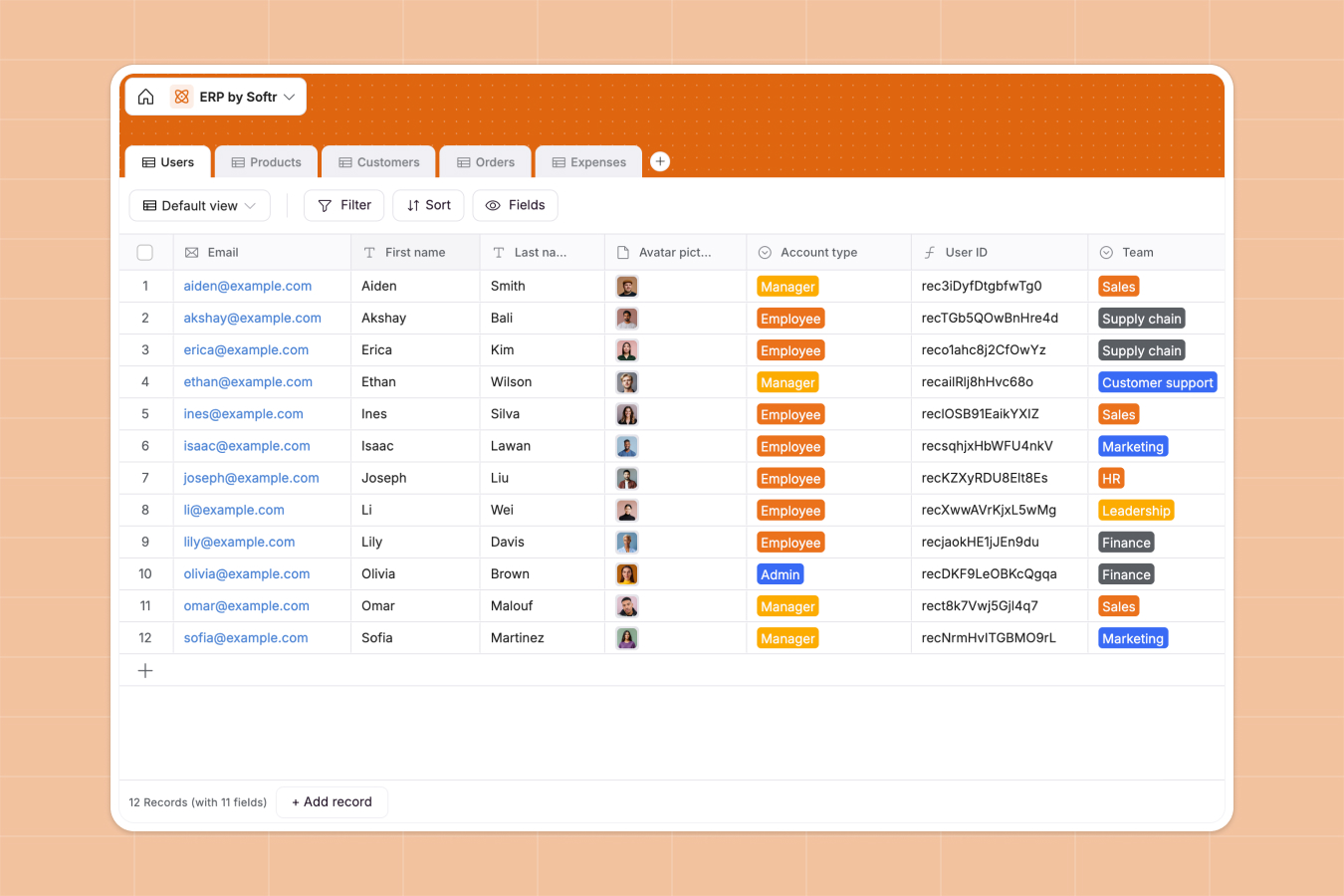
Your Enterprise Resource Planning database at a glance
This template centralizes core business operations into a single operational hub, letting you track inventory levels, sales orders, customer accounts, and internal expenses without duplicate data entry.
Five relational tables (Users, Products, Customers, Orders, and Expenses) work together natively. Orders link directly to purchasing Customers and inventory Products, while team Expenses roll up against individual Users to give you accurate financial and operational visibility.
When disconnected spreadsheets break inventory counts and sales orders
Managing core business operations across standalone sheets leads to mismatched inventory, lost invoices, and inaccurate revenue totals whenever multiple departments update records simultaneously.
What a structured database changes
In a structured setup, every operational entity stays distinct while remaining connected. A single sales order links directly to a customer profile and inventory stock, recalculating revenue and stock counts automatically without fragile VLOOKUP formulas.
Columns enforce real data integrity so currencies calculate accurately, dates remain formatted, and uploaded invoices stay attached to the exact transaction. This is exactly what Softr Databases are designed for.
What you can do with this template
Monitor live stock value and automatically roll up customer purchase histories to identify top accounts instantly.
Automate your operational workflows by integrating Database AI agents to extract receipt details from uploaded invoices or categorize operational expenses automatically upon submission.
-
Users
Manage employee accounts, roles, teams, contracts, equipment and linked expenses
-
Products
Track product catalog, pricing, stock levels, categories and linked orders
-
Customers
Manage customer companies, contacts, order history and aggregated revenue
-
Orders
Process customer orders with products, fulfillment, payment and invoices
-
Expenses
Record business expenses by category, date, employee and supporting invoices
Who is this Enterprise Resource Planning database for
This database is built for growing teams that need a reliable, interconnected foundation to manage daily business processes.
- Operations managers: Maintain live visibility over product inventory, order statuses, and supplier fulfillment workflows.
- Finance teams: Track departmental expenses, attach invoices, and monitor total customer revenue in real time.
- Sales leads: Manage customer records, view order histories, and track unpaid balances in one unified place.
- Department heads: Oversee employee assignments, hardware assets, and team-specific expense budgets efficiently.
How to take it further
Customize this database by adapting product categories, adding new expense classifications, or modifying employee contract types to match your internal organization.
Import your existing business data in minutes using CSV files for historical orders and product catalogs, or connect via API for continuous synchronization with your existing tools.
When you are ready to give your team custom interfaces, you can build an app directly on top of this data. Use granular users and permissions so sales reps only view their own accounts while finance managers review company-wide expense reports securely.
-
1
-
2
-
3
-
4
Frequently asked questions
-
What is an enterprise resource planning database?
-
Why use a no-code database to build an enterprise resource planning system?
-
How can AI help managing data for enterprise resource planning?
-
Can I build an app with an enterprise resource planning database?
-
Is this Enterprise Resource Planning database free?
-
Can I import my existing product and customer spreadsheets?
Start building today. It's free!
Build and launch your first app in under 30 minutes.