


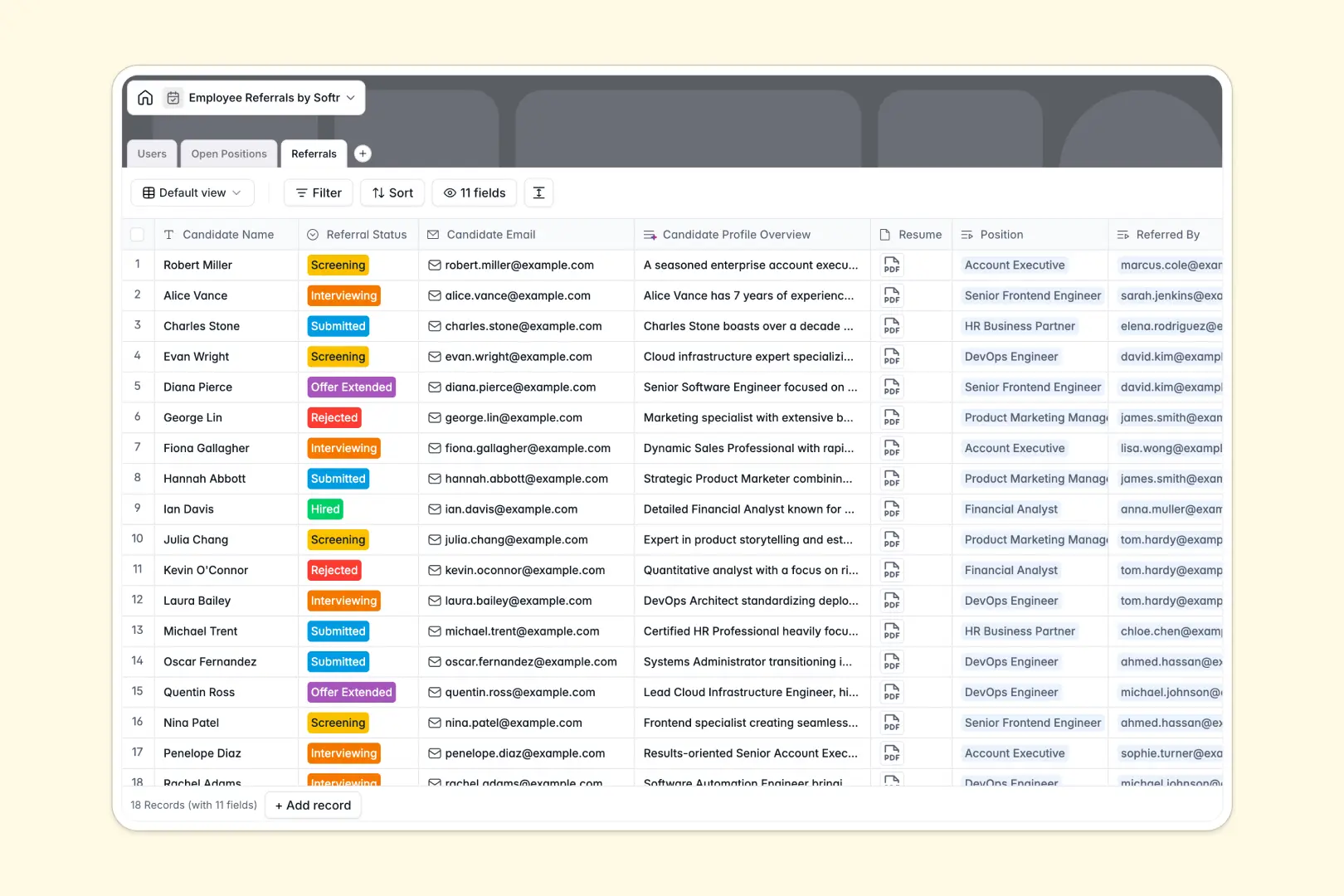
Your Employee Referrals database at a glance
This automated database centralizes candidate recommendations, preventing resumes from getting lost in Slack threads or email so your team can hire top talent faster.
It works by connecting a directory of users to specific open positions and their associated referrals, keeping contact details, resumes, and hiring manager feedback perfectly linked.
Built-in AI automatically writes catchy job summaries for social sharing and summarizes candidate LinkedIn profiles so you can review applicants in seconds.
Why managing employee referrals in spreadsheets breaks down
Spreadsheets quickly turn into messy lists of detached resumes, making it impossible to see which employee recommended which candidate for what role.
What a structured database changes
A structured database enforces column types, meaning resumes stay attached to candidate profiles, and link directly to the right open position without fragile VLOOKUPs.
This is exactly what Softr Databases are designed for—keeping critical data clean, connected, and scalable no matter how fast your team grows.
What you can do with this template
Track every stage of the hiring pipeline cleanly, from initial submission to final offer, while automatically crediting the referring employee for their upcoming bonus.
Thanks to built-in AI agents, you can instantly extract and summarize candidate profiles from their LinkedIn URLs and create social-ready job descriptions without leaving the table.
-
Users
Manage employee directory, HR roles, and track individual referral metrics
-
Open Positions
List job vacancies using AI to generate catchy social media summaries
-
Referrals
Track candidates with AI-generated background overviews from web profiles
Who is this Employee Referrals database for
This central tracking system is built for growing teams looking to scale their hiring process without losing candidates.
- HR Managers: Track candidate statuses clearly and maintain an organized, up-to-date hiring pipeline.
- Department Heads: Monitor incoming referrals for your specific open positions and review applicant volume immediately.
- Employees: Submit candidate recommendations easily and ensure you receive proper credit for successful hires.
How to take it further
Customize this structure easily by adjusting referral status options, adding new department categories, or editing bonus amounts to match your exact company policies. Because it natively handles relational data, making these structural changes safely takes only seconds.
Connect to immediate value by uploading your existing active positions via CSV import or syncing them automatically through our API. This populates your pipeline instantly so your team can start referring candidates on day one.
As your candidate pool grows, turning this backend into a secure internal portal is a natural next step. By applying customized users and permissions, you can ensure employees only see the statuses of their own referred candidates, while HR accesses the complete directory. A well-organized, structured database makes building intuitive, full-stack applications completely effortless.
-
1
-
2
-
3
-
4
Frequently asked questions
-
What is an employee referrals database?
-
Why use a no-code database to build an applicant tracking tool?
-
How can AI help managing data for employee referrals?
-
Can I build an app with an employee referrals database?
-
Is this Employee Referrals database free?
-
How is an employee referrals database different from tracking in spreadsheets?
Start building today. It's free!
Build and launch your first app in under 30 minutes.