


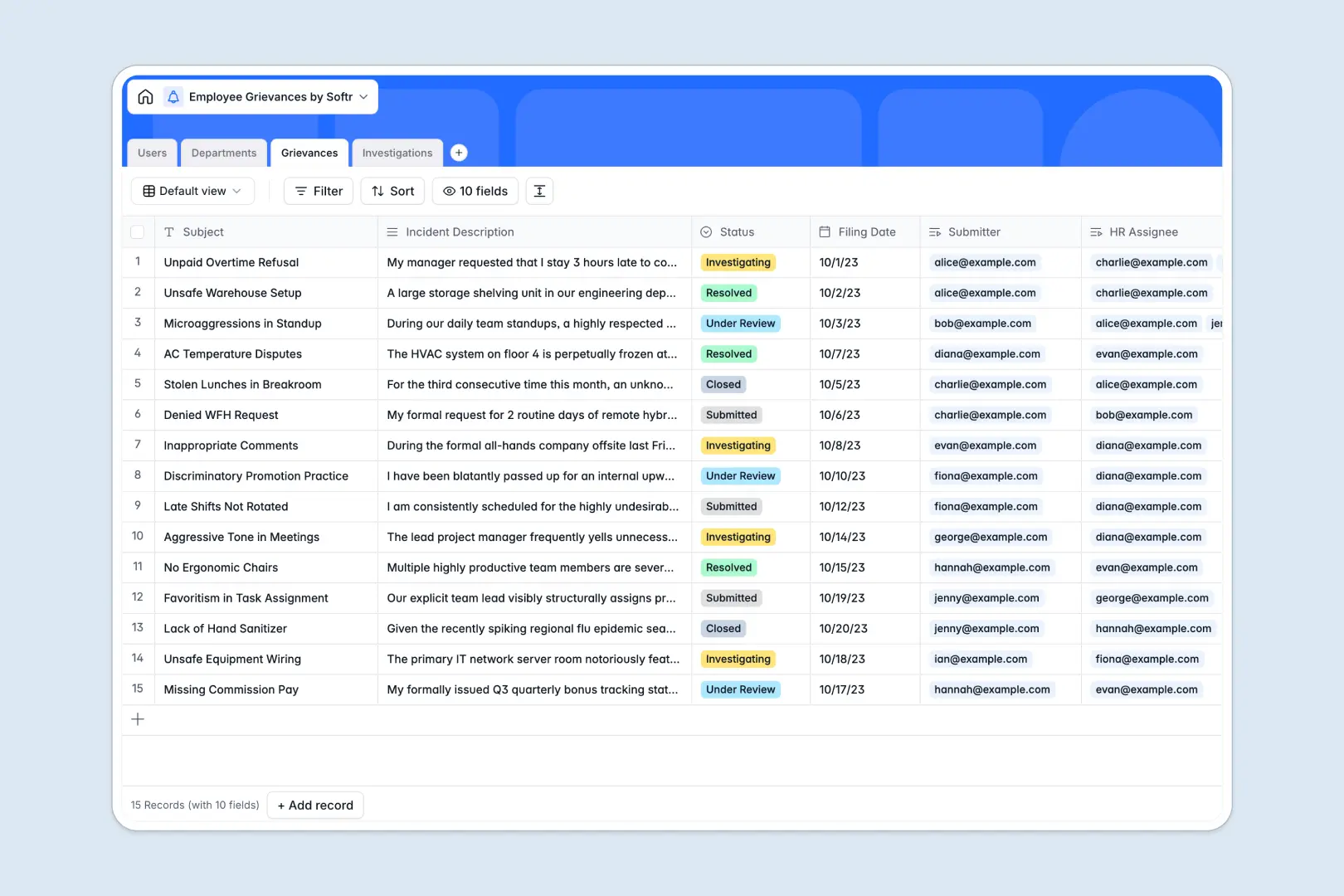
Your Employee Grievances database at a glance
This template gives HR teams a structured, confidential way to log workplace complaints, manage assignments, and record formal resolution steps.
Connected tables link Users, Departments, Grievances, and Investigations so every case ties directly to the right employee, investigator, and outcome without manual cross-referencing.
Built-in AI fields automatically generate executive summaries from long incident descriptions, suggest complaint categories, and draft recommended next steps for investigators.
What happens when sensitive workplace reports live in a blank grid
Workplace complaints demand strict privacy, thorough documentation, and clear accountability. Tracking them in standard sheets often leads to exposed incident notes, missed deadlines, and lost context between interview records and the original filing.
What a structured database changes
A structured database enforces dedicated field types, keeping filing dates consistent, status tags organized, and confidential documentation tied to specific records.
Relational tables connect each complaint directly to the assigned HR manager and investigation findings without brittle cross-sheet formulas or manual copy-pasting.
This is exactly what Softr Databases are designed for: giving teams a clean, reliable data structure that scales securely.
What you can do with this template
Log complaints across standard categories like workload, safety, or harassment while tracking real-time resolution statuses from submission to closure.
Use native Database AI agents to instantly summarize complex incident descriptions and recommend policy follow-up actions based on meeting notes.
Maintain complete oversight with departmental rollups that count total grievances, helping leadership spot workplace trends early.
-
Users
Maintain employee directory with assigned roles, departments, and grievance links
-
Departments
Organize business units and track aggregate employee grievance metrics
-
Grievances
Track workplace complaints with AI auto-categorization and summary generation
-
Investigations
Document HR inquiries, interview notes, and AI-recommended action plans
Who is this Employee Grievances database for
This template is tailored for teams that need secure, organized tracking for internal workplace issues:
- HR Managers: Track active cases, assign investigators, and document formal findings in one structured place.
- People Operations Leads: Monitor departmental grievance patterns and improve workplace culture with accurate metrics.
- Company Leadership: Maintain clear audit trails for workplace safety and compliance without exposing private employee notes.
- Legal & Compliance Teams: Access clean historical records and investigation timelines whenever formal reviews are required.
How to take it further
Customize your schema: Adjust grievance category choices, add custom fields for witness statements, or update user roles to fit your internal escalation paths in a few clicks.
Import your existing records: Bring in historical case logs via CSV or sync with your existing HR tools through the API to centralize past and present incident history.
Build a full app around it: When you are ready to give staff a self-service portal, use an AI app generator to generate a secure submission portal and HR dashboard directly on top of this database. Granular users and permissions ensure employees only see their own submissions while HR managers manage all assigned investigations securely.
-
1
-
2
-
3
-
4
Frequently asked questions
-
What is an employee grievances database?
-
Why use a no-code database to build an employee grievances tool?
-
How can AI help managing data for employee grievances?
-
Can I build an app with this employee grievances database?
-
Is this Employee Grievances database free?
-
Can I keep grievance submissions confidential?
Start building today. It's free!
Build and launch your first app in under 30 minutes.