


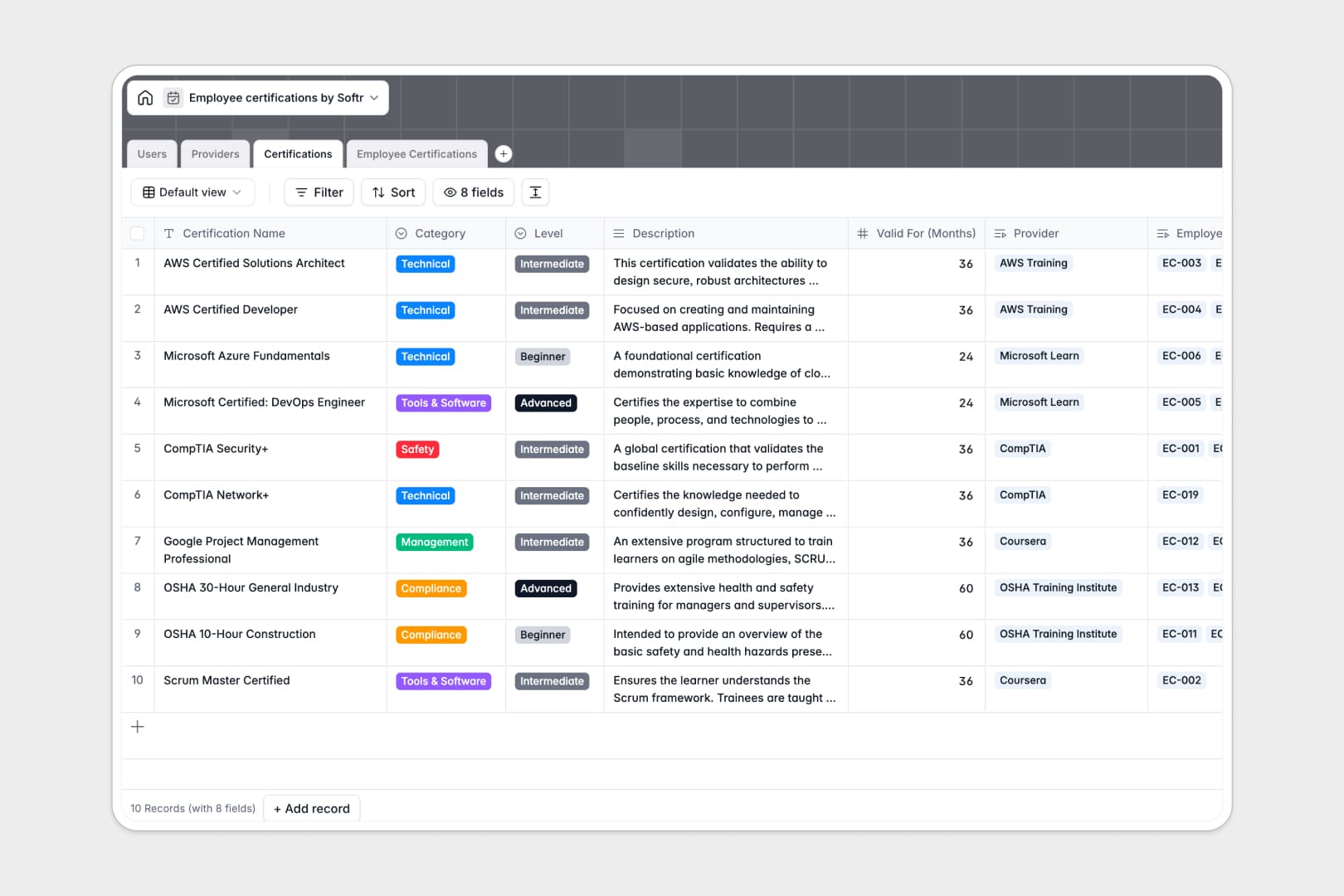
Your Employee Certifications database at a glance
This template helps you organize employee skill credentials, track compliance requirements, and stay ahead of upcoming expiration dates across every department.
It connects four dedicated tables: Users, Providers, Certifications, and Employee Certifications. Linking individual staff members directly to their earned credentials lets you monitor renewal timelines and document proofs without duplicate data entry.
Built-in AI fields automatically research course providers from their websites and summarize complex certification descriptions into clean, bite-sized bullet points.
Why a certification catalog needs real relationships
Tracking team credentials in a flat spreadsheet quickly breaks down when multiple employees earn the same certification from the same provider at different times.
What a structured database changes
In a structured setup, each business entity lives in its own dedicated table. An employee links directly to their specific credential record, while that credential links back to the central course catalog and issuing vendor.
Typed fields ensure issue dates, expiration dates, and PDF certificate files stay clean, while rollups calculate active qualifications automatically. This is exactly what Softr Databases are designed for.
What you can do with this template
Keep full visibility over who holds active compliance badges and receive clear signals before critical licenses expire.
With native Database AI agents, you can instantly populate provider overviews using live web research and create clear training overviews for your team.
Everything is pre-structured and ready to use immediately for company-wide credential tracking.
-
Users
Manage employee profiles, assigned roles, and active certification totals
-
Providers
Store certification issuers with web-driven AI overview summaries
-
Certifications
Catalog training courses with validity periods and AI-generated summaries
-
Employee Certifications
Track earned credentials, verification documents, and expiration dates
Who is this Employee Certifications database for
This template is designed for operations and people leaders who need reliable oversight of team skills and compliance.
- HR & People Ops Teams: Centralize training records, monitor compliance status, and manage renewal dates across all departments.
- Department Managers: Track team member qualifications, identify skill gaps, and support professional development planning.
- Compliance Officers: Maintain verifiable audit trails with attached certificate documents and accurate expiration tracking.
- IT & Operations Leads: Track vendor-specific technical certifications and tool accreditations across technical staff.
How to take it further
1. Customize the database
Adjust the predefined categories, add custom certification levels, or include department-specific fields to match your company's training taxonomy. Native editing lets you modify columns, select choices, and field types in seconds.
2. Import your existing data
Bring in your historical training records via CSV upload or sync information continuously using the API. Your existing data maps directly into the structured tables so you can start tracking immediately.
3. Build a full app around it
When you are ready, turn your database into a full internal system. You can use the AI app generator to create an employee self-service portal or manager dashboard from a single prompt, then refine it visually.
Set up custom users and permissions so individual employees can submit their own certificate renewals while administrators retain full oversight of company compliance.
-
1
-
2
-
3
-
4
Frequently asked questions
-
What is an employee certifications database?
-
Why use a no-code database to build an employee certifications system?
-
How can AI help managing data for employee certifications?
-
Can I build an app with this employee certifications database?
-
Is this Employee Certifications template free?
-
How do I track certificate expiration dates?
Start building today. It's free!
Build and launch your first app in under 30 minutes.