


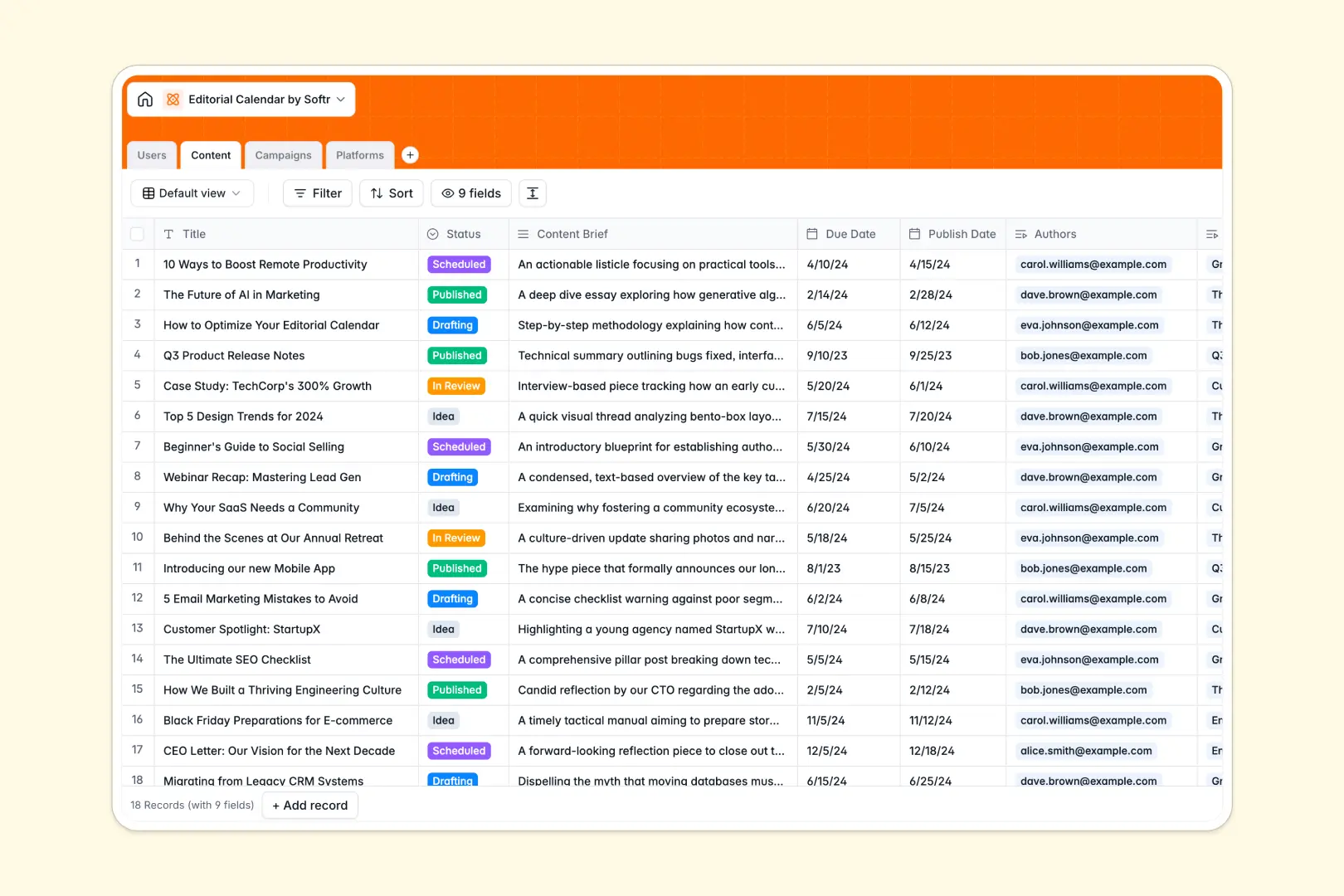
Your Editorial Calendar database at a glance
This template gives your team a centralized space to plan, draft, and publish content across multiple channels without missing deadlines.
It connects four distinct tables: Content, Users, Campaigns, and Platforms. Linking every article or post to specific writers, marketing initiatives, and distribution channels keeps your publishing pipeline organized without duplicating entries.
Built-in AI generates catchy SEO titles from your creative briefs and researches platform details automatically to speed up production.
Moving past static content spreadsheets
A blank spreadsheet cannot maintain the relationships between your writers, overarching marketing initiatives, and publishing channels as output scales.
What a structured database changes
In a structured setup, data types stay strict so publish dates remain accurate and authors link directly to their active assignments.
Relational tables let you attach multiple articles to a single marketing campaign while rollups count total assets automatically. This is exactly what Softr Databases are designed for, giving you a reliable data backbone that scales cleanly.
What you can do with this template
You can track each piece from initial idea through review to publication, keeping deadlines clear for every contributor.
Using native Database AI agents, you can instantly generate optimized titles and pull website descriptions for new channels straight into your records.
The template comes pre-configured and ready to use, helping you align editorial workflows right away.
-
Users
Manage editorial team members, assignment allocations, and roles
-
Content
Track article workflows, briefs, schedules, and AI SEO titles
-
Campaigns
Coordinate marketing initiatives, timelines, and grouped assets
-
Platforms
Organize distribution channels with audience stats and AI insights
Who is this Editorial Calendar database for
This template helps editorial and marketing teams streamline production and maintain publishing consistency:
- Content Managers: Plan multi-channel schedules, assign pieces to writers, and monitor upcoming deadlines in one view.
- Editorial Teams: Coordinate reviews, manage draft statuses, and keep content briefs easily accessible.
- Marketing Leads: Group articles by larger campaigns and track asset totals against strategic goals.
- Freelance Coordinators: Track external contributors, their assignments, and their publishing throughput reliably.
How to take it further
Customize the structure
Adapt the database quickly by adding custom fields for target keywords, word count targets, or revising the content status options to match your exact review stages.
Import your existing data
Bring your current publishing schedule into the database in seconds using CSV import, or connect via API to sync assets from your CMS automatically.
Build a full app around it
When you are ready to expand, you can build an app on top of this data. The AI Co-Builder turns your prompt into a customized portal with dedicated interfaces for writers and editors. Granular users and permissions ensure external writers only see their assigned drafts while editors manage the full publication schedule.
-
1
-
2
-
3
-
4
Frequently asked questions
-
What is an editorial calendar database?
-
Why use a no-code database to build an editorial calendar?
-
How can AI help managing data for an editorial calendar?
-
Can I build an app with an editorial calendar database?
-
Is this Editorial Calendar database free?
Start building today. It's free!
Build and launch your first app in under 30 minutes.