


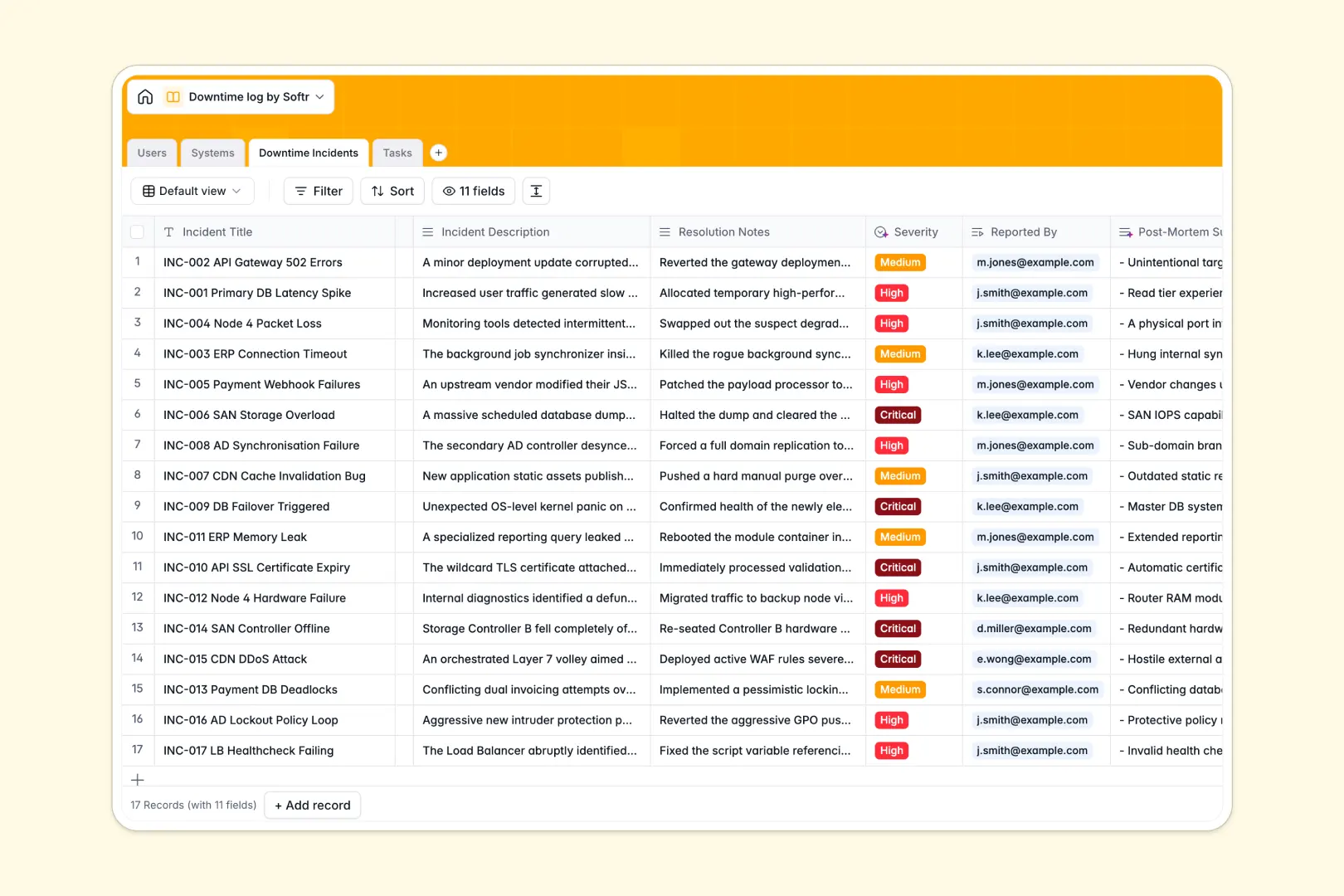
Your Downtime Log database at a glance
Log system outages instantly, monitor asset reliability, and coordinate recovery tasks in one centralized hub. Keep your engineering teams aligned and maintain accurate incident histories without manual friction.
Four dedicated tables structure your operational data: Systems tracks monitored IT assets, Downtime Incidents logs outages with precise start and resolution times, Tasks manages mitigation steps, and Users maps system owners and responders.
Native AI fields automate incident classification by assigning severity from descriptions, drafting 3-bullet post-mortem summaries, and researching technical system specs.
Why flat incident records fail during critical outages
A blank spreadsheet cannot handle the complex web of assets, open remediation tasks, and responder assignments required during a major service disruption.
What a structured database changes
Typed columns ensure exact outage timestamps, proper severity levels, and clean resolution logs that never corrupt over time.
Linked records connect each downtime event directly to affected systems, assigned engineers, and remediation tasks without duplicating data. This is exactly what Softr Databases are designed for.
Rollup fields calculate reliability metrics like total logged outages automatically, keeping management reporting accurate without fragile spreadsheet formulas.
What you can do with this template
Log critical outages with clear status pipelines from initial investigation to full resolution. Team members can easily identify root causes and review past incidents to prevent recurring failures.
Equip your database with Database AI agents to auto-generate post-mortem summaries, suggest remediation task steps, and categorize incident severity instantly.
-
Users
Manage staff members, roles, contact details, and assigned systems
-
Systems
Track monitored IT assets and generate AI descriptions and use cases
-
Downtime Incidents
Log outages with AI severity classification and post-mortem summaries
-
Tasks
Coordinate mitigation actions and generate AI task steps for incidents
Who is this Downtime Log database for
This database provides operational clarity for technical teams and system maintainers:
- DevOps Engineers: Track infrastructure reliability and document post-mortems across all monitored cloud services.
- IT Support Leads: Log service interruptions, track downtime durations, and assign recovery tasks directly to specialists.
- System Administrators: Maintain an accurate inventory of server hardware, network health, and asset ownership.
- Operations Managers: Monitor recurring outage trends and ensure SLA compliance across business-critical tools.
How to take it further
Customize this template in minutes by adjusting system categories, editing severity tags, or creating custom fields for third-party status page links.
Import your historical outage logs and asset inventories directly using CSV uploads or connect via API for automated sync with your existing monitoring alerts.
When your team is ready, use the AI app generator to turn this database into an internal incident portal in one prompt. Configure granular users and permissions so operators can report incidents while system administrators manage remediation workflows securely.
-
1
-
2
-
3
-
4
Frequently asked questions
-
What is a Downtime Log database?
-
Why use a no-code database to build an incident tracking tool?
-
How can AI help managing data for downtime tracking?
-
Can I build an app with this Downtime Log database?
-
Is this Downtime Log database free?
-
Can I customize the fields and tables in this template?
Start building today. It's free!
Build and launch your first app in under 30 minutes.