


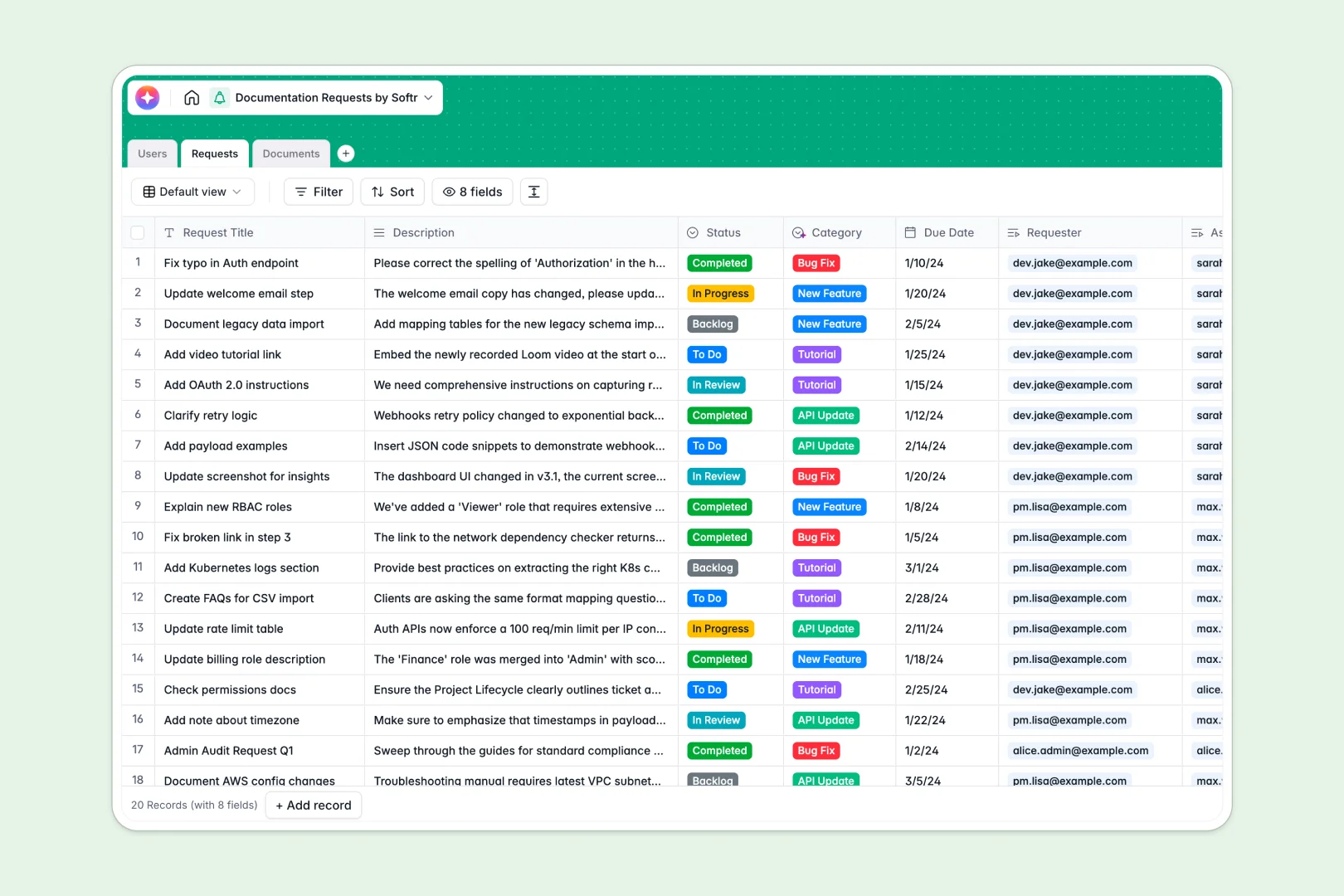
Your Documentation Requests database at a glance
Welcome to your streamlined documentation requests database—a central place to track what needs to be written or updated. It removes the chaos of loose emails, giving technical writers and requesters complete visibility.
The structure connects three core tables: Users, Requests, and Documents. This clean setup ensures every ticket routes to the right owner seamlessly without confusion.
Built-in AI runs natively in your tables to save time and reduce manual data entry. It categorizes incoming tickets automatically and instantly generates meta-summaries for your newly drafted documents.
Why managing documentation requests in spreadsheets breaks down
As your content library grows, tracking who requested what and which document needs a review quickly turns into a messy spreadsheet.
What a structured database changes
Spreadsheets fail because they rely on fragile VLOOKUPs to connect a request to a specific document or writer. When rows are deleted, the whole content pipeline breaks.
A structured database enforces true connections, letting you link a request directly to a user and a live document without copying and pasting. This is exactly what Softr Databases are designed for.
What you can do with this template
Start routing documentation requests logically and monitoring your writing backlog from a single, clean workspace. You can easily assign owners, track due dates, and update statuses from Draft to Published.
You also benefit from Database AI agents right out of the box. The database auto-classifies requests into logical categories and auto-summarizes document content to streamline publishing.
-
Users
Manage technical writers and requesters with roles, contact info, and assignments
-
Requests
Handle documentation tickets using AI to automatically categorize request types
-
Documents
Centralize official content and drafts with AI-generated summaries for quick review
Who is this Documentation Requests database for
This template gives clarity and alignment to any team responsible for maintaining accurate knowledge bases.
- Technical Writers: See exactly what needs drafting without chasing down request details.
- Product Managers: Submit clear documentation tickets connected directly to feature releases.
- Support Leads: Request new tutorials to help reduce repetitive customer support tickets.
- Content Operators: Manage the full lifecycle of documents from request to published asset.
How to take it further
You can easily customize this database to match your exact content workflow. Add a new status step like "Legal Review" or create custom request categories effortlessly.
If you have an existing backlog of documentation or tickets, you can seamlessly import your data via CSV. Mapping your old spreadsheet columns to these structured tables takes just a few clicks.
When your team is ready, you can turn this database into a fully functional ticketing portal using our interface builder. Requesters can log in, submit forms, and track their tickets on a visual dashboard.
With custom users and permissions, writers can edit document statuses while requesters only see their own submitted tickets. A well-organized database is the ultimate foundation for building powerful internal apps.
-
1
-
2
-
3
-
4
Frequently asked questions
-
What is a documentation requests database?
-
Why use a no-code database to build a documentation tracking system?
-
How can AI help managing data for documentation requests?
-
Can I build an app with this documentation requests database?
-
Is this documentation requests template free?
-
How does this template differ from tracking requests in Google Sheets?
Start building today. It's free!
Build and launch your first app in under 30 minutes.