


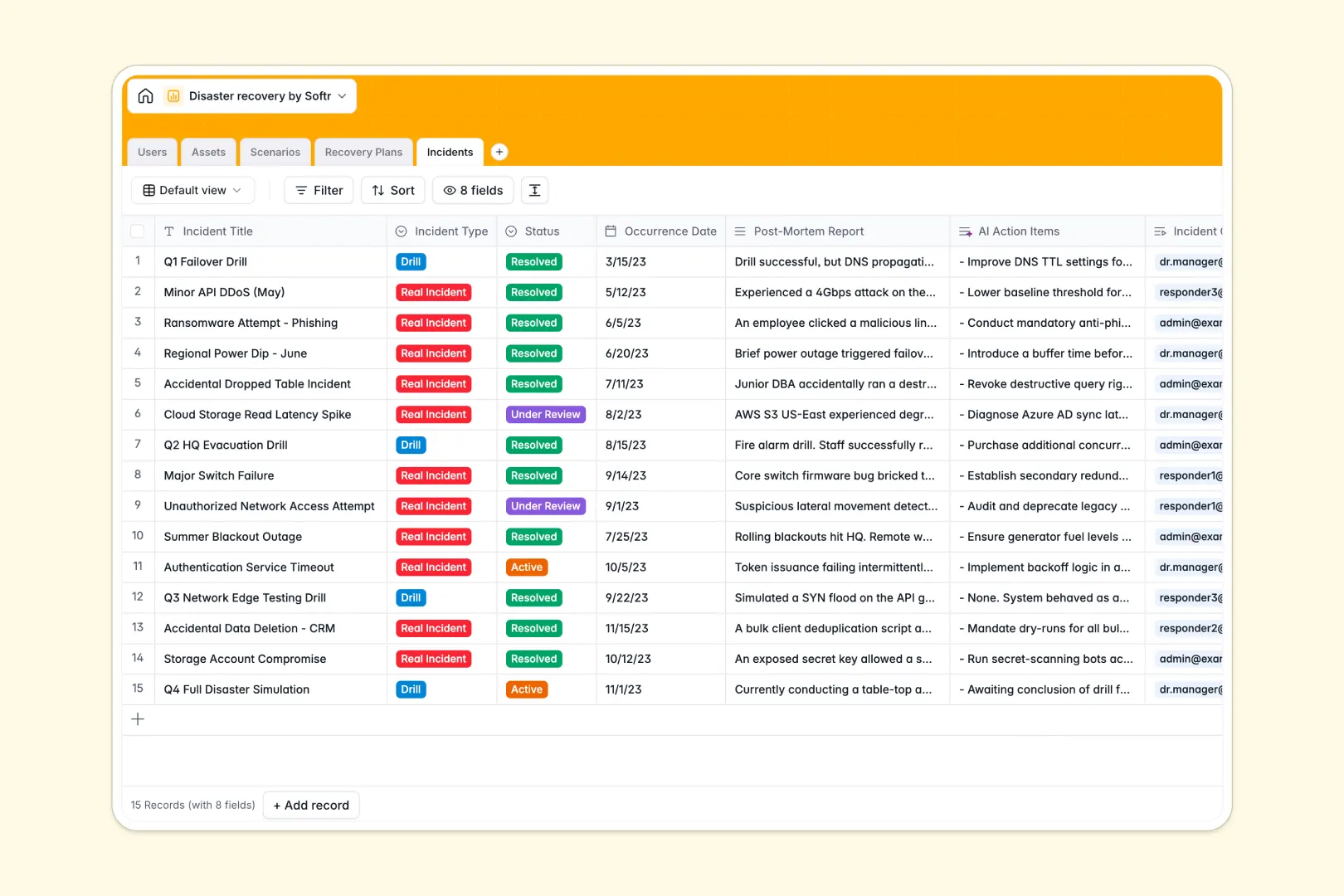
Your Disaster Recovery database at a glance
This template gives your team a centralized, production-ready structure to document mission-critical assets, plan for potential threats, and coordinate active recovery responses. It ensures every continuity plan has clear ownership and actionable procedures before an outage occurs.
Five relational tables connect your Users, Assets, Scenarios, Recovery Plans, and Incidents. Linking each plan directly to the scenarios it mitigates and the assets it protects eliminates ambiguity during emergencies.
Built-in AI fields automatically generate risk profiles for threat scenarios, summarize complex recovery procedures into fast-action bullet points, and extract remediation tasks from incident post-mortems.
When emergency procedures hide in static files during a real outage
Disaster recovery plans often live in fragmented documents or disconnected sheets that become obsolete the moment infrastructure changes. When an incident strikes, responders lose valuable time hunting down system owners, verifying dependencies, and deciphering outdated protocols.
What a structured database changes
A structured database enforces strict data integrity across your entire business continuity program. Every asset, recovery protocol, and post-mortem stays linked directly to designated owners and operational roles.
Because relationships are native, you can update a critical asset or assign an incident commander without breaking cross-table visibility. This is exactly what Softr Databases are designed for.
What you can do with this template
You can immediately catalog hardware, software, and facilities by criticality level and link them to potential threat profiles. Responders can track live incident timelines, log drill findings, and execute recovery steps with full context.
Integrated Database AI agents research standard threat vectors and distill dense technical procedures into instant operational checklists when seconds count.
-
Users
Manage recovery team members, assignments, roles, and asset ownership
-
Assets
Track critical infrastructure, hardware, facilities, and criticality
-
Scenarios
Assess threat profiles and generate AI risk summaries with web search
-
Recovery Plans
Organize recovery steps and generate quick AI-powered action summaries
-
Incidents
Track events, post-mortems, drills, and AI-extracted action items
Who is this Disaster Recovery database for
Designed for operations and technology leaders responsible for business continuity and risk mitigation:
- IT & DevOps Leads: Track mission-critical infrastructure, map service dependencies, and maintain verified recovery procedures.
- Risk & Compliance Officers: Document threat mitigation coverage, log recovery drills, and maintain audit-ready post-mortem records.
- Operations Directors: Maintain business continuity oversight, ensure key personnel have assigned recovery roles, and track incident resolutions.
- Security Teams: Map malicious attack scenarios directly to mitigation playbooks and incident response owners.
How to take it further
Customize this database by adapting dropdown values like asset criticality, scenario categories, or incident statuses to match your company's internal compliance standards. You can easily add custom tables for vendor SLAs or hardware backup locations in just a few clicks.
Bring in your existing hardware inventories, application lists, and staff directories instantly using CSV import or direct API sync to populate your records immediately.
When your team is ready, turn this database into an interactive internal portal or emergency command center. Softr's AI Co-Builder allows you to build an app by describing the interface and logic you need in plain language, generating forms, drill logs, and dashboards right on top of this data.
Configure granular users and permissions so incident commanders can update active events while general staff only view read-only emergency contacts.
-
1
-
2
-
3
-
4
Frequently asked questions
-
What is a disaster recovery database?
-
Why use a no-code database to build a disaster recovery system?
-
How can AI help managing data for disaster recovery?
-
Can I build an app with this disaster recovery database?
-
Is this Disaster Recovery database template free?
-
How does this database connect assets to recovery plans?
Start building today. It's free!
Build and launch your first app in under 30 minutes.