


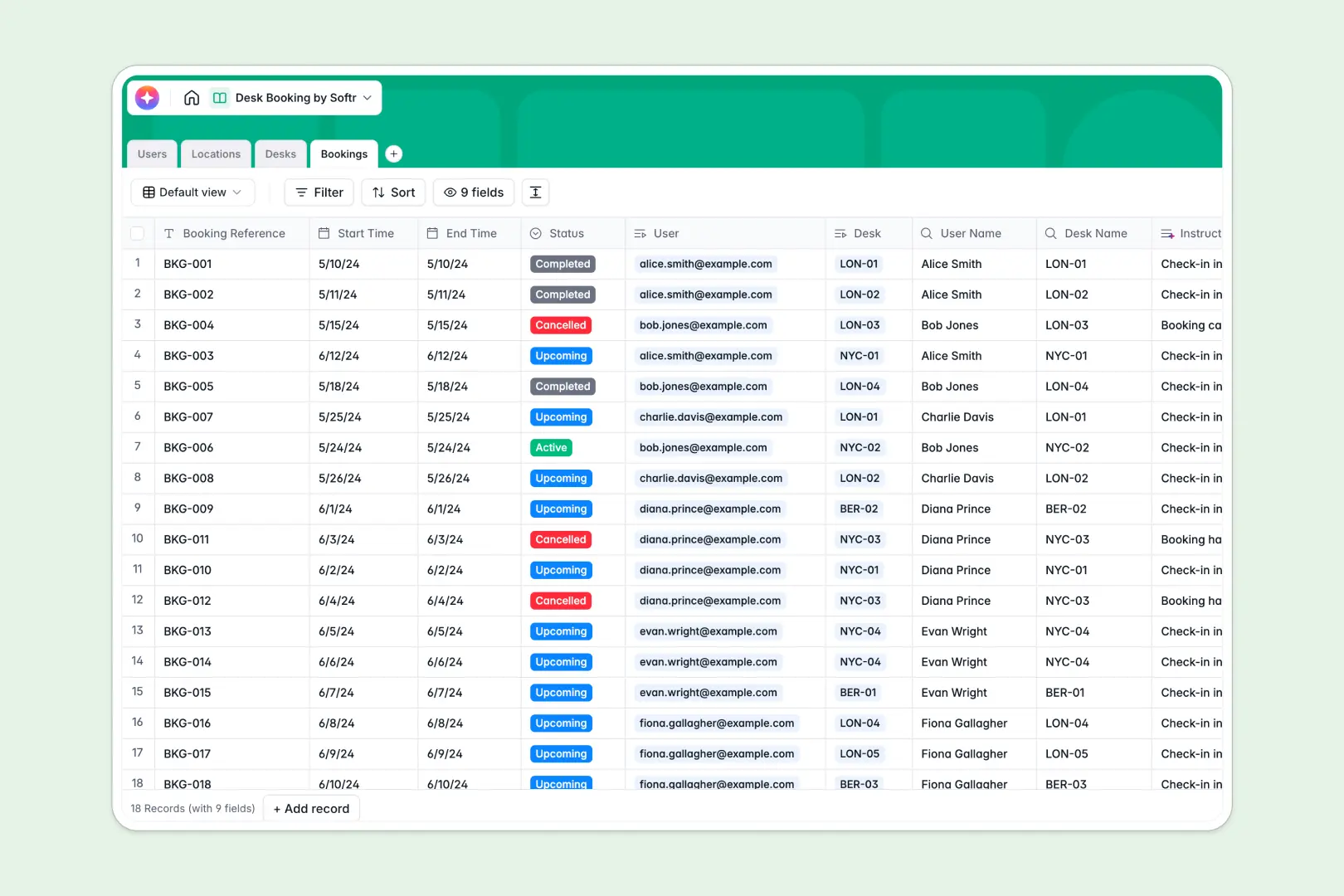
Your Desk Booking database at a glance
The Desk Booking Database gives you complete control over your office workspaces in real time. It helps you manage locations, monitor availability, and track employee reservations seamlessly in one organized place.
The structure is simple but highly connected. You can link individual Users to specific Bookings, and tie those reservations directly to available Desks within distinct office Locations.
Built-in AI makes the experience even smoother for your team. Natively integrated AI fields automatically search the web to create neighborhood guides for your office spaces and generate personalized check-in instructions for every new booking.
Why managing desk bookings in spreadsheets breaks down
When teams try to organize hybrid work schedules and desks in a shared spreadsheet, things get messy quickly. Rows are accidentally overwritten, scheduling conflicts occur daily, and typing employee names manually leads to costly errors.
What a structured database changes
Structured databases stop these data errors by assigning clear, reliable rules to every column. Dates stay formatted as dates, statuses like "Available" stay consistent, and bookings directly link to an employee without relying on fragile, unscalable VLOOKUPs.
This is exactly what Softr Databases are designed for. As your team grows, you maintain a clean, organized reality where one table equals one distinct object.
What you can do with this template
Right away, you can track real-time desk availability and see exactly who is sitting where at any given hour. You can easily categorize workstations, logging whether they are ergonomic, standing desks, or equipped with dual monitors.
This framework is completely ready-to-use and requires zero technical setup. Thanks to Database AI agents, this system is self-maintaining, automatically writing customized check-in instructions based on the employee's name and start time.
-
Users
Manage employee profiles, contact details, and their linked desk reservations
-
Locations
Organize office buildings with addresses and AI-powered neighborhood guides
-
Desks
Catalog individual workstations with AI-generated amenity descriptions
-
Bookings
Schedule workspace reservations using AI to generate check-in instructions
Who is this Desk Booking database for
This framework is perfect for teams optimizing a hybrid work environment and maintaining visibility over floor capacity.
- Operations Managers: Monitor daily office capacity and track desk maintenance needs in real time.
- HR Professionals: Ensure employees have a seamless, structured process for reserving their daily workstations.
- Office Administrators: Quickly add new locations, update amenities, and maintain a clear directory of assigned bookings.
How to take it further
Customize this template to match your company's physical layout perfectly. You can easily tweak select fields to add newer desk statuses, or create additional columns to monitor departmental zoning.
Getting started takes seconds when you import your existing data. Simply upload a CSV of your employee directory and your current office furniture inventory to realize immediate value.
When your team is ready, you can transform this backend into a full-stack, internal web portal. Employees can log into a sleek user interface, view a dashboard of available workstations, and claim their spot for the day.
By configuring users and permissions, you can ensure employees only view their own reservations, while office admins retain full visibility. Starting with a cleanly mapped database makes this future app development process completely effortless.
-
1
-
2
-
3
-
4
Frequently asked questions
-
What is a desk booking database?
-
Why use a no-code database to build a desk booking tool?
-
How can AI help managing data for desk booking?
-
Can I build an app with this desk booking database?
-
Is this Desk Booking database template free?
-
How is a desk booking database different from an Excel spreadsheet?
Start building today. It's free!
Build and launch your first app in under 30 minutes.