


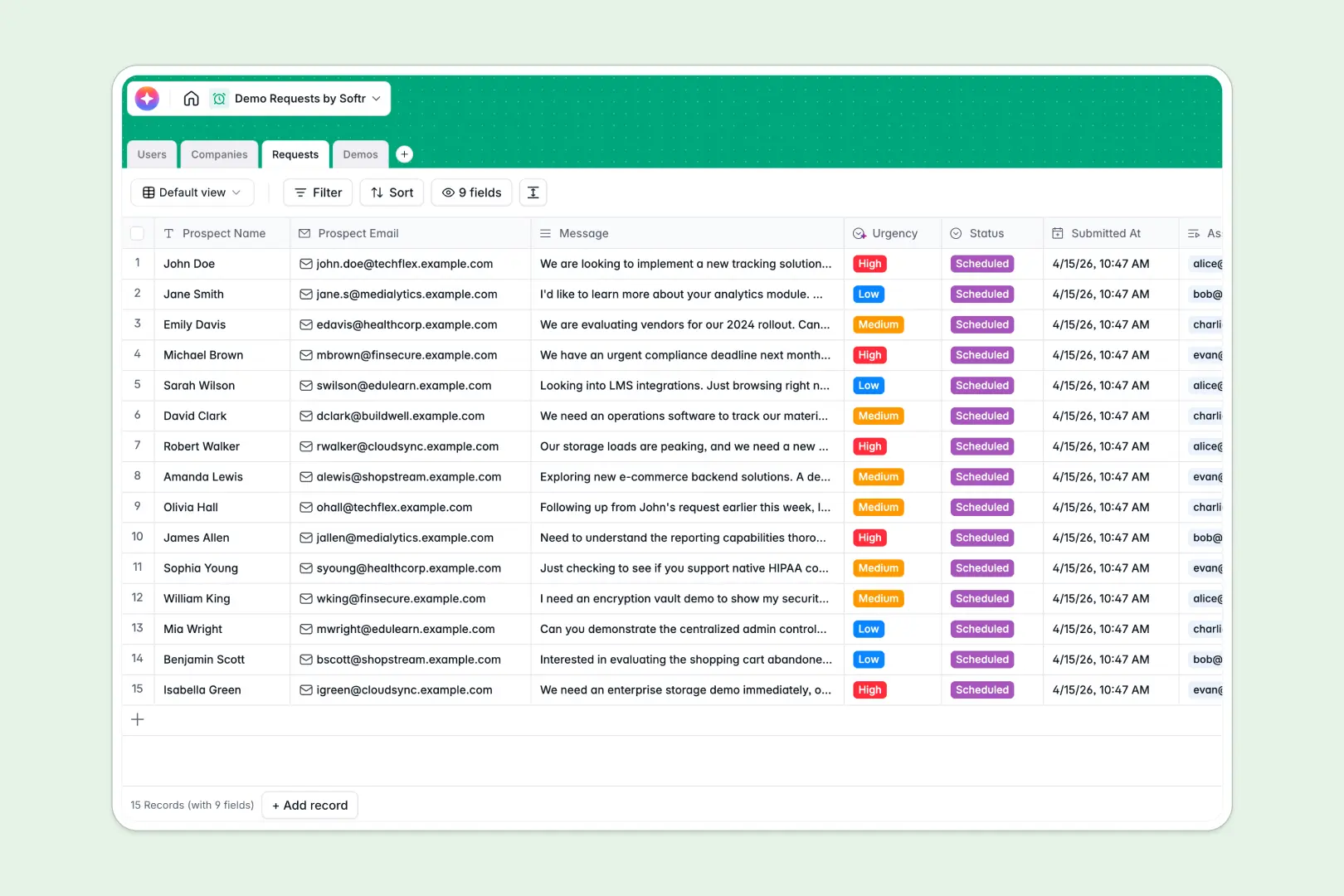
Your Demo Requests database at a glance
This template centralizes your inbound pipeline, making it easy to capture prospect requests and assign them to your sales reps. It eliminates the chaos of scattered notes and ensures no qualified lead slips through the cracks.
It works by connecting multiple tables into one clean view. Prospect Companies are seamlessly linked to submitted Requests and scheduled Demos, giving your team the full context of every interaction instantly.
The built-in AI does the heavy lifting for your sales process automatically. It analyzes inbound messages to score lead urgency, searches the web to summarize company backgrounds, and extracts clear next steps from your reps' follow-up notes.
Why managing demo requests in spreadsheets breaks down
When inbound volume grows, relying on basic spreadsheets to track fast-moving leads, emails, and Zoom meetings usually results in messy data and missed follow-ups.
What a structured database changes
A proper structure keeps your sales data flawlessly organized as you scale. You can link a specific inbound request securely to a company profile and an assigned host without copying and pasting data across different tabs.
Data remains uniform, meaning status dropdowns, meeting links, and scheduled dates stay strictly formatted. This is exactly what Softr Databases are designed for.
What you can do with this template
Instantly organize inbound inbound inquiries, assign them to your sales representatives, and log follow-up demonstrations from one centralized workspace.
You can also configure Database AI agents to accelerate lead qualification, extracting insights and scoring leads the second a new request hits your customized pipeline.
-
Users
Manage internal team members with roles and linked demonstration records
-
Companies
Track prospect organizations and use AI to generate company summaries
-
Requests
Log inbound requests and use AI to classify urgency based on messages
-
Demos
Schedule demo events and generate AI summaries for follow-up actions
Who is this Demo Requests database for
This system is built for teams that need to streamline their inbound sales pipeline and qualify leads efficiently.
- Sales Teams: Track prospect interactions, manage scheduled demos, and document meeting outcomes clearly.
- SDRs & BDRs: Qualify inbound leads efficiently using automated AI urgency scoring based on prospect messages.
- Sales Managers: Monitor pipeline health, track team performance, and ensure every request gets assigned.
How to take it further
Customize this database in seconds to match your exact sales process. You can easily modify the dropdown choices for demo outcomes or adjust the AI prompt to score lead urgency differently.
If you have existing prospect lists, simply import your data via CSV. You can instantly map past records to this structure and give your team immediate access.
When your pipeline grows, stop managing leads in raw tables by using the interface builder to turn this data into a complete sales portal.
Connecting an app to a well-structured database makes setup effortless. With native users and permissions, you can ensure sales reps securely log in and only view the demo requests assigned to them.
-
1
-
2
-
3
-
4
Frequently asked questions
-
What is a demo requests database?
-
Why use a no-code database to build a demo tracking system?
-
How can AI help managing data for demo requests?
-
Can I build an app with this demo requests database?
-
Is this Demo Requests template free?
-
How does this database differ from tracking leads in Google Sheets?
Start building today. It's free!
Build and launch your first app in under 30 minutes.