


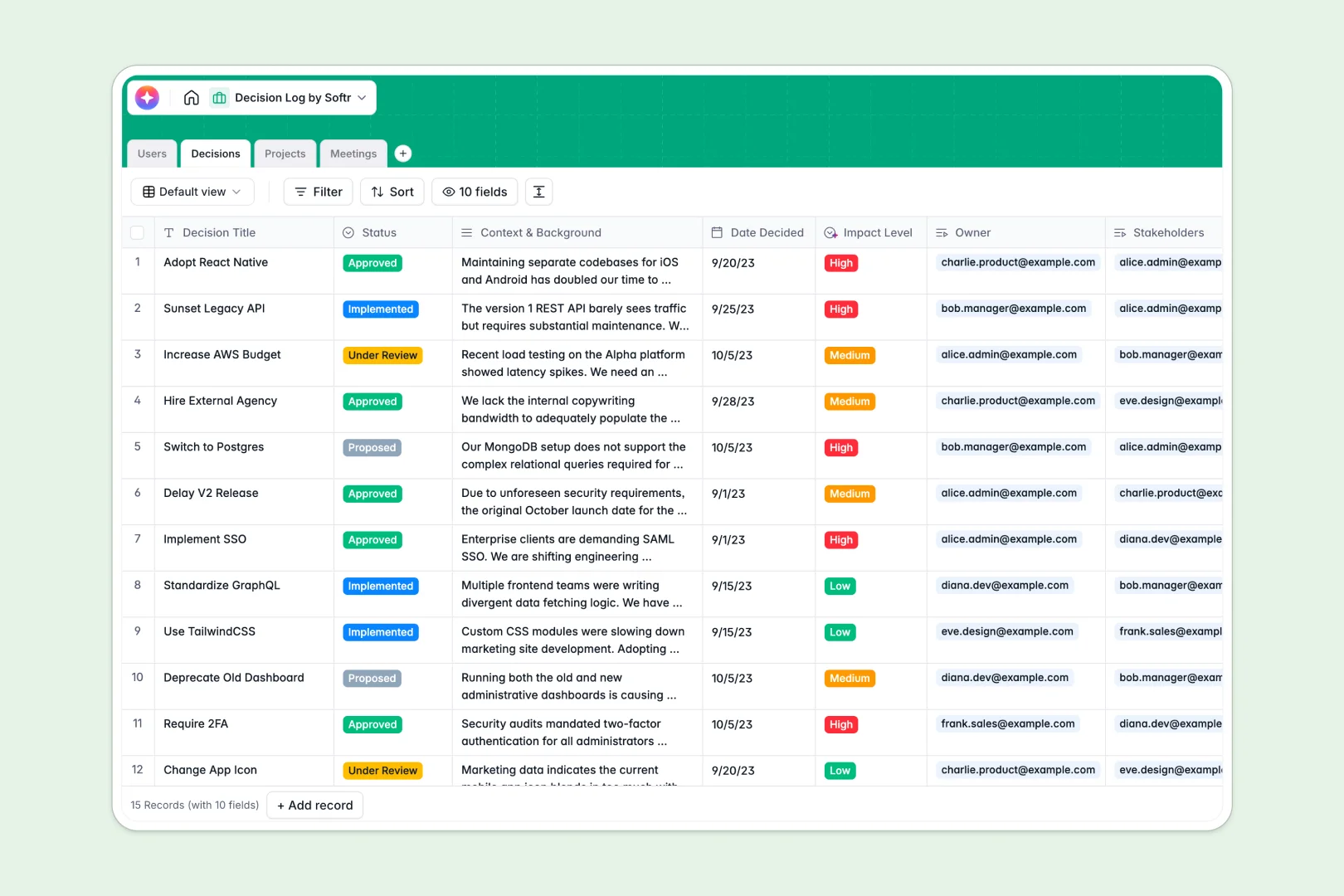
Your Decision Log database at a glance
The Decision Log database helps your team record exactly what was decided, when, and by whom. It ends the confusion of digging through Slack or forgotten meeting notes to understand why a choice was made.
The system tracks four cleanly connected areas: Users, Decisions, Projects, and Meetings. You can instantly link a new decision to its parent project, assign its primary owner, and tie it back to the specific meeting where it was discussed.
Built-in AI automatically extracts action items from your meeting notes and summarizes deep background context into quick executive recaps. It even assesses the overall impact level of each choice to keep leadership informed.
Why tracking decisions in spreadsheets breaks down
Documenting important project calls in spreadsheets rarely works long-term. As teams grow, rows get deleted accidentally, context gets lost in tiny cells, and it becomes impossible to see how a past choice affects a current initiative.
What a structured database changes
A structured database ensures your team's historical knowledge stays intact and highly organized. Every column enforces a specific format, meaning dates act like real dates and long-form context fields give you the space you actually need to document reasoning.
Instead of copying the same stakeholder's name across fifty rows, you simply link their profile directly to the relevant choices. This is exactly what Softr Databases are designed for.
What you can do with this template
You can instantly log new proposals, assign impact levels, and group final approvals by specific initiatives. Team members can confidently filter the unified log to see only the choices they own or the meetings they attended.
You can also use Database AI agents to automatically categorize decisions based on risk and scope. This keeps your historical records strictly organized without requiring extra manual data entry from overworked managers.
-
Users
Manage team members with roles, contact details, and linked project ownership
-
Decisions
Log decisions with AI-generated summaries and automated impact assessment levels
-
Projects
Organize company initiatives with related team members and linked decision logs
-
Meetings
Track sessions with notes while using AI to extract action items and tasks
Who is this Decision Log database for
This database is built for teams that need to preserve context and maintain alignment across fast-moving projects.
- Project Managers: Track every choice, its status, and requested stakeholders without chasing people down.
- Leadership Teams: Review executive AI summaries of critical approvals to easily stay updated on project risks.
- Product Teams: Link product feature decisions back to the original meeting notes so essential context is never lost.
- Operations Leads: Maintain a single source of truth for policy choices to ensure consistent execution across departments.
How to take it further
You can easily tailor this log to match your company's exact operational processes. Add new statuses like "Escalated" or adjust the project tracking categories to fit how your team specifically plans work.
If you already track choices in a messy sheet, simply upload a CSV file to instantly populate your new tables. Your scattered historical knowledge immediately becomes centralized, highly searchable, and secure.
When your team is ready, you can transform this decision log into a custom internal portal for the whole company. Use the intuitive interface builder to create a clean dashboard where stakeholders can vote on proposed paths or securely review past meeting outcomes.
By setting up precise users and permissions, you guarantee that only authorized managers can approve high-impact items while other team members simply view the historical context. A well-structured database makes building this entire operational app totally effortless.
-
1
-
2
-
3
-
4
Frequently asked questions
-
What is a decision log database?
-
Why use a no-code database to build a decision log system?
-
How can AI help managing data for decision logs?
-
Can I build an app with this decision log database?
-
Is this decision log template free?
-
How is a decision log database better than Google Sheets?
Start building today. It's free!
Build and launch your first app in under 30 minutes.