


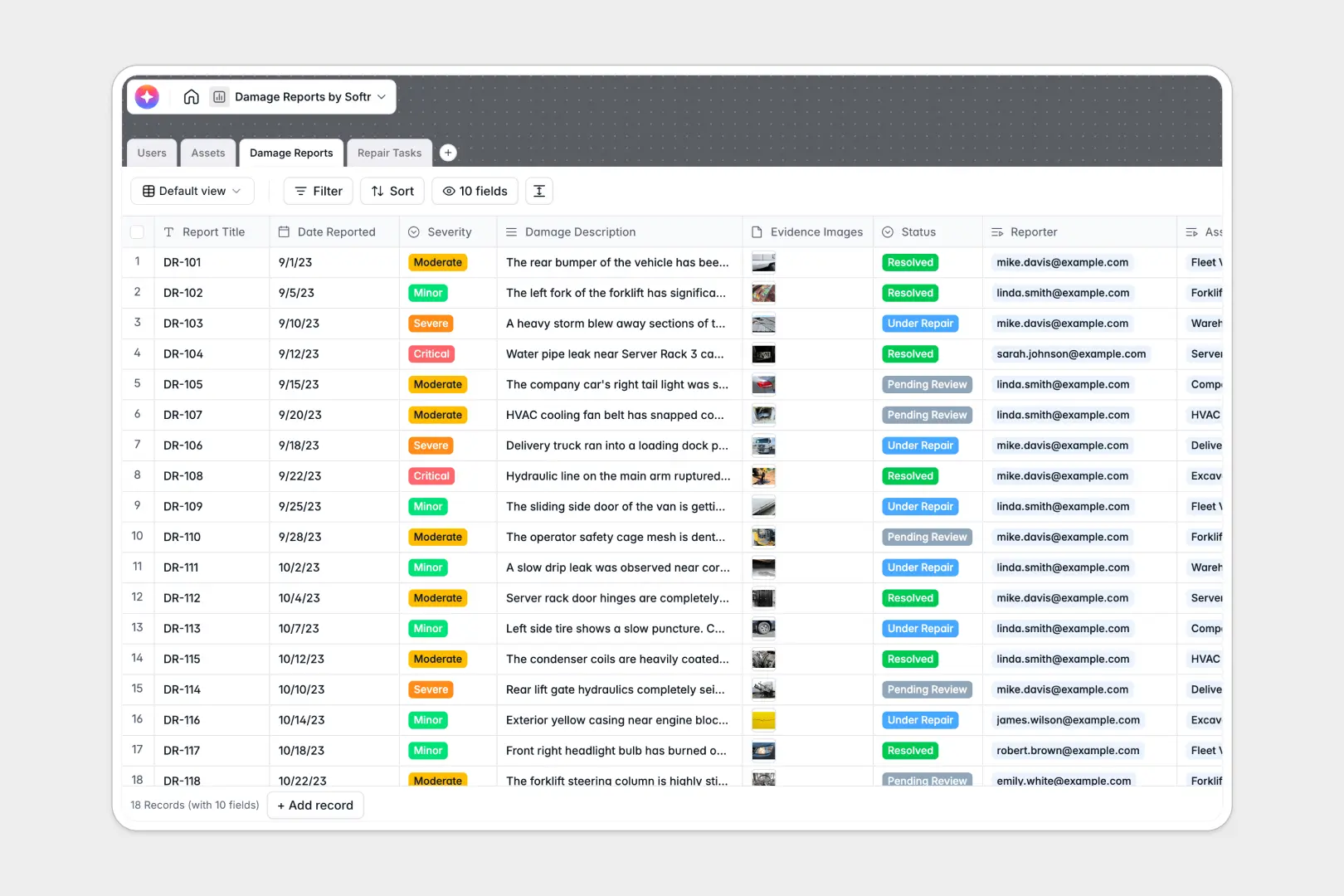
Your Damage Reports database at a glance
Log equipment breakdowns, property damage, and vehicle incidents with complete photographic evidence and severity levels in one place. Keep every incident connected to the right asset and the responsible technician to speed up repairs.
The database organizes your operations across four connected tables: Users, Assets, Damage Reports, and Repair Tasks. Linking an incident directly to its parent asset automatically updates incident counts and lets you trace past maintenance history without digging through disconnected files.
Built-in AI fields instantly draft formal executive summaries from descriptions and generate step-by-step repair methodologies for assigned technicians.
How linking incidents to assets stops repeat breakdowns
Tracking equipment failures across disconnected spreadsheets makes it impossible to see patterns, calculate total repair costs, or maintain accurate service histories.
What a structured database changes
A structured database enforces strict data integrity so timestamps stay accurate, photo attachments never get lost, and severity levels remain consistent across all entries.
Linking records connects each incident report directly to the specific vehicle or machinery record, calculating total downtime and cost rollups without fragile lookup formulas. This is exactly what Softr Databases are designed for.
What you can do with this template
Assign incoming repair tasks to specific technicians, set due dates, and monitor work order progress from initial review to completion.
Use integrated Database AI agents to summarize incident reports for leadership and recommend actionable repair steps the moment a new report is logged.
-
Users
Manage personnel, inspectors, and repair technicians with assigned tasks
-
Assets
Track company property, machinery, and vehicles with damage incident logs
-
Damage Reports
Log incidents with severity, evidence, and AI-generated executive summaries
-
Repair Tasks
Coordinate work orders, costs, and technician plans using AI recommendations
Who is this Damage Reports database for
This database helps operations and maintenance teams handle incident reporting and resolution efficiently.
- Facility Managers: Track building repairs, maintain asset histories, and ensure safety compliance across properties.
- Fleet Operators: Log vehicle damage, store photo evidence, and coordinate timely mechanic work orders.
- Operations Leads: Monitor recurring equipment breakdowns and calculate cumulative repair costs across facilities.
- Field Technicians: Receive structured work orders with clear action plans and report status updates instantly.
How to take it further
Customize the structure
Adapt the database to your specific operations by adding custom fields like warranty expiration dates, replacement part numbers, or insurance policy details. You can easily adjust severity tiers and task statuses to match your internal operating procedures.
Import your existing data
Bring in existing machinery lists, fleet inventories, and past incident histories in seconds using CSV imports. You can also sync live asset feeds from existing business systems via the database API.
Build a full app around it
Turn this backend into a complete operational portal where inspectors submit incident forms from mobile devices while technicians access assigned work orders. Use the AI app generator to turn this database into an app in one prompt, then customize granular users and permissions visually so team members only access what they need.
-
1
-
2
-
3
-
4
Frequently asked questions
-
What is a damage reports database?
-
Why use a no-code database to build a damage reporting system?
-
How can AI help managing data for damage reports?
-
Can I build an app with this damage reports database?
-
Is this Damage Reports database free?
-
Can field inspectors upload photos directly to the database?
Start building today. It's free!
Build and launch your first app in under 30 minutes.