


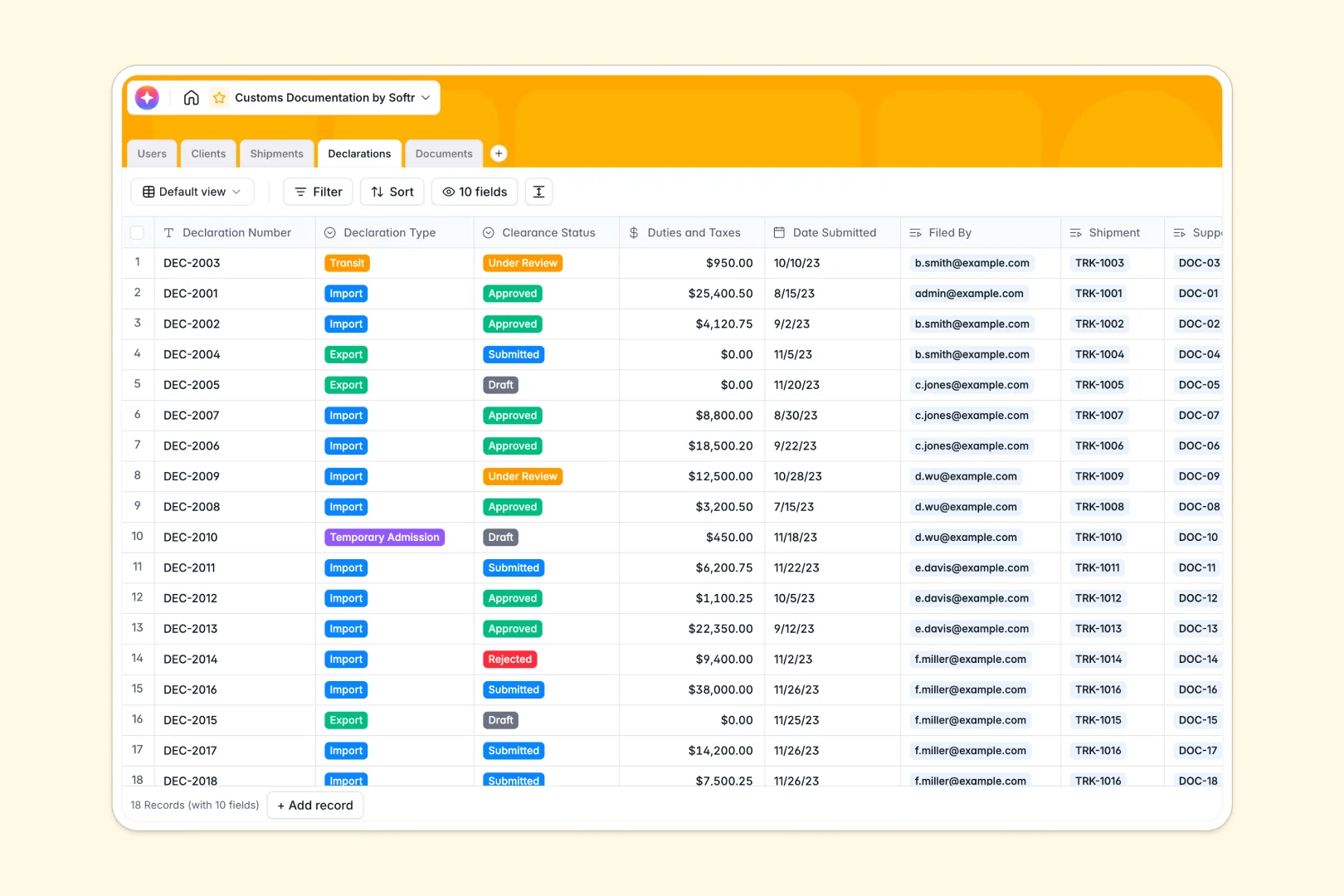
Your Customs Documentation database at a glance
Manage your logistics, commercial declarations, and necessary clearance documents in one unified system. This template provides a reliable tracking foundation to prevent compliance delays.
Instead of scattered files, this database actively connects your Clients to specific Shipments and Declarations. Every supporting document automatically links to its exact customs clearance record, keeping your audit trails perfectly clean.
Built-in AI agents automatically research client backgrounds, summarize complex shipment statuses, and calculate customs rejection risks on the fly to help you move freight faster.
Why managing customs files in spreadsheets breaks down
Tracking global transit routes, regulatory declarations, and dozens of accompanying attachments inside a spreadsheet quickly becomes chaotic. Vital rows get accidentally deleted, and attaching commercial invoices to grid cells is clumsy at best.
What a structured database changes
A solid database strictly enforces column types so dates, clearance statuses, and duty fees stay correctly formatted. You never have to worry about mixed data types corrupting your compliance logs.
You can relate a shipment directly to its required documents and client details without constantly copying data or writing fragile formulas. Everything stays connected naturally as your logistics volume grows.
This is exactly what Softr Databases are built to handle. They give operations teams a rigid, fully interconnected home for moving cargo safely and efficiently.
What you can do with this template
Instantly track imported and exported shipments alongside full client profiles and pending document approvals. Every piece of your logistics puzzle fits natively together out of the box.
You can leverage native Database AI agents to automatically analyze long shipment routes and evaluate clearance risks the moment a declaration is submitted. This reduces manual broker checking and cuts down on clearance errors.
Keep your client reps completely aligned with a real-time, easily filtered view of every pending and cleared declaration.
-
Users
Manage customs brokers and staff roles, contact info, and system access
-
Clients
Manage client profiles with AI-powered web research for company insights
-
Shipments
Logistics tracking with automated AI summaries of transit and route statuses
-
Declarations
Track customs filings using AI to analyze and predict rejection risks
-
Documents
Centralize files with AI auto-annotation for rapid content identification
Who is this Customs Documentation database for
This ready-to-use template provides a secure, efficient tracking base for:
- Customs Brokers: Centralize client declarations and track precise clearance milestones across all shipments.
- Logistics Managers: Manage origin-to-destination transit routes while neatly logging tax and duty assignments.
- Compliance Officers: Keep a strictly organized library of securely attached commercial invoices and origin certificates.
How to take it further
You can easily modify this template to fit your exact shipping lanes. Simply adjust the declaration type dropdowns, rename the document verification statuses, and adapt tables to reflect your existing logistics flow.
Bring your active cargo loads to life immediately by doing a bulk CSV import of your vendors, or sync existing shipment systems automatically using our secure API.
When your team wants to streamline communication, you can build a secure client portal around this exact database. Using native users and permissions, you can ensure external parties only view and upload files corresponding directly to their own shipments.
Because a well-structured database forms the best foundation, transforming this internal tracker into a sophisticated, client-facing app requires no extra database rework.
-
1
-
2
-
3
-
4
Frequently asked questions
-
What is a customs documentation database?
-
Why use a no-code database to build a customs tracking system?
-
How can AI help managing data for customs documentation?
-
Can I build an app with a customs documentation database?
-
Is this Customs Documentation database free?
-
Why is a database better than Excel or Google Sheets for managing shipments?
Start building today. It's free!
Build and launch your first app in under 30 minutes.