


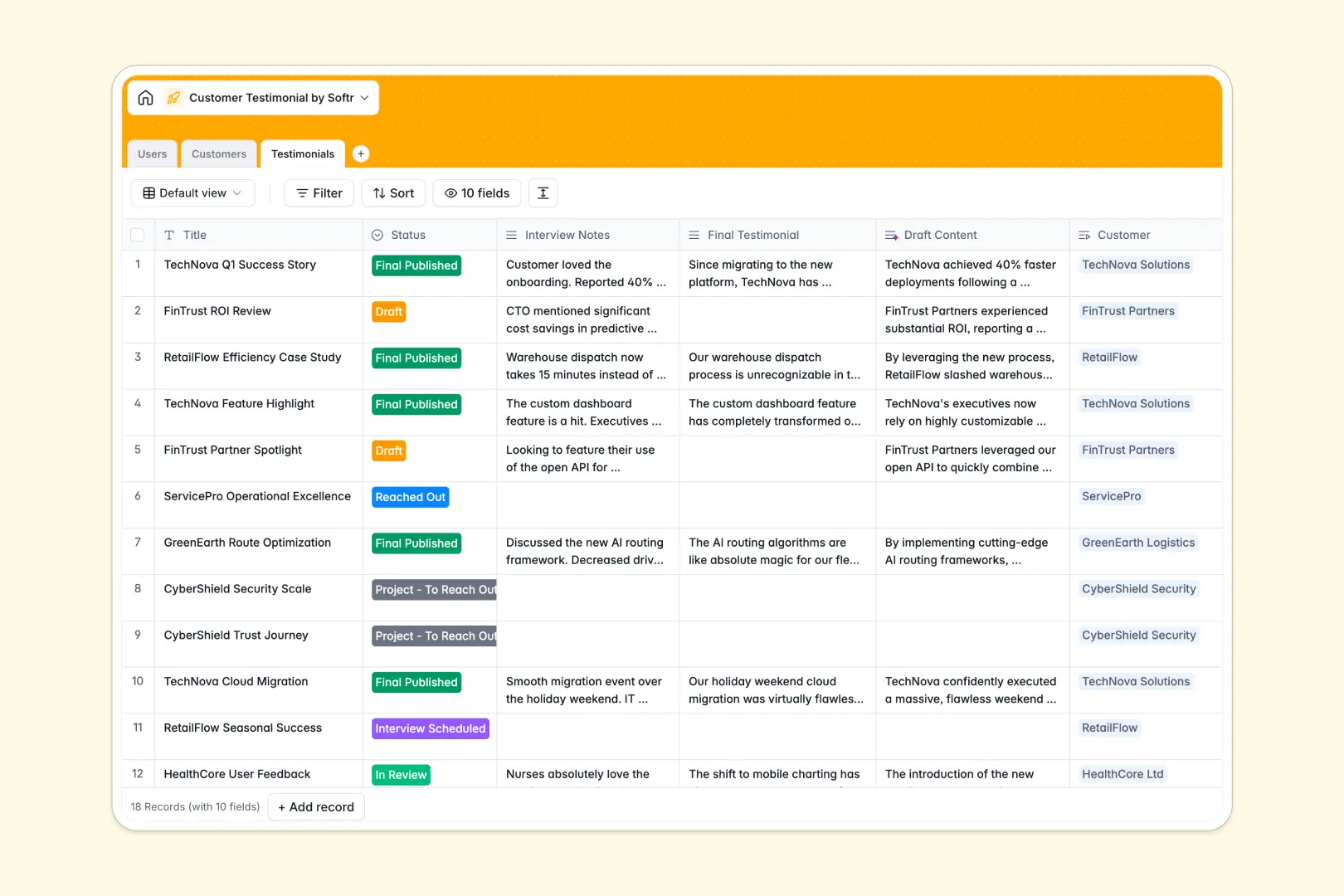
Your Customer Testimonial Database at a glance
This template gives your marketing and sales teams a centralized hub to track the entire testimonial creation process. From initial outreach to final publication, you can monitor every stage of your pipeline without losing track of assets or interviews.
It works by connecting three simple tables: Users, Customers, and Testimonials. When an account owner reaches out to a client, their progress is linked directly to the customer's profile, keeping all interview notes, drafts, and approval statuses neatly organized in one place.
Best of all, built-in AI automatically researches companies to pull industry data, drafts polished testimonials from your raw interview notes, and extracts catchy ROI quotes—saving hours of manual writing.
Why managing customer testimonials in spreadsheets breaks down
Trying to manage a testimonial pipeline in a spreadsheet usually ends in chaos. Long interview transcripts get buried in tiny cells, file attachments for headshots and logos get lost, and knowing exactly who is contacting which customer becomes a guessing game.
What a structured database changes
A structured system keeps your data clean and scalable. Every piece of information has a specific home—text fields for long interview notes, attachment fields for assets, and date fields for publishing schedules.
Instead of duplicating company details across repetitive rows, you simply link a testimonial record directly to a customer profile. This is exactly what Softr Databases are designed for.
What you can do with this template
You can instantly visualize your entire pipeline, tracking which testimonials are in the drafting phase versus ready to publish. Every team member knows exactly what they own and what needs their immediate attention.
Using native Database AI agents, this template acts as your automated marketing assistant. It searches the live web to categorize customer industries and automatically turns your rough interview notes into polished, ready-to-publish content.
-
Users
Manage internal team members, roles, and assigned customer accounts
-
Customers
Store client profiles with AI-powered industry and background research
-
Testimonials
Track testimonial progress with AI for drafting and quote extraction
Who is this Customer Testimonial Database for
This template is built for teams that need to systematically capture and publish customer success stories.
- Product Marketing: Track the end-to-end pipeline of case studies and easily extract catchy ROI quotes.
- Sales Teams: See exactly which managed accounts are providing testimonials and seamlessly hand off interview notes.
- Content Creators: Automatically turn raw transcripts into structured drafts without starting from a blank page.
How to take it further
Customize this database effortlessly to fit your exact content workflow. Add new pipeline stages to the status field, tweak the AI prompts to match your brand voice, or create new views to sort testimonials by industry.
If you already have a backlog of customer quotes or case studies, you can import them instantly via CSV. This lets you enrich your existing data with automated AI summaries and industry classifications right away.
When your team is ready, you can easily use this foundation to build an app. You can create an internal portal where marketing can collaborate, or a secure submission form where clients can upload their own approvals and headshots directly.
By layering on robust users and permissions, you can ensure that sales reps only see the testimonials for their specific accounts. A well-structured database makes taking this leap incredibly straightforward.
-
1
-
2
-
3
-
4
Frequently asked questions
-
What is a customer testimonial database?
-
Why use a no-code database to build a testimonial tracker?
-
How can AI help manage data for customer testimonials?
-
Can I build an app with this customer testimonial database?
-
Is this Customer Testimonial Database template free?
-
How is managing testimonials in a database better than using standard spreadsheets?
Start building today. It's free!
Build and launch your first app in under 30 minutes.