


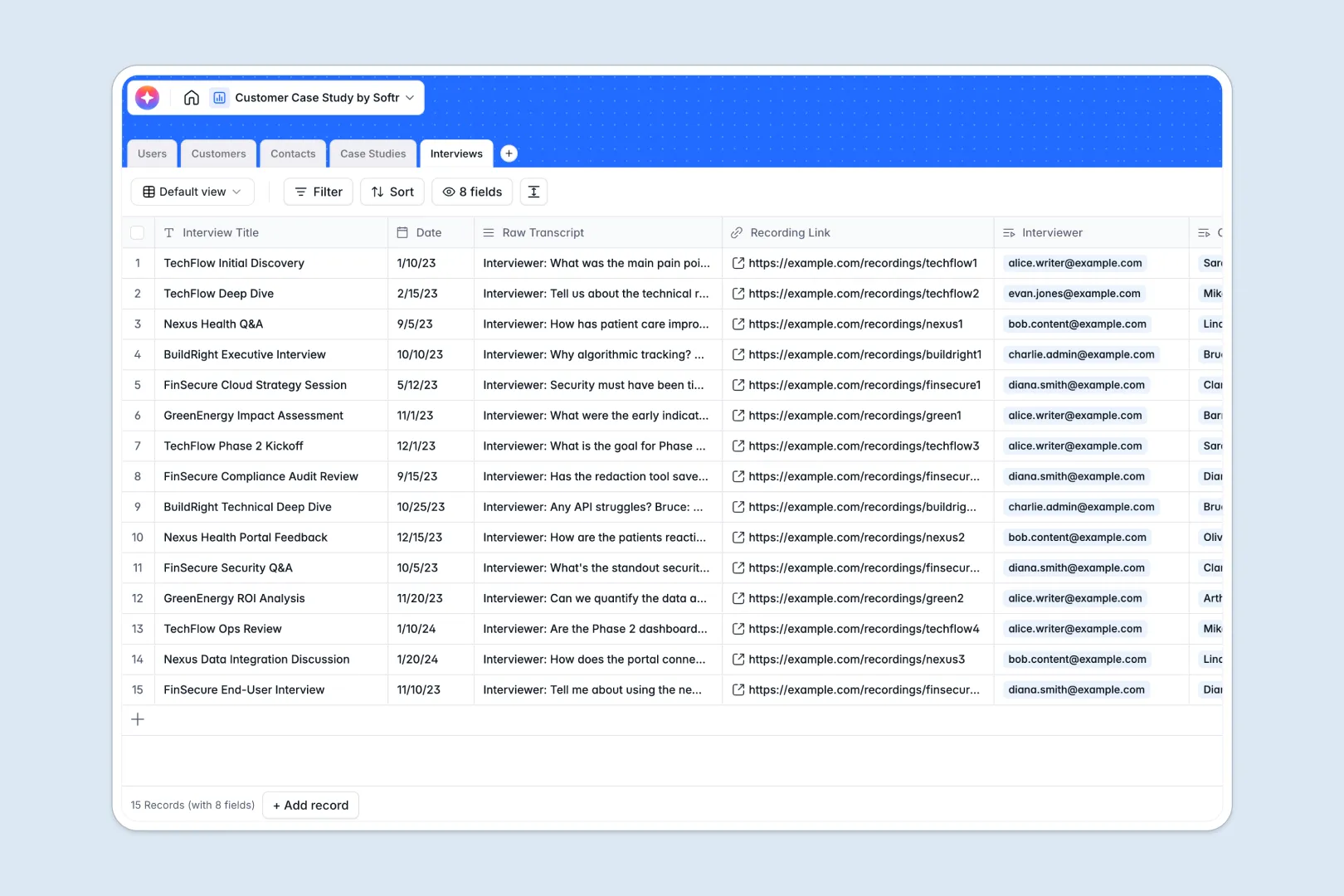
Your Customer Case Study database at a glance
This template helps you organize and streamline your entire case study creation workflow in one place. You can manage everything from scheduling client interviews to tracking drafting progress and coordinating with writers.
Your database connects customer profiles and contact details directly to interview transcripts and draft case studies. This ensures your writing team always has immediate access to source materials and customer data without digging through folders.
With built-in AI capabilities, this database automatically researches company backgrounds, extracts transcripts, and summarizes core story insights.
Why tracking customer case studies in spreadsheets breaks down
Managing case studies manually in standard spreadsheets quickly creates chaos. Draft links get buried in arbitrary cells, raw transcripts clutter up columns, and tracking progress across different stages becomes impossible.
As your content queue grows, columns end up with inconsistent dates, missing files, or broken text formatting. You are left spending more time digging through various documents and message threads than actually producing content.
What a structured database changes
A structured database defines clear formats for your data so that interviews, drafts, and customer contacts live in clean, dedicated tables. This means you do not mix text formats, lose dates, or break layout configurations as you scale up content production.
Tables relate to each other natively, meaning that an interview is permanently linked to the interviewee and their drafted success story. This is exactly what Softr Databases are designed for—giving you an organized landscape to write and manage content.
You can update fields across connected tables automatically instead of endlessly copy-pasting information. Your team stays aligned on timelines and responsibilities with complete visibility into who is working on what.
What you can do with this template
This template allows you to run your entire publishing workflow smoothly from planning through to the final sign-off. You can assign writers, track drafting stages, and archive publish dates instantly.
By using Database AI agents, you can automate the heaviest parts of research and summarization. The database can scour client websites for company backdrops, transcribe pain points, and draft professional executive summaries.
-
Users
Manage internal team roles, contact info, and assigned case study tasks
-
Customers
Store client profiles with web-sourced AI summaries of company background
-
Contacts
Track client stakeholders, job titles and their links to specific records
-
Case Studies
Track study lifecycles with AI-generated summaries and assigned writers
-
Interviews
Log session transcripts and use AI to extract key insights and pain points
Who is this Customer Case Study database for
- Product Marketers: Keep client advocacy materials organized and monitor progress from initial pitch to published story.
- Content Writers: Access structured source transcripts, customer background notes, and automated summaries in one tailored dashboard.
- Customer Success Managers: Track which advocates have been interviewed and maintain clean, up-to-date client contact information.
- Marketing Agencies: Manage client projects, collaborate with external freelancers, and streamline approval stages smoothly.
How to take it further
Customize the database
You can tweak this database in seconds to match your exact content production pipeline. Add customized workflow stages to the status column, change dropdown options, or add fields to classify case studies by industry or product category.
Import your existing data
Bring in your current client lists and story backlogs effortlessly. Upload contacts and previous publications via a simple CSV file, or connect your existing systems via API to feed new client sign-ups directly into your database.
Build a full app around it
When your writing pipeline expands, you can transform this relational data into a fully designed portal. This makes it easy to collaborate with freelance writers, assign tasks, and share drafts directly with external customers for review.
With Softr, you can easily build an app on top of your database to manage user logins. Setting up granular access control ensures internal drafts stay private while allowing clients to easily view and approve their specific studies.
-
1
-
2
-
3
-
4
Frequently asked questions
-
What is a customer case study database?
-
Why use a no-code database to build a case study system?
-
How can AI help managing data for customer case studies?
-
Can I build an app with this customer case study database?
-
Is this customer case study template free?
-
How does the database keep our customer contacts and case studies connected?
Start building today. It's free!
Build and launch your first app in under 30 minutes.