


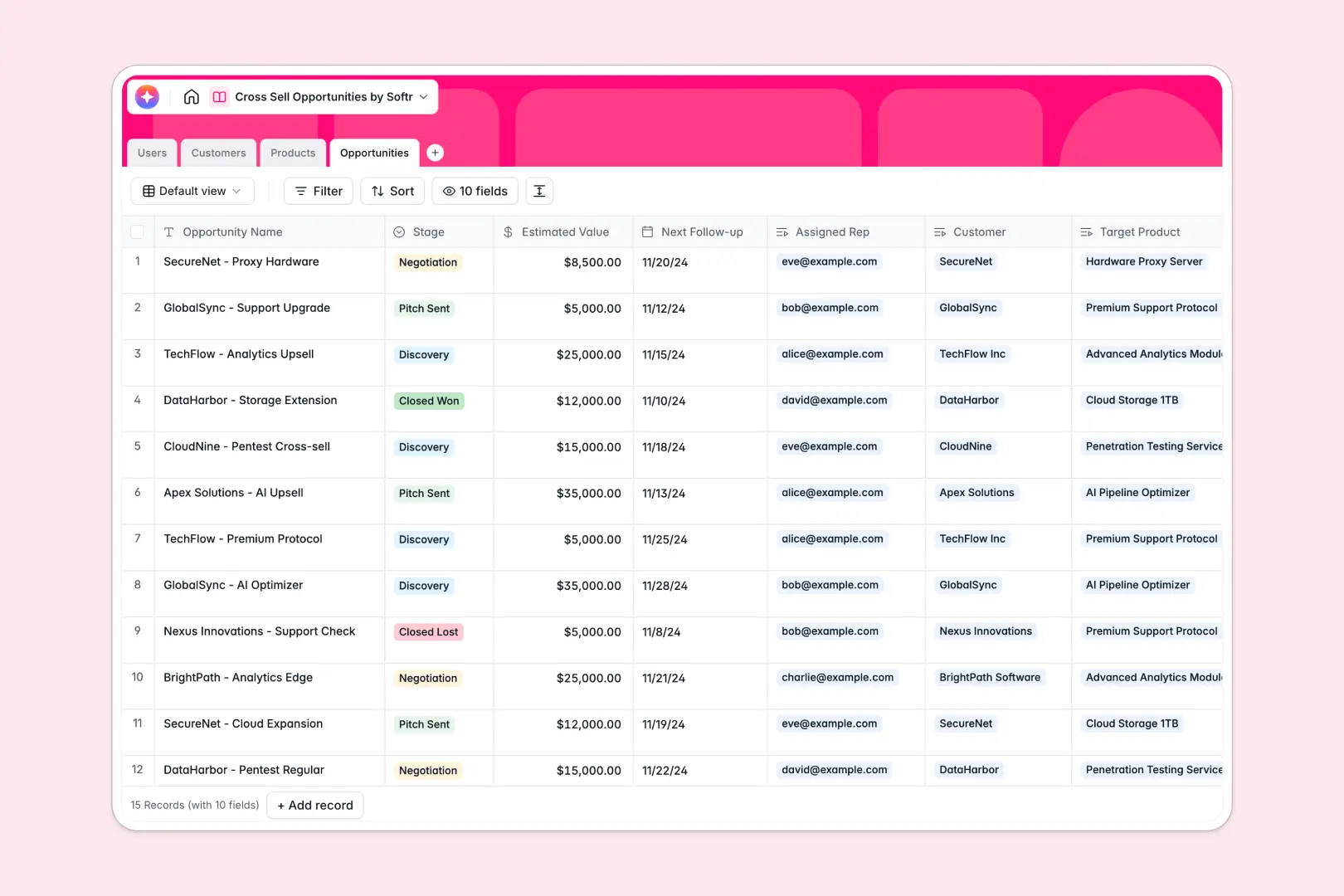
Your Cross Sell Opportunities database at a glance
This template gives your team a centralized system to identify, track, and close expansion revenue across existing client accounts. Instead of guessing who is ready for an upgrade, you get a clear view of customer holdings, open pipeline, and rep ownership.
Four dedicated tables: Customers, Products, Opportunities, and Users, connect directly with native relations. Linking an opportunity to a customer automatically pulls in their current product stack and maps it against target catalog items without redundant data entry.
Built-in intelligence accelerates your outreach: native AI fields browse the web to summarize customer background, extract product selling points, and draft personalized pitch emails based on existing subscriptions.
Why tracking expansion deals in disconnected tables breaks down
Managing cross-sell initiatives across disconnected sheets quickly leads to missed pipeline, outdated product pricing, and duplicate outreach from reps.
What a structured database changes
In a structured setup, every object has its own dedicated place. The Customers table stores account details once, while the Products catalog maintains consistent pricing and categories across the entire company.
Because records link natively, an opportunity connects directly to the assigned account manager and target offering. This ensures total deal value, next follow-up dates, and historical purchases stay perfectly in sync without fragile lookup formulas.
This is exactly what Softr Databases are designed for: giving non-technical teams a reliable, relational data model that is ready to use immediately.
What you can do with this template
With linked records connecting accounts to pipeline stages, you can instantly see which existing clients have active expansion deals and monitor overall conversion rates across sales reps.
Embedded Database AI agents analyze each account's current stack against target products to generate custom sales messaging, saving account managers hours of manual prep work.
Every field is typed, so dates remain actionable deadlines, currency fields calculate pipeline value accurately, and select menus keep stages consistent across your team.
-
Users
Manage internal sales representatives, account managers, and assignments
-
Customers
Track client accounts with AI-generated background overviews and news
-
Products
Catalog available solutions and generate key selling points with AI
-
Opportunities
Track cross-sell pipeline and generate custom sales pitches using AI
Who is this Cross Sell Opportunities database for
This database is designed for commercial teams focused on maximizing customer lifetime value and expansion revenue:
- Account Management Teams: Track renewal timelines, current product usage, and upcoming expansion opportunities in one centralized pipeline.
- Sales Development Reps: Generate contextual, tailored outreach quickly using linked customer background summaries.
- Sales Leadership: Monitor expansion forecasts, cross-sell conversion stages, and individual rep performance across account tiers.
- Customer Success Managers: Identify complement gaps in client stacks to suggest relevant software or service add-ons.
How to take it further
Customize your pipeline and catalog. Adjust the stages in the Opportunities table to match your team's sales cycle, add custom product categories like recurring retainers, or create custom tags to segment enterprise accounts from mid-market clients.
Import your existing accounts. Bring in your existing customer lists and product catalog using standard CSV uploads or direct API sync, mapping existing fields to their relational tables in seconds.
Build a full app around your data. When your team needs dedicated views, use Softr to build an app on top of this database. You can launch a dedicated sales portal where account managers see only their assigned accounts, reps update deal stages from mobile views, and leadership accesses high-level revenue dashboards. Granular users and permissions ensure confidential customer data and contract values are only visible to the right team members.
-
1
-
2
-
3
-
4
Frequently asked questions
-
What is a cross sell opportunities database?
-
Why use a no-code database to build a cross-selling system?
-
How can AI help managing data for cross sell opportunities?
-
Can I build an app with cross sell opportunities database?
-
Is this Cross Sell Opportunities template free?
-
How do I import existing customer and product data into this template?
Start building today. It's free!
Build and launch your first app in under 30 minutes.