


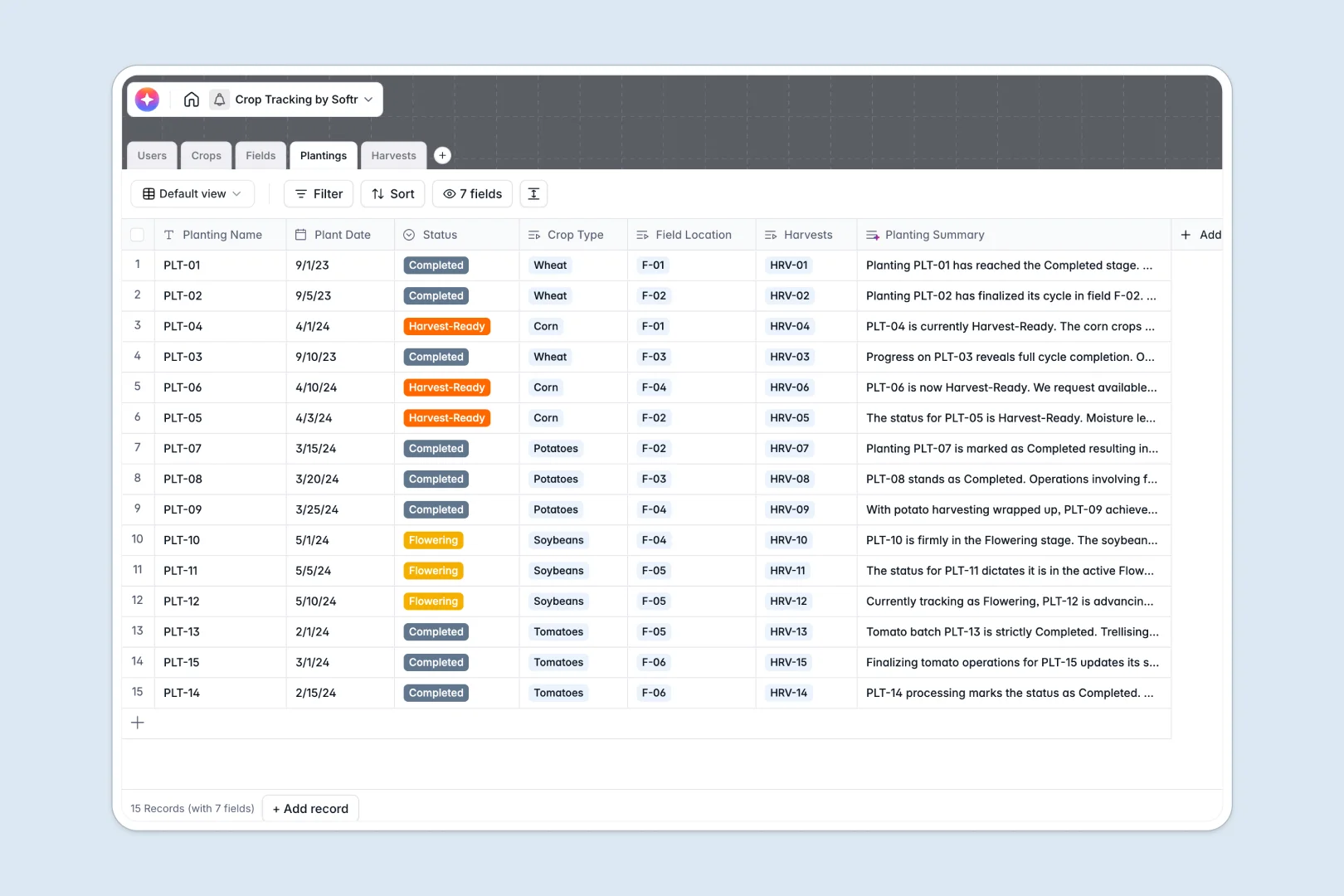
Your Crop Tracking Database at a glance
This template gives agricultural teams a centralized place to monitor field plots, track planting progress, and record crop yields. It eliminates fragmented record-keeping and ensures your farm data is always up to date.
The system connects critical farm operations smoothly. Individual crops link to specific field plots and planting batches, while harvest logs automatically tie back to the farmers who recorded them.
Built-in AI features handle the heavy lifting of farm documentation automatically. The database pulls cultivation best practices from the web for your crops, summarizes planting progress, and extracts clear insights from manual harvest notes.
Why tracking crops in spreadsheets breaks down
Managing farm operations across multiple spreadsheets quickly turns into messy, disconnected data. As plant batches rotate and harvest logs pile up, keeping track of everything using standard files becomes a nightmare.
What a structured database changes
In a structured system, columns strictly enforce data rules. This means harvest dates stay formatted as dates and yield quantities are always numbers, preventing typos.
You can link a specific field zone directly to its current planting batch without relying on fragile formulas that easily break.
This rigid structure keeps your data pristine season after season. It is exactly what Softr Databases are designed to deliver.
What you can do with this template
You can oversee your entire farm from seed to harvest in a single view. Log yields by field, track target tons per acre, and instantly assign farmers to specific zones.
The template uses native AI features to automate tedious research and data digestion. Simply add a crop name, and the system extracts cultivation best practices instantly.
You get a ready-to-use foundation that immediately visualizes what is growing where, making farm management simple to adapt.
-
Users
Manage farm personnel roles and field assignments for operational oversight
-
Crops
Catalog plant varieties and use AI to generate best practice guides for growth
-
Fields
Monitor physical land plots with soil data and historical planting volume
-
Plantings
Track growth stages in fields with AI summaries of progress and status
-
Harvests
Log yield quantities and leverage AI to analyze quality and production notes
Who is this Crop Tracking database for
This template is designed for agricultural operators who need to structure their field data effortlessly.
- Farm Managers: Track real-time planting statuses, assign fields, and monitor total yield output clearly.
- Agronomists: Research cultivation recommendations instantly and evaluate crop quality notes over time.
- Field Operators: Log daily harvest sizes and planting updates directly into a reliable system.
How to take it further
Customize the database
You can easily adapt this template to exactly match your farm operations. Add new soil types to your drop-down menus or rename the planting phases without breaking any existing records.
Import your existing data
If you have historical harvest data in spreadsheets, you can bring it over instantly. Use a CSV upload to populate your fields, crops, and past yields to see immediate value.
Build a full app around it
When your farm scales, you might want field workers logging harvests from their phones without accessing the backend. You can quickly turn this foundation into a full-scale farm management interface.
Full-stack apps combine this database with visual interfaces and automated workflows, connecting everything together. This allows you to apply tight users and permissions rules.
A field operator will only see the zones they are assigned to, while admins can view yield analysis across the whole property. Building your app on top of a well-structured database makes this future setup incredibly easy.
-
1
-
2
-
3
-
4
Frequently asked questions
-
What is a crop tracking database?
-
Why use a no-code database to build a farm management tool?
-
How can AI help managing data for crop tracking?
-
Can I build an app with this crop tracking database?
-
Is this Crop Tracking Database free?
-
How is this database different from tracking harvests in spreadsheets?
Start building today. It's free!
Build and launch your first app in under 30 minutes.