


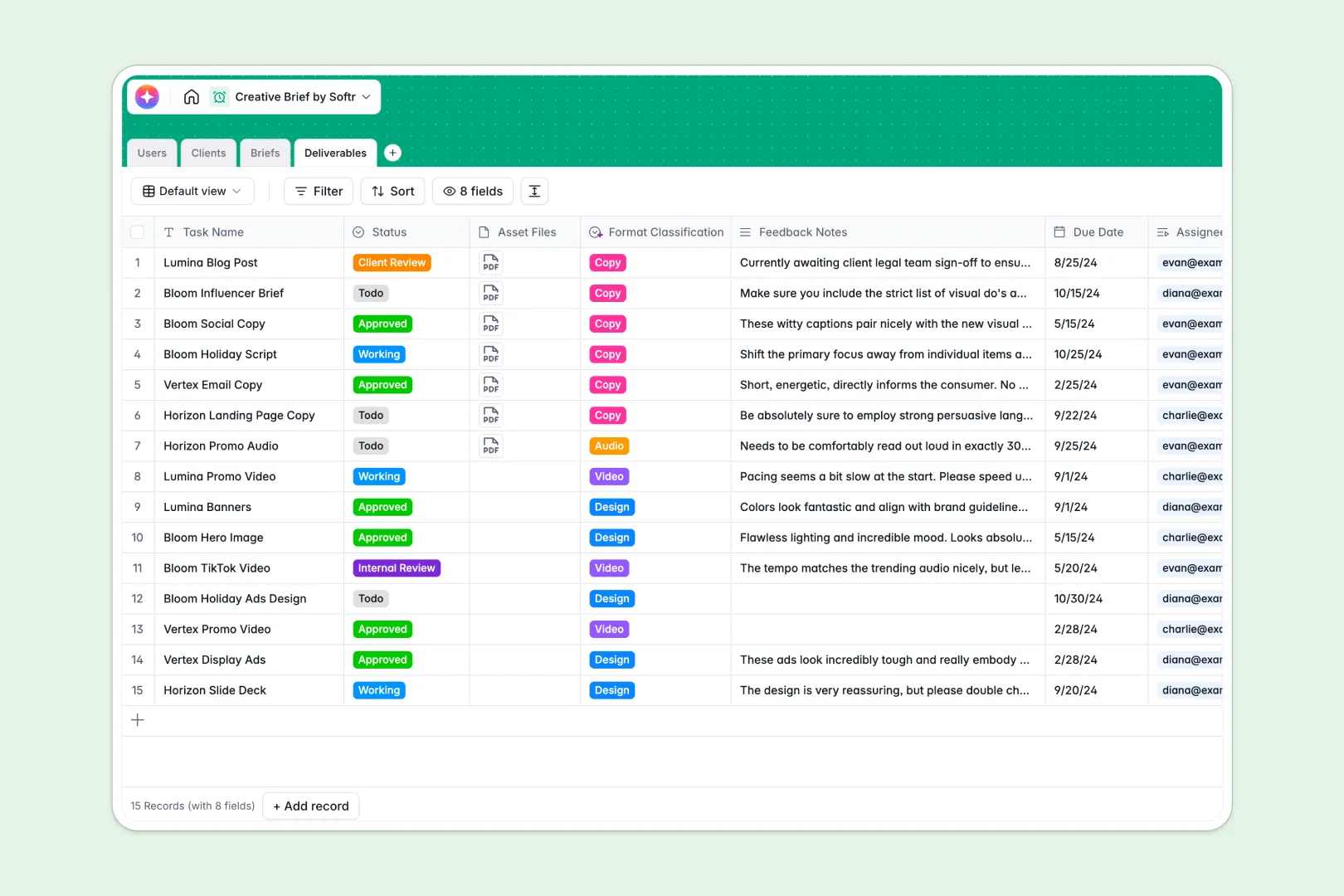
Your Creative Brief Database at a glance
This creative brief database template helps you manage campaigns, brand assets, and tasks without missing a deadline. Keep your team aligned and clients updated from inception to final approval.
Your database keeps core information organized across four linked tables: Users, Clients, Briefs, and Deliverables. By connecting tasks to campaigns and brands, everyone knows exactly who is working on what without manually checking spreadsheets.
AI features handle repetitive work automatically as your project details update. The system can search the live web to outline fresh brand backgrounds, generate brief summaries, and instantly categorize assets.
Why managing creative briefs in spreadsheets breaks down
Designers, writers, and brand managers often struggle with chaotic spreadsheets when coordinating projects. Large files, missing design attachments, and unstructured text inputs quickly disrupt daily work.
What a structured database changes
A structured setup guarantees that variables like launch dates, media files, and client brands stay consistent. There is no risk of accidental deletes or broken lookups.
Linking a task to a master brief happens naturally inside Softr Databases. This keeps your data tidy and makes scaling projects straightforward.
What you can do with this template
Use this system to align creators and clients through clear statuses, feedback notes, and trackable milestones. Centralized views prevent communication gaps and speed up client reviews.
Built-in features like Database AI agents process incoming records instantly. They summarize raw objectives and classify deliverable formats so you do not have to categorize manually.
-
Users
Manage internal staff and external clients with roles and task assignments
-
Clients
Store brand details and use AI to research background info via web search
-
Briefs
Outline campaign objectives and use AI to generate concise bulleted summaries
-
Deliverables
Track asset production and use AI to automatically classify task formats
Who is this Creative Brief Database for
Keep campaigns and feedback structures operating cleanly no matter your business scale.
- Creative Agencies: Maintain brand collateral, campaign goals, and designer work in one clean area.
- In-House Marketing Teams: Align copywriters, video editors, and managers on active marketing campaigns.
- Freelancers & Solopreneurs: Organize multi-client assets, briefs, and client feedback securely.
How to take it further
Customize the database
Add custom status options for reviews or create unique priority levels. Editing details in Softr is visual, fast, and does not require code.
Import your existing data
Migrate your current client directories or product campaign logs immediately using a CSV file. You can also sync live data through API integrations.
Build a full app around it
When your daily activity grows, construct an administrative portal or client portal around your structured database. Softr allows you to link its intuitive interface builder to turn tables into secure screens.
By introducing users and permissions, clients can only view their own projects, while your review team manages internal review steps confidentially. A robust data foundation makes building applications simple.
-
1
-
2
-
3
-
4
Frequently asked questions
-
What is a creative brief database?
-
Why use a no-code database to build a creative brief system?
-
How can AI help managing data for creative briefs?
-
Can I build an app with my creative brief database?
-
Is this Creative Brief Database free?
-
How is a database better than Google Sheets for creative collaboration?
Start building today. It's free!
Build and launch your first app in under 30 minutes.