


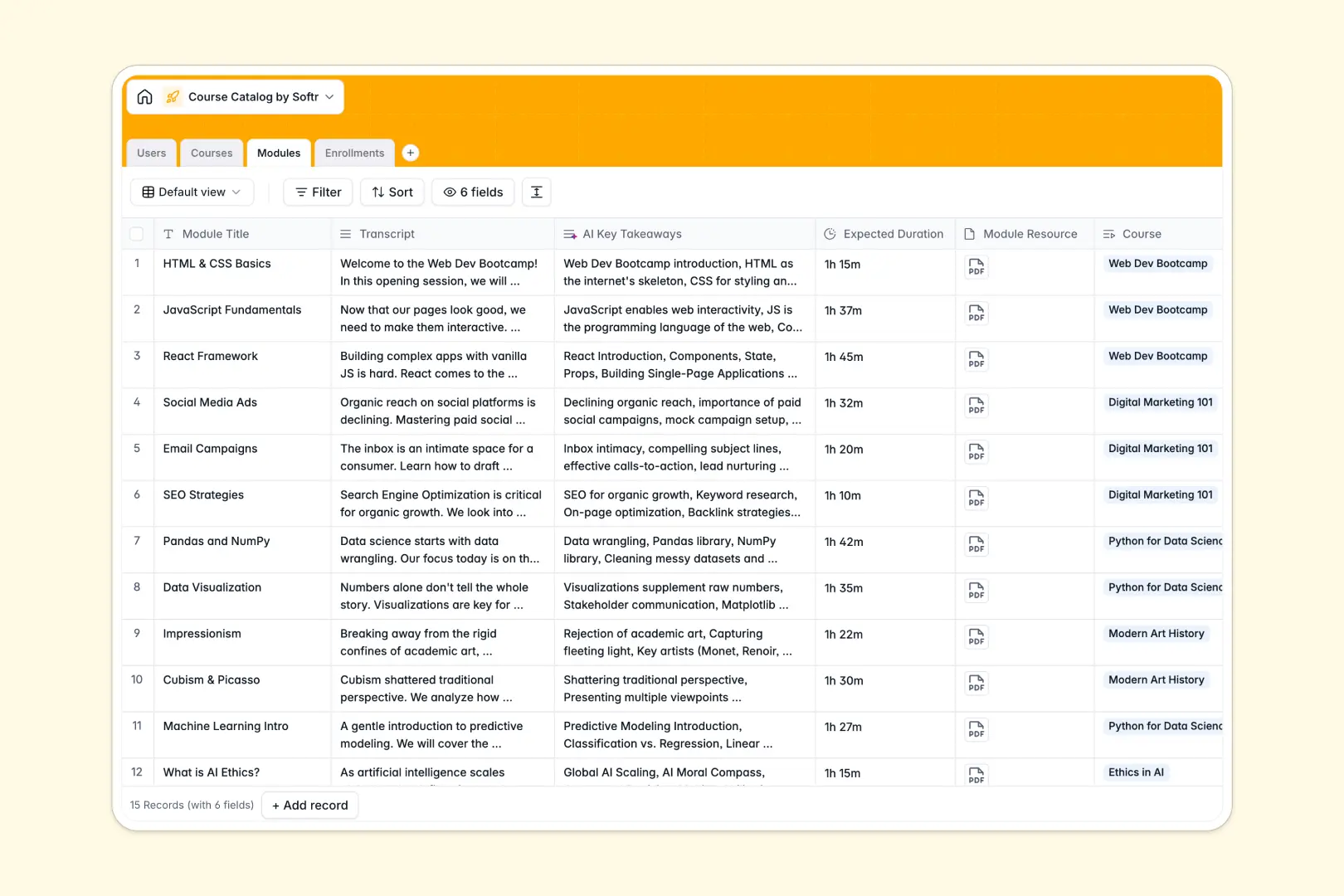
Your Course Catalog database at a glance
This template centralizes your curriculum, instructors, and student registrations into one connected system. It gives training teams, educators, and course creators an organized structure to manage educational content without manual tracking.
Four dedicated tables handle Users, Courses, Modules, and Enrollments. Relational fields link modules directly to their parent course and tie each student enrollment to both the learner and the class, keeping records synchronized automatically.
Built-in AI fields summarize course descriptions into quick bullet points and extract key takeaways from module transcripts automatically.
Why blank spreadsheets break when managing courses
Listing curriculum details in a static spreadsheet quickly becomes unmanageable as classes multiply, modules expand, and enrollments grow.
What a structured database changes
A structured database enforces clean field types so duration fields, transcripts, and status tags never mix. Instead of duplicating instructor details or syllabus notes across multiple tabs, courses link directly to their individual modules and assigned instructors.
This interconnected structure is exactly what Softr Databases are built for. Lookups and rollups calculate total student enrollments instantly, giving you real-time numbers you can trust without fragile formulas.
What you can do with this template
You can publish structured course listings, track active and completed student statuses, and store rich media resources for every lesson. Everything updates across linked tables in real time.
Integrated Database AI agents analyze lesson transcripts to pull core concepts and generate course overviews instantly whenever new content is added.
-
Users
Manage students, instructors, and admins with roles and course links
-
Courses
Organize learning curricula and generate bulleted summaries using AI
-
Modules
Structure lessons and extract key transcript takeaways via AI analysis
-
Enrollments
Track student participation, active statuses, and course timelines
Who is this Course Catalog database for
This database is designed for educational teams needing structured curriculum management.
- Bootcamps & Academies: Manage multi-module curriculums, assign instructors, and track active cohorts efficiently.
- Corporate L&D Teams: Organize internal employee training programs and monitor course completion statuses.
- Online Course Creators: Structure lessons, manage digital assets, and monitor learner registrations in one hub.
- Higher Ed Departments: Keep syllabi, module transcripts, and faculty assignments aligned without spreadsheet errors.
How to take it further
1. Customize the database
Tailor the template to fit your specific academic schedule. Add custom fields like course prerequisites, adjust category dropdowns, or add new status tags like waitlisted.
2. Import your existing data
Quickly bring in existing curriculums and student rosters using a straightforward CSV import. You can also connect via API to sync registrations directly from payment processors or web forms.
3. Build a full app around it
Turn your database into an interactive learning portal when your team is ready. Use the AI app generator to generate student dashboards, instructor portals, and course directories in a single prompt on top of this data.
Configure granular users and permissions so instructors manage their own modules while students access only the courses they are enrolled in.
-
1
-
2
-
3
-
4
Frequently asked questions
-
What is a course catalog database?
-
Why use a no-code database to build a course catalog?
-
How can AI help managing data for course catalog?
-
Can I build an app with this course catalog database?
-
Is this Course Catalog template free?
Start building today. It's free!
Build and launch your first app in under 30 minutes.