


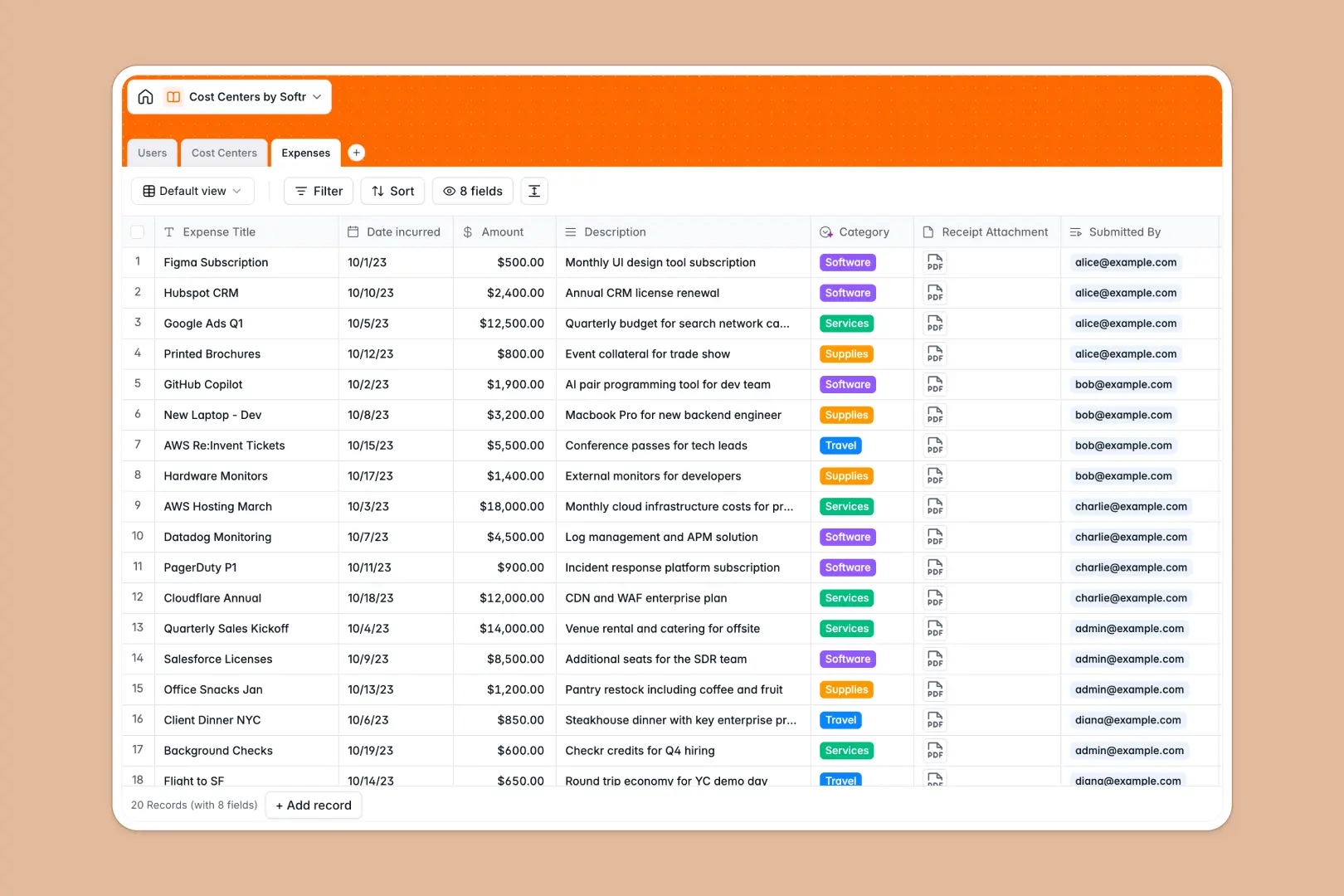
Your Cost Centers database at a glance
This template gives finance and operations teams a structured system to manage departmental budgets and track expenditures without manual calculations.
It connects Users, Cost Centers, and Expenses in one relational structure. When an employee logs an outlay, the spent amount rolls up directly to the assigned department code, instantly updating the remaining budget.
Built-in AI automatically classifies expense descriptions into categories and drafts summary overviews for each department.
Moving past broken lookup formulas for departmental spend
Tracking departmental budgets across disconnected sheets often leads to mismatched cost codes, broken formulas, and inaccurate spend rollups.
What a structured database changes
A structured database enforces strict data integrity. Dates stay dates, receipts remain safely attached, and cost centers connect directly to expense logs without fragile formulas.
When every expense links to an exact cost center record, spend totals calculate automatically and remain accurate even as new rows are submitted.
This is exactly what Softr Databases are designed for, giving you a reliable backend that eliminates re-typing and broken references.
What you can do with this template
Monitor departmental operating budgets alongside live rollups of total spend and remaining funds in one clear view.
Use Database AI agents to automatically parse expense notes and assign them to the correct category like Travel, Software, or Supplies.
Maintain full visibility over budget ownership by linking every department directly to its responsible manager and team members.
-
Users
Manage employee profiles, assigned security roles, and submitted expense logs
-
Cost Centers
Track department budgets, managers, and generate summaries using AI
-
Expenses
Record financial outlays with receipts and automated AI categorization
Who is this Cost Centers database for
This database helps organizations maintain financial accountability across all operational units.
- Finance Directors: Monitor company-wide department spending against operating budgets in real time.
- Department Managers: Track team expenses and remaining balances without requesting manual accounting reports.
- Operations Teams: Maintain accurate cost center codes, budget ownership, and employee expense submissions.
- Team Leads: Review submitted receipts and ensure proper categorization across recurring operational costs.
How to take it further
1. Customize the database
Adapt the database to your exact financial structure by adding custom cost center codes, adjusting currency settings, or modifying expense category tags. You can add new fields for project tags or vendor details in just a few clicks.
2. Import your existing data
Bring in existing department lists and historical transactions quickly using CSV import, or connect via API to sync your accounting software data into this structured model.
3. Build a full app around it
When you need to collect expense submissions or share budget dashboards, you can build an app directly on top of this database. Use Softr's AI Co-Builder to generate an internal expense portal where managers only see their own department's budget.
With granular users and permissions, employees can upload receipts without seeing broader financial figures, keeping your sensitive company budgets completely secure.
-
1
-
2
-
3
-
4
Frequently asked questions
-
What is a cost centers database?
-
Why use a no-code database to build a cost center management system?
-
How can AI help managing data for cost centers?
-
Can I build an app with this cost centers database?
-
Is this Cost Centers database free?
-
How do expense rollups work in this template?
Start building today. It's free!
Build and launch your first app in under 30 minutes.