


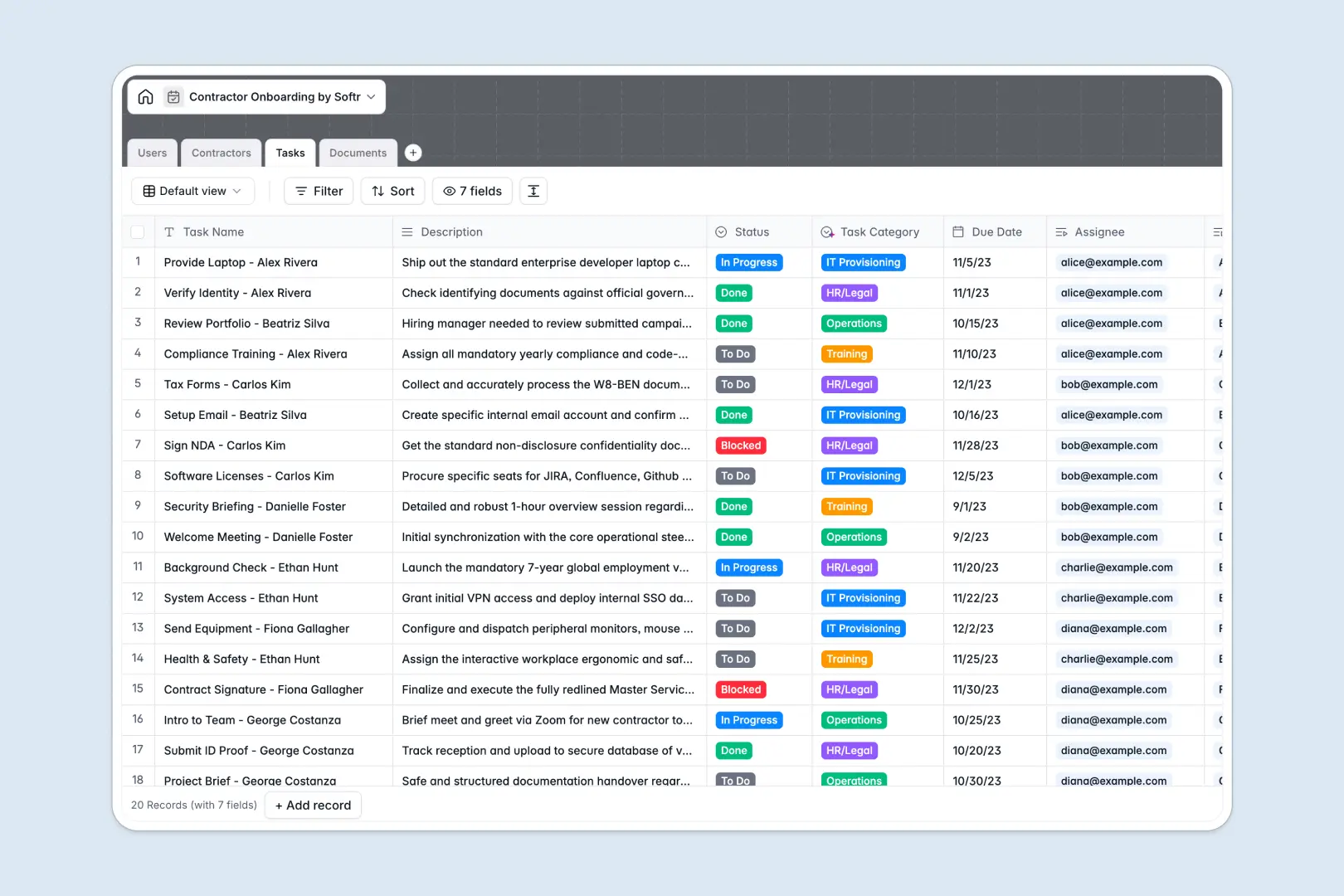
Your Contractor Onboarding database at a glance
This contractor onboarding database keeps every document, task, and profile organized in one secure system. It eliminates scattered email threads and ensures your external hires are fully compliant and ready to work on day one.
The template connects your Contractors, Tasks, and Documents tables together automatically. When you assign a new IT provisioning task or upload an NDA, it instantly links back to the correct contractor and their assigned HR manager.
Built-in AI features automatically research contractor portfolios to write professional summaries directly in the database. The system also instantly categorizes new tasks and uploaded documents to keep your workspace perfectly organized.
Why managing contractor onboarding in spreadsheets breaks down
Tracking external hires in spreadsheets quickly becomes a mess of broken links, mixed data, and missing file attachments.
What a structured database changes
Instead of pasting Google Drive links into random cells, a structured database enforces clear rules for every piece of data. Attachments stay secure, due dates remain actual dates, and onboarding tasks link safely to contractors without relying on fragile formulas.
This exact structure ensures your team never loses an important NDA or forgets to grant software access. This is exactly what Softr Databases are designed for, giving you a reliable single source of truth as your workforce grows.
What you can do with this template
You can track every onboarding stage from initial document collection to fully onboarded without endless back-and-forth. It is ready to use immediately, giving your managers clear visibility into who is blocked and what tasks remain.
Because this template includes Database AI agents, the database actually helps you do the work. The system automatically categorizes your compliance files and operations tasks as soon as they are added, saving countless hours of manual data entry.
-
Users
Manage internal staff and HR managers who oversee the onboarding process
-
Contractors
Track profiles with AI-generated professional summaries and progress status
-
Tasks
Organize onboarding steps with AI-powered categorization and owner assignment
-
Documents
Store files using AI to classify document types and track verification status
Who is this Contractor Onboarding database for
This template is designed for teams that need a reliable, automated way to manage external talent.
- HR Managers: Track every signed NDA, background check, and tax document in a single secure view.
- Operations Teams: Monitor onboarding statuses and seamlessly hand over fully prepped contractors to project leads.
- IT Supervisors: See exactly when to start computer provisioning or software access tasks for incoming hires.
How to take it further
It is incredibly easy to adapt this database to your specific onboarding process. You can quickly add new contractor statuses or modify the document verification steps to match your unique company policies.
Quickly populate your database by uploading existing contractor lists via CSV. Connecting your historical data takes just a few clicks, enabling you to get value out of the system immediately.
When your team is ready, you can turn this database into a fully functioning self-serve portal. Using the Softr interface builder, you can create custom dashboards where contractors can log in and securely upload their own documents.
By leveraging users and permissions, you easily control exactly what each person sees. Contractors only view their own required tasks, while HR managers have full access to review and approve incoming files.
-
1
-
2
-
3
-
4
Frequently asked questions
-
What is a contractor onboarding database?
-
Why use a no-code database to build a contractor onboarding system?
-
How can AI help managing data for contractor onboarding?
-
Can I build an app with this contractor onboarding database?
-
Is this contractor onboarding database free?
-
How is a contractor onboarding database different from spreadsheets?
Start building today. It's free!
Build and launch your first app in under 30 minutes.