


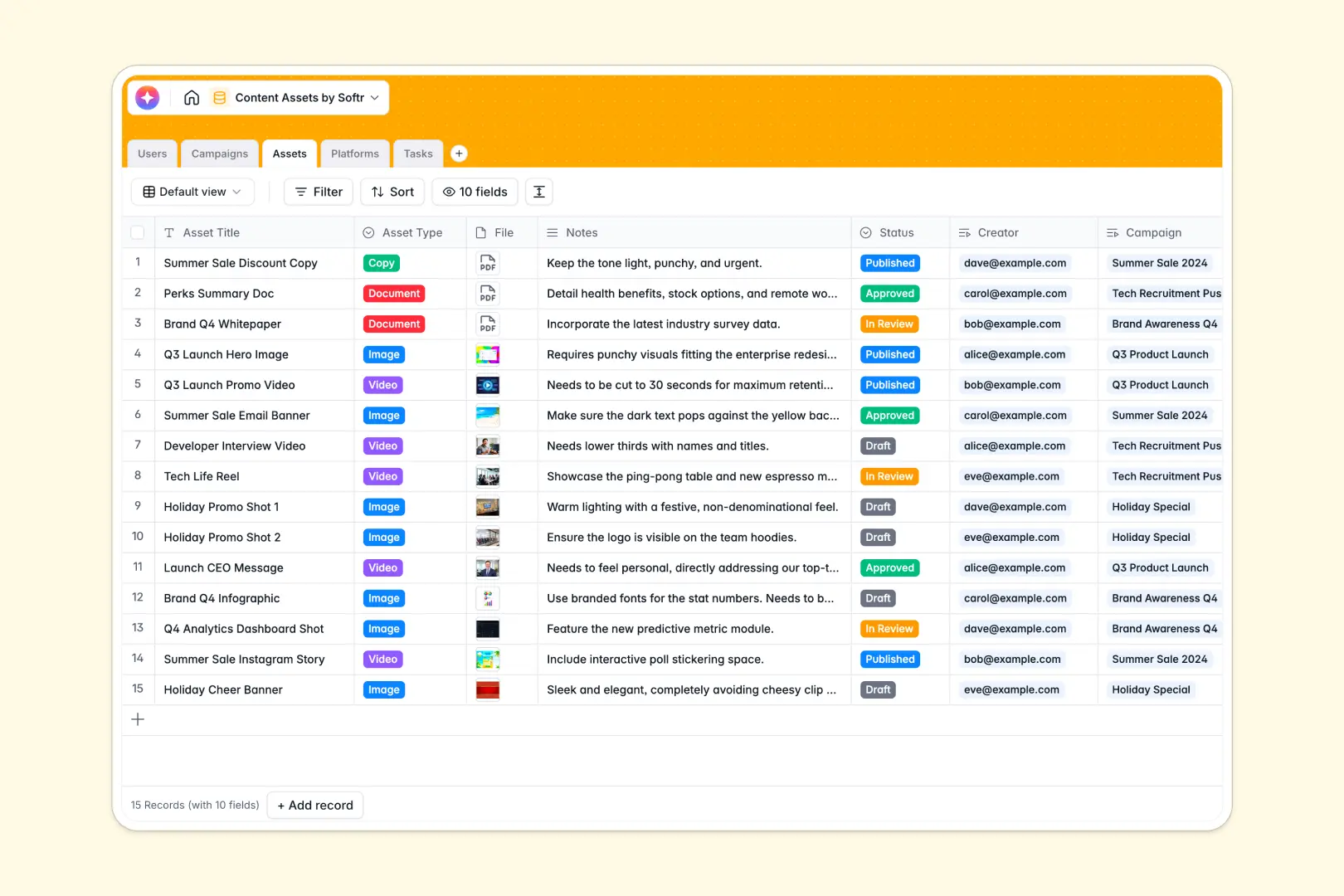
Your Content Assets Database at a glance
This template gives your team a centralized hub to manage every creative file, copy draft, and design asset. It connects your production tasks directly to high-level marketing campaigns.
It works by linking distinct tables for Users, Campaigns, Assets, Platforms, and Tasks. This means you can assign a video, track its specific steps, and link it to a distribution platform without duplicating data.
Built-in AI fields do the heavy lifting for your marketing team automatically. The database instantly extracts top goals from campaign briefs and drafts asset copy based directly on your notes.
Why managing content assets in spreadsheets breaks down
Tracking high-volume content production in spreadsheets quickly becomes chaotic. When image files, long-form briefs, and tight deadlines are stuffed into rows, important assets get lost and version control becomes a nightmare.
What a structured database changes
A proper database keeps your data strictly organized and properly formatted as you scale. Attachments stay secure, due dates enforce correct formats, and individual tasks natively link back to their parent assets.
Instead of messy VLOOKUPs, you connect records clearly—linking a single high-level campaign to dozens of assets with one click. This is exactly what Softr Databases are designed for.
What you can do with this template
You can immediately log your creative files, assign precise tasks to individual assignees, and monitor asset statuses from Draft to Published. Automated rollups will automatically count your total deliverables per target platform.
Plus, native Database AI agents act as your ultimate creative co-pilot. They automatically write draft copy for individual assets and summarize campaign goals as soon as new briefs are uploaded.
-
Users
Manage team members with roles and track their assigned content assets
-
Campaigns
Organize marketing goals and use AI to summarize complex project briefs
-
Assets
Store media files and leverage AI to automatically draft content copy
-
Platforms
Track distribution channels and links for published content assets
-
Tasks
Manage production workflows with deadlines and specific asset assignments
Who is this Content Assets database for
This template is designed for marketing teams, agencies, and creators scaling their content output.
- Marketing Managers: Align high-level campaigns with daily execution without losing sight of deadlines.
- Content Creators: See exactly what production tasks are yours and access briefs instantly.
- Creative Agencies: Track multi-channel asset distribution and streamline the review process.
- Social Media Leads: Monitor exactly which assets are destined for which publishing platform.
How to take it further
Start customizing the database by renaming asset types or updating campaign status options to match your exact review workflow. Since it’s natively editable, you can quickly adjust field types or add new platform categories effortlessly.
Next, bring your historical campaigns online by importing them directly via CSV. You can also connect via API to sync your marketing data automatically and get your whole team working in one space.
When your team is ready, you can build a full app directly on top of this foundation. This lets you turn your internal database into a client-facing portal or agency review dashboard.
With robust users and permissions, you can ensure external reviewers only see approved files, while creators freely edit their own drafts. Starting with this well-structured database makes launching that app incredibly fast.
-
1
-
2
-
3
-
4
Frequently asked questions
-
What is a content assets database?
-
Why use a no-code database to build a content management system?
-
How can AI help managing data for content assets?
-
Can I build an app with this content assets database?
-
Is this content assets database template free?
-
How is a content assets database different from spreadsheets?
Start building today. It's free!
Build and launch your first app in under 30 minutes.