


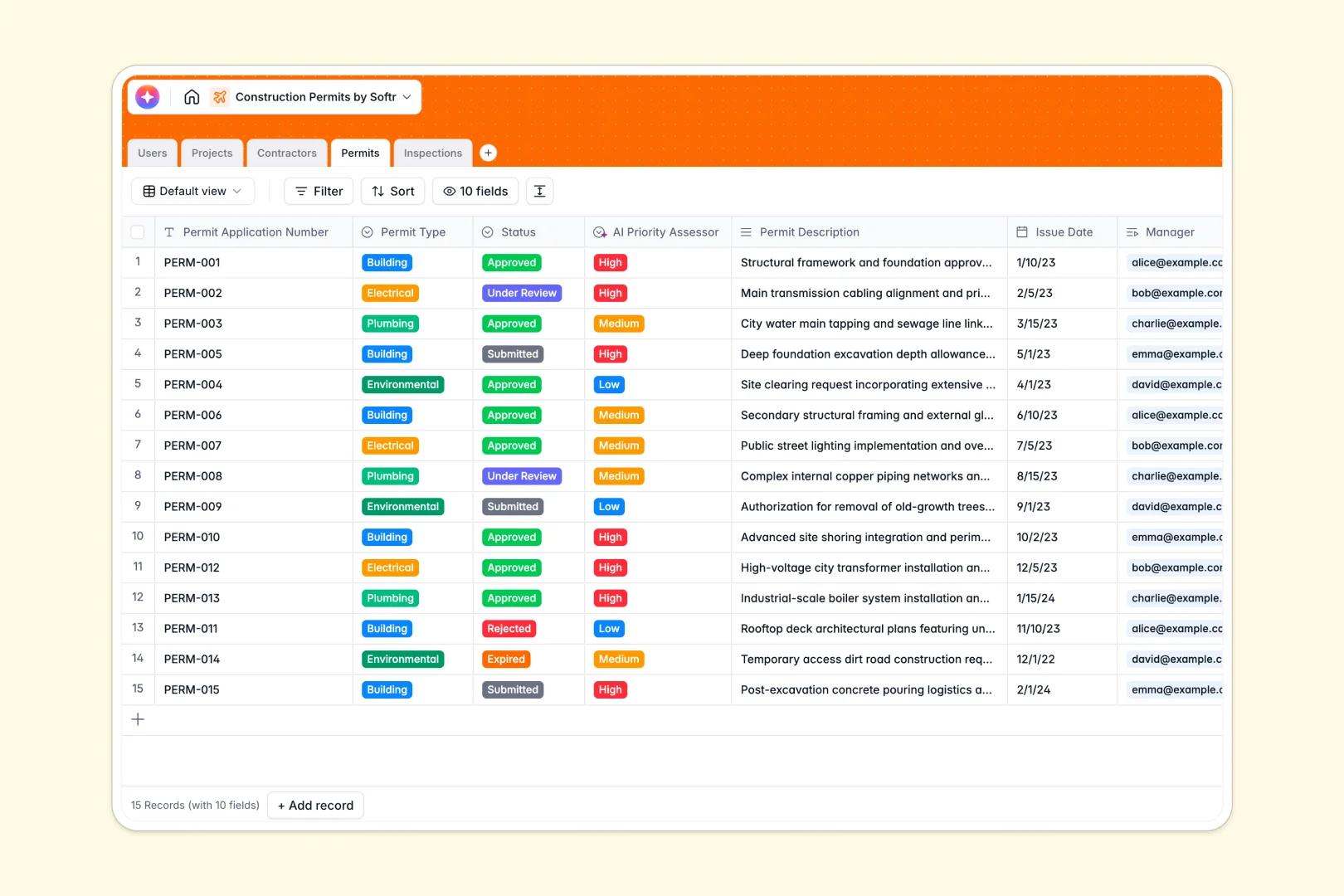
Your Construction Permits Database at a glance
This construction permits database organizes your projects, permits, and inspections into one central system. It ensures teams never lose track of application statuses or inspection dates, preventing costly project delays.
The template connects your permits directly to projects, contractors, and field inspections. When an inspector updates a record, project managers can instantly see the latest passed or failed outcome.
Built-in AI automatically summarizes field notes, assesses permit priority, and writes clear project descriptions as real-time updates happen.
Why managing construction permits in spreadsheets breaks down
Tracking permits across multiple spreadsheets quickly turns into a mess of disconnected rows and broken formulas. It becomes nearly impossible to track which external contractors are handling which building permits without constant manual updates.
What a structured database changes
A structured database ensures every piece of data has a strict format, from approval dates to inspection outcomes. Tables link together naturally, so connecting a permit to an external contractor requires zero fragile spreadsheet rules.
This is exactly what Softr Databases are designed for. As your list of construction projects scales, your compliance records remain cleanly centralized and easy to navigate for your field and office teams.
What you can do with this template
You can immediately log permit applications and assign them to specific managers, contractors, and site addresses. Inspections tie seamlessly to permits, letting you centralize photos and field notes securely.
Database AI agents automate the heavy administrative lifting by scanning contractor websites and drafting executive summaries of messy inspection notes. You save hours of manual data entry while keeping compliance records perfectly accurate.
-
Users
Manage administrative staff and inspectors with assigned permit records
-
Projects
Organize construction initiatives with site details and AI-generated titles
-
Contractors
External firms with linked permits and web-powered AI company overviews
-
Permits
Track application status and types using AI to assess review priority
-
Inspections
Log site visit outcomes and photos with automated AI executive summaries
Who is this Construction Permits Database for
This database template is built for teams managing compliance and construction approvals.
- Project Managers: Keep track of project phases and ensure all required permits are secured on time.
- Permit Coordinators: Monitor application statuses, manage contractor documentation, and avoid missing expiration dates.
- Field Inspectors: Log inspection outcomes and upload site photos directly to the related permit record.
- General Contractors: Maintain a clean directory of external sub-contractors and the specific permits they handle.
How to take it further
To start, you can fully customize the database to match local building laws. You can easily modify the permit status dropdowns or add new columns for specific municipal requirements.
Next, import your existing data to get moving immediately. You can bulk upload your current permit logs and contractor databases via CSV directly into the tables.
When you are ready to collaborate externally, you can easily build a full application on top of this structure. This allows you to create a secure portal where contractors can upload their documentation and site photos safely without accessing the backend.
By configuring users and permissions, you can ensure that field teams only see their assigned site visits while managers oversee the entire pipeline. Building complex apps is fast and robust when your underlying data structure is already perfectly organized.
-
1
-
2
-
3
-
4
Frequently asked questions
-
What is a construction permits database?
-
Why use a no-code database to build a construction permits system?
-
How can AI help managing data for construction permits?
-
Can I build an app with this construction permits database?
-
Is this Construction Permits Database free?
-
How does a construction permits database differ from spreadsheets?
Start building today. It's free!
Build and launch your first app in under 30 minutes.