


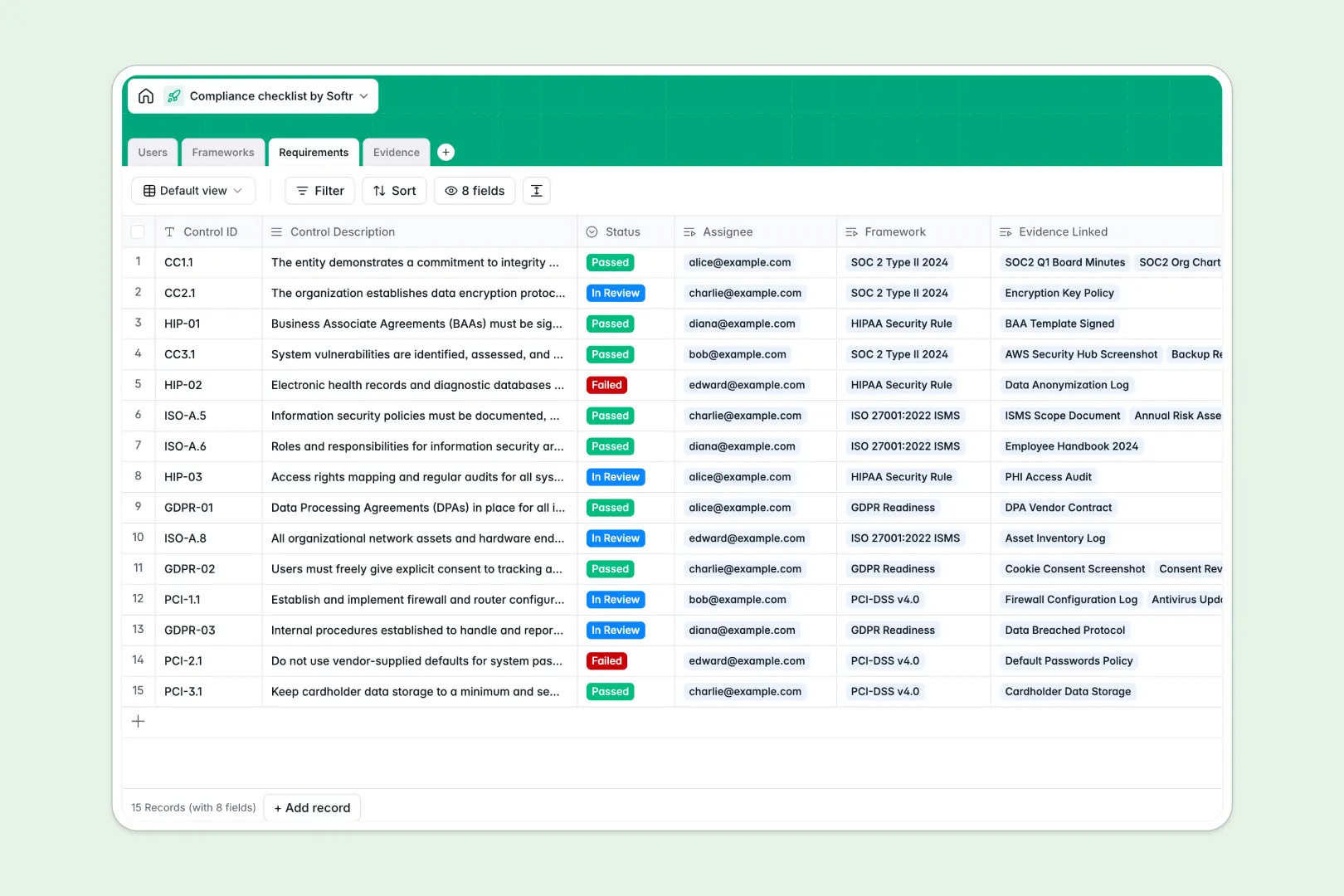
Your Compliance Checklist database at a glance
This template gives your team a centralized, structured way to track frameworks like SOC 2 or GDPR without losing oversight. It connects controls, assignees, and proof of compliance in one single source of truth.
The system is built on relational tables that link specific Requirements directly to broader Frameworks and user Evidence. When a team member uploads a policy or access log, it instantly maps back to the correct control ID and updates the overall audit progress.
Built-in AI fields do the heavy lifting automatically as your data changes. They instantly summarize framework objectives, outline next steps for pending controls, and securely categorize uploaded evidence.
Why tracking compliance checklists in spreadsheets breaks down
Managing audit prep across scattered spreadsheets quickly leads to broken links, missing attachments, and outdated status reports.
What a structured database changes
A dedicated database enforces strict data types, meaning dates stay as dates, files are securely attached, and statuses follow a restricted list.
Instead of relying on fragile formulas to connect a user to a specific control, relational tables natively link evidence and assignees directly to your frameworks. This level of reliability is exactly what Softr Databases are built to deliver for growing teams.
What you can do with this template
You can instantly assign specific compliance requirements to team members and track their upload progress in real time.
Through Database AI agents, the system will automatically classify your uploaded evidence—like tagging a file as a "Vendor Contract" or "Policy Document" without any manual data entry.
-
Users
Manage compliance team members, auditors, and staff with roles and access
-
Frameworks
Organize compliance programs with AI-generated summaries of goals and progress
-
Requirements
Track checklist items with AI-powered synopses of next steps and status
-
Evidence
Store audit proof using AI to automatically classify document categories
Who is this Compliance Checklist database for
This system is designed for teams aiming to maintain rigorous security and operational standards efficiently.
- Compliance Managers: Monitor overall framework readiness and spot missing evidence before audits begin.
- IT Administrators: Track and upload critical system access logs to fulfill technical control requirements.
- External Auditors: Review neatly organized policies, screenshots, and approvals in a centralized, read-only view.
- Department Leads: Assign specific security steps to team members and ensure timely completion.
How to take it further
Because this is a native Softr Database, you can immediately customize the tables to fit your specific needs. Easily add new framework statuses, modify user roles, or adjust the AI prompts to match your exact auditing language.
You can also quickly import your historical compliance records via CSV or connect an API. This allows you to migrate from legacy systems and keep all your current control data automatically synced.
When you're ready, you can scale this database by using Softr's interface builder to create a custom vendor risk portal or an employee security app.
By layering on advanced users and permissions, you can ensure that auditors only see read-only overviews while assigned employees only access the specific controls they need to fulfill. Setting up a well-structured database makes this app-building process entirely effortless.
-
1
-
2
-
3
-
4
Frequently asked questions
-
What is a compliance checklist database?
-
Why use a no-code database to build a compliance tracking system?
-
How can AI help managing data for compliance checklists?
-
Can I build an app with this compliance checklist database?
-
Is this compliance checklist database free?
-
How does a compliance database compare to Excel or Google Sheets?
Start building today. It's free!
Build and launch your first app in under 30 minutes.